Internal Link Recommendation
Recommend internal links based on content relevance and page importance using semantic analysis and PageRank scoring.
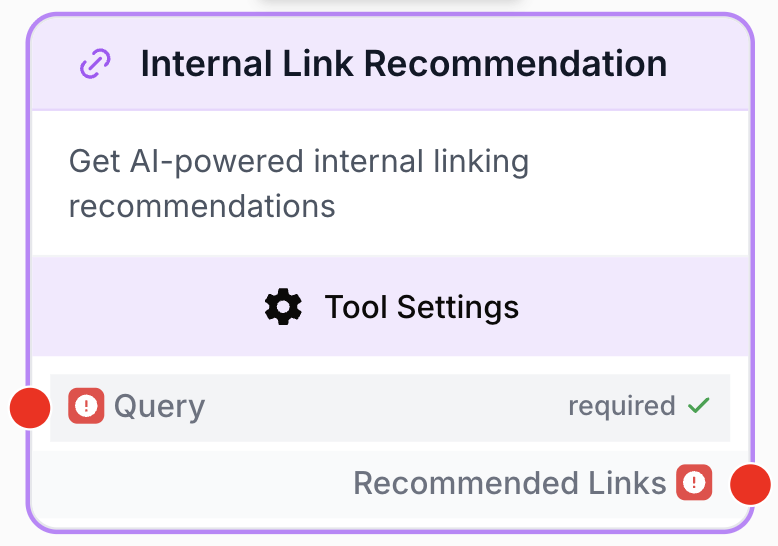
What does this node do?
The Internal Link Recommendation node analyzes a query against a CSV dataset of your site’s pages to recommend internal links based on semantic relevance and PageRank scoring. It combines content similarity with page authority to surface the most valuable linking opportunities.
Common use cases:
- Optimize internal linking for SEO by finding the most relevant and authoritative pages to link to.
- Find related content to reference when writing or updating articles.
- Build topical clusters by identifying thematically connected pages across your site.
Quick setup
Add the node to the canvas
Open the Node Library, navigate to Tools > SEO Content, and drag the Internal Link Recommendation node onto your workspace.
Prepare your CSV dataset
Create a CSV file with three columns: url, title, and inrank (PageRank score). You can export this data from tools like Screaming Frog, Oncrawl, or your own analytics pipeline.
Configure the node
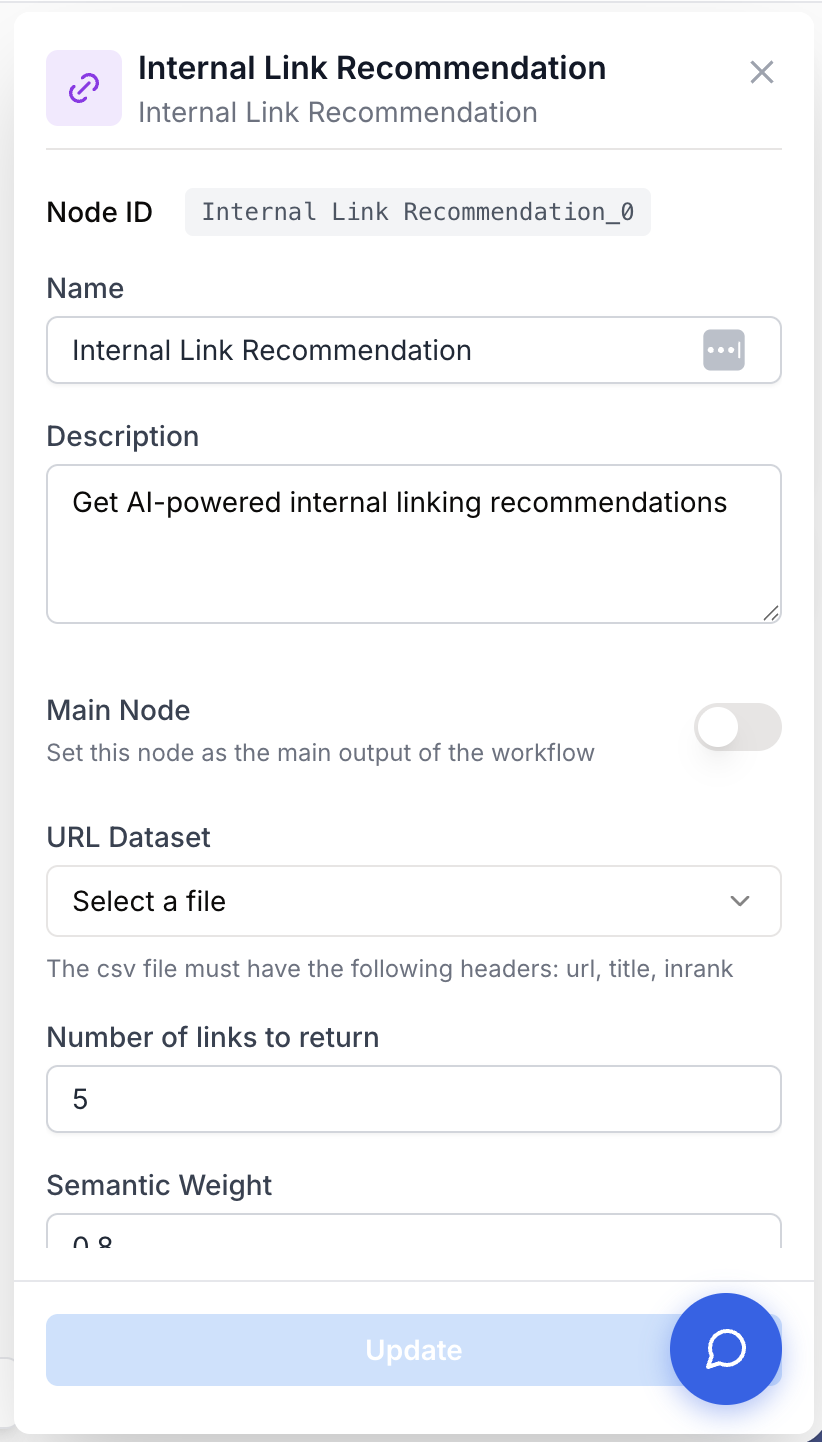
Upload your CSV dataset, set the number of links to return, and adjust the semantic and PageRank weights to match your linking strategy.
Connect and run
Connect a text input (keywords or content) to the query input and wire the output to the next node in your workflow.
Configuration
Input
query string required The keywords or content to match against page titles in your dataset. This is the basis for semantic similarity scoring.
Settings
urlDataset csv required A CSV file containing your site’s URL data. The file must include the following columns:
url— The page URLtitle— The page titleinrank— The internal PageRank score of the page
numLinks number default: 5 The number of link recommendations to return. Accepts values between 1 and 20.
semanticWeight number default: 0.8 Weight given to semantic relevance in the scoring algorithm (between 0 and 1, step 0.1). Higher values prioritize content similarity between the query and page titles.
pageRankWeight number default: 0.4 Weight given to page importance (PageRank) in the scoring algorithm (between 0 and 1, step 0.1). Higher values prioritize high-authority pages.
The two weights are independent and do not need to sum to 1. A configuration like semanticWeight: 0.8 and pageRankWeight: 0.4 means relevance matters roughly twice as much as authority.
Output
recommended_links string A list of recommended internal links with their URLs and combined scores, ranked from most to least relevant.
[
  {
    "url": "https://example.com/blog/seo-guide",
    "title": "Complete SEO Guide",
    "relevance_score": 0.92,
    "inrank": 8.5
  },
  {
    "url": "https://example.com/resources/link-building",
    "title": "Link Building Best Practices",
    "relevance_score": 0.87,
    "inrank": 7.2
  }
]
Examples
Example 1: SEO article interlinking
You are writing an article about “technical SEO audit” and want to find the best pages on your site to link to.
Query input:
technical SEO audit crawl errorsConfiguration:
numLinks: 5semanticWeight: 0.8pageRankWeight: 0.4
Output:
[
  {
    "url": "https://example.com/guides/technical-seo-checklist",
    "title": "Technical SEO Checklist for 2025",
    "relevance_score": 0.95,
    "inrank": 7.8
  },
  {
    "url": "https://example.com/blog/crawl-budget-optimization",
    "title": "How to Optimize Your Crawl Budget",
    "relevance_score": 0.89,
    "inrank": 6.3
  },
  {
    "url": "https://example.com/tools/site-audit",
    "title": "Free Site Audit Tool",
    "relevance_score": 0.84,
    "inrank": 9.1
  }
]
Example 2: Content hub building
You are building a content hub around “content marketing” and want to identify all the pages that should be interconnected.
Query input:
content marketing strategy planningConfiguration:
numLinks: 10semanticWeight: 0.6pageRankWeight: 0.6
Workflow:
graph LR
    A[Text Input] --> B[Internal Link Recommendation]
    B --> C[LLM]
    C --> D[Docs Writer]
In this workflow, the LLM receives the recommended links and generates an HTML snippet with anchor tags ready to insert into your content. The balanced weights ensure the hub links to pages that are both relevant and authoritative.
Best practices
Balance your weights carefully. For editorial content, favor semantic relevance (semanticWeight: 0.8, pageRankWeight: 0.3). For pillar pages or navigation hubs, increase PageRank weight (semanticWeight: 0.5, pageRankWeight: 0.7) to link to your most authoritative pages.
Invest in quality CSV data. The recommendations are only as good as your dataset. Make sure page titles are descriptive and PageRank scores are up to date. Re-export your CSV regularly as your site evolves.
Common issues
The node returns empty results
Cause: The query does not match any page titles in your dataset, or the CSV file is malformed.
Solution: Verify that your CSV file contains the required columns (url, title, inrank) with correct headers. Try broader keywords in the query. Check that the CSV is not empty or corrupted.
Recommendations have low relevance
Cause: The page titles in your CSV are too generic or do not contain enough keywords for semantic matching.
Solution: Ensure your CSV contains descriptive page titles rather than generic ones (e.g., “Complete Guide to Technical SEO” instead of “Page 1”). You can also increase semanticWeight and decrease pageRankWeight to prioritize content similarity.