HTML to Markdown
The HTML to Markdown node converts HTML content into clean Markdown, ideal for preparing structured text for LLMs and downstream processing.
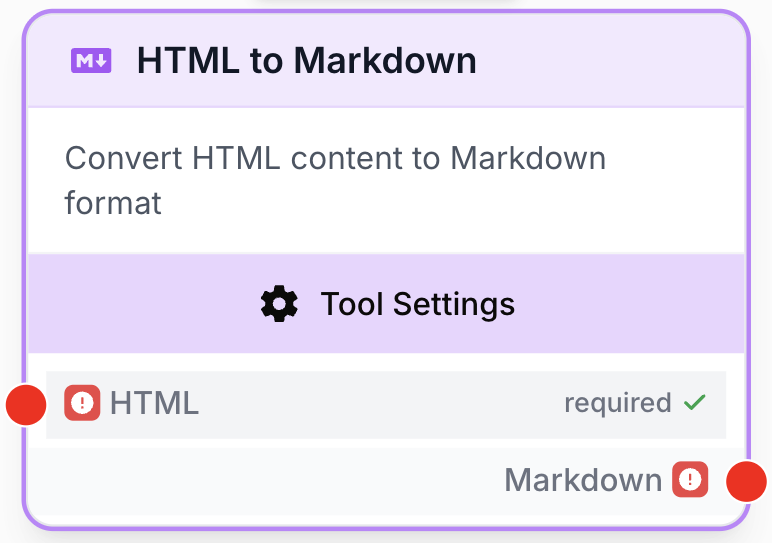
What does the HTML to Markdown node do?
The HTML to Markdown node takes raw HTML (a full page, a fragment, or a list of HTML strings) and converts it into clean Markdown. The result is a far more compact and readable representation of the same content, with the document structure (headings, lists, links, emphasis) preserved.
It is especially useful when the next step in your workflow is an LLM: Markdown reduces token usage, removes layout noise (scripts, styles, inline attributes), and gives the model a clear structure to reason on.
Common use cases:
- Cleaning HTML returned by a Web Scraper before passing it to an LLM for summarization or extraction.
- Normalizing rich-text content (from a CMS, an email, a Google Doc export) into Markdown for storage or further processing.
- Preparing pages for a RAG pipeline so that chunks remain semantically structured (headings, bullet lists, tables).
Quick setup
Follow these steps to add and configure the HTML to Markdown node in your workflow.
Add the node to the canvas
Open the Node Library, go to Tools > Data Transformation, then drag and drop the HTML to Markdown node onto your workspace.
Connect the input
Connect the input port (on the left of the node) to the output of the previous node that produces HTML — typically a Web Scraper, an HTTP Request node, or any node returning raw HTML as text.
Adjust name and description
Open the node settings. Update the Name (e.g. Clean scraped page) and Description so the node is easy to identify when running and debugging the workflow.
Connect the output
Connect the output port (on the right of the node) to the next node. In that next node, define the receiving variable name to use the converted Markdown content.
Configuration parameters
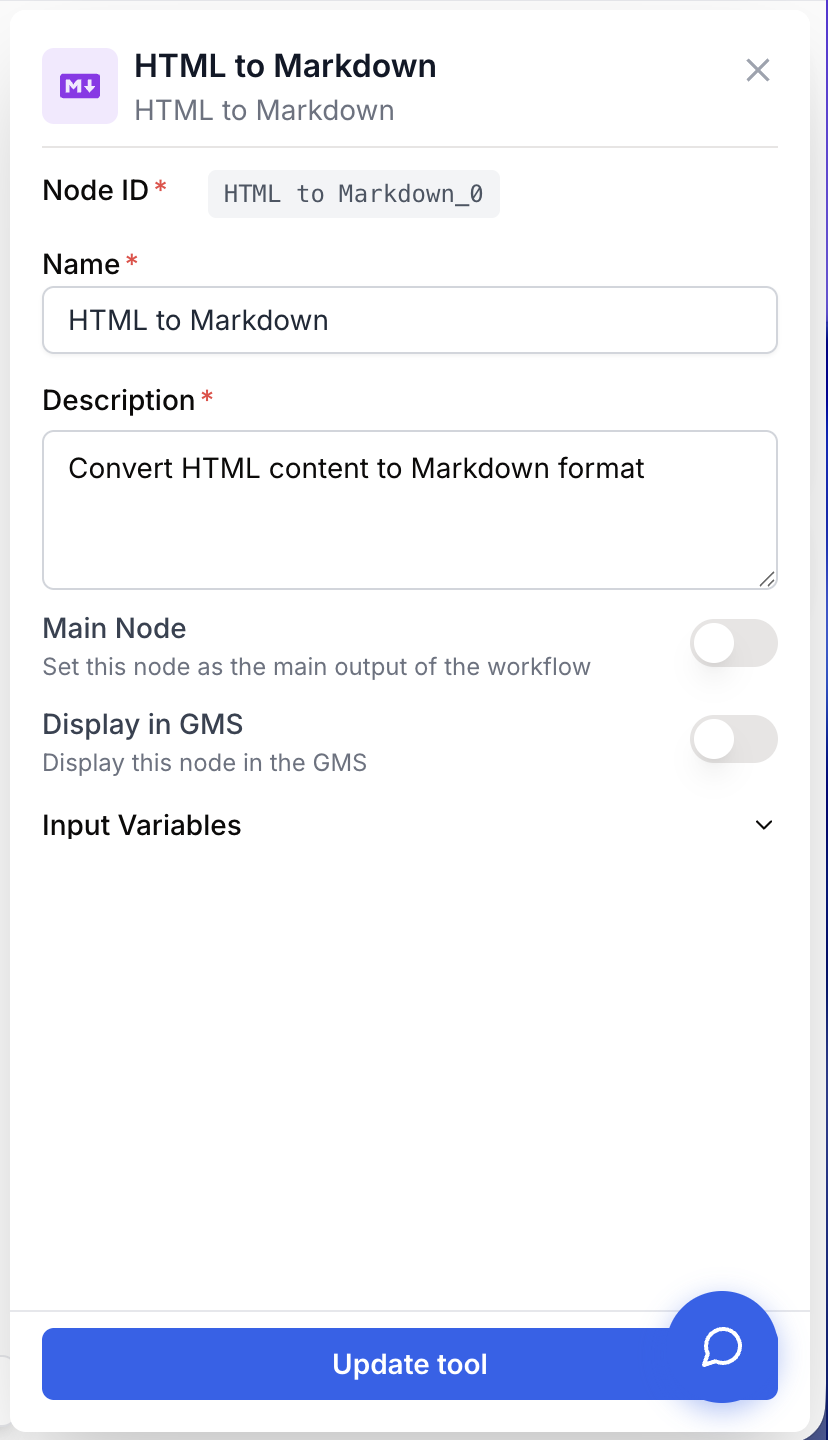
The HTML to Markdown node has a minimal configuration: you only set the node identity. The HTML to convert is provided through the input connection, not through a static field.
Required fields
Name string required default: HTML to Markdown Node name — Important for quickly identifying this node’s role (e.g. “Convert scraped article”) when running and debugging the workflow.
Description string required default: A tool for converting HTML to Markdown Node description — A short phrase describing which content this node converts in your workflow.
Optional fields
HTML string HTML input — The HTML content to convert. This value is provided through the input connection from a previous node (it is not typed manually in the node settings). The node also accepts a list of HTML strings, in which case each item is converted independently.
Connect this node directly after a Web Scraper to turn a noisy HTML page into a Markdown document ready for an LLM, without writing a single line of code.
What does the node output?
The node outputs Markdown text (a string) corresponding to the input HTML, with structural elements preserved:
<h1>…<h6>become#,##, … headings.<strong>/<b>become**bold**,<em>/<i>become*italic*.<ul>/<ol>/<li>become Markdown bullet or numbered lists.<a href="...">become[label](url)links.- Inline scripts, styles, and most layout attributes are stripped.
When the input is a list of HTML strings, the node returns a list of Markdown strings in the same order.
How to use the output
In Draft & Goal, you don’t need to look up a complex system-generated variable name. To use the result:
- Draw a connection from the HTML to Markdown node’s output.
- Connect it to the next node’s input.
- In that next node, create and name your own variable (for example,
markdown_content). The converted Markdown will be injected into it automatically.
Markdown string The Markdown version of the input HTML, with headings, lists, links, and emphasis preserved.
Usage examples
Example 1: Cleaning a scraped page before an LLM
You scraped a blog post and want an LLM to summarize it. Feeding raw HTML wastes tokens and confuses the model with markup.
Input (HTML from a Web Scraper):
<h1>Title</h1>
<p>This is a <strong>paragraph</strong> with a <a href="https://example.com">link</a>.</p>
<ul>
  <li>Item 1</li>
  <li>Item 2</li>
</ul>
Generated output (Markdown):
# Title

This is a **paragraph** with a [link](https://example.com).

- Item 1
- Item 2
The next LLM node now receives a compact, well-structured input — fewer tokens, better answers.
Example 2: Batch-converting multiple pages
You scraped a list of product pages and want to convert all of them at once before storing them in a database or sending them to a RAG indexing step.
Input (list of HTML strings, one per scraped page):
[
  "<h2>Product A</h2><p>Description A</p>",
  "<h2>Product B</h2><p>Description B</p>"
]
Generated output (list of Markdown strings, same order):
[
  "## Product A\n\nDescription A",
  "## Product B\n\nDescription B"
]
You can then plug the result into a Loop or directly into a downstream node that accepts a list.
Common issues
The output is empty or only contains whitespace
Cause: The input value isn’t actually HTML — for example, it’s already plain text, or it’s a JSON object that wasn’t extracted before being connected to the node.
Solution: Inspect the previous node’s output. If it returns an object, use a JSON Path Extractor to extract the HTML field first, then connect that field to the HTML to Markdown node.
Some structure is lost (tables, custom components)
Cause: The conversion focuses on standard HTML elements (headings, paragraphs, lists, links, emphasis). Heavily custom markup, JavaScript-rendered content, or non-standard tags may not have a Markdown equivalent.
Solution: Pre-clean the HTML with an HTML Cleaner node to remove unsupported tags, or simplify the source markup before the conversion. For very specific needs, a Find and Replace can fix residual tokens after the conversion.
Best practices and pitfalls
Place the HTML to Markdown node as early as possible in the chain after the HTML source. Every node downstream (LLM, extractor, classifier) will benefit from a smaller, structured input.
Don’t feed JavaScript-rendered HTML directly: if your scraper returns the HTML shell of a Single Page Application before the JS runs, the meaningful content won’t be there. Use a scraper with JS rendering enabled, or fetch the API the page consumes, before plugging into HTML to Markdown.
How does it fit into a workflow?
HTML to Markdown is typically a preprocessing step between content acquisition and content understanding. The most common pattern is: scrape, convert, then reason or extract.
graph LR
    Scraper[Web Scraper
<br/>fetches HTML] --> H2M[HTML to Markdown
<br/>cleans and converts]
    H2M --> LLM[LLM node
<br/>summarizes / extracts]
    LLM --> Extractor[JSON Path Extractor
<br/>parses structured output]
Related nodes
Fetch HTML from any public URL, then plug it into HTML to Markdown for clean conversion.
Strip scripts, styles, and unwanted tags before (or instead of) converting to Markdown.
Apply targeted character-level replacements after the Markdown conversion.
Send the converted Markdown to an LLM for summarization, extraction, or classification.