Semrush URL Keywords
The Semrush URL Keywords node retrieves the organic keywords that one or more specific URLs rank for using the Semrush API.
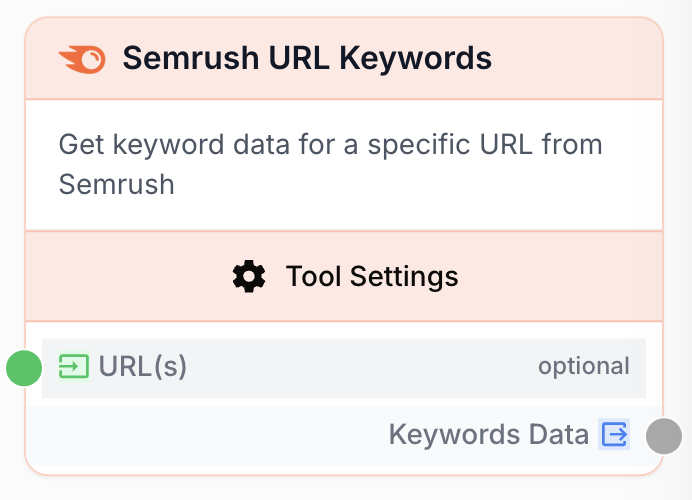
What does the Semrush URL Keywords node do?
The Semrush URL Keywords node calls the Semrush API to retrieve every organic keyword that one or several specific URLs are ranking for in a chosen Google country database. It is the URL-level equivalent of the Domain Keywords node and is the right tool when you want to study a single page (yours or a competitor’s) rather than a whole domain.
Common use cases:
- Auditing the keywords that drive traffic to one of your strategic landing pages.
- Reverse-engineering the SEO positioning of a specific competitor article.
- Building a keyword list per URL for content briefs, internal linking plans, or SEA campaigns.
Credit cost: Semrush bills 1 credit per keyword returned. If you set the result limit to 1000 and the URL ranks for at least that many keywords, the call will consume 1000 credits on your Semrush plan.
Quick setup
Connect your Semrush account
In Settings > Integrations, add a Semrush integration with a valid API key. The key must have access to the Analytics API.
Add the node to the canvas
Open the Node Library, go to Integrations > SEO Tools > Semrush, then drag and drop the Semrush URL Keywords node onto your workspace.
Provide one or more URLs
Paste full URLs (one per line) directly in the node, or connect a previous node (Text Input, List, Web Scraper, LLM) to the URL input.
Pick the country database and result limit
Choose the Google database that matches the market you want to analyze and how many keywords to retrieve per URL. Lower limits = lower credit consumption.
Connect the output
Connect the Keywords Data output to a downstream node (Filter List, LLM, Loop, Sheets export) to use the keyword list.
Configuration parameters
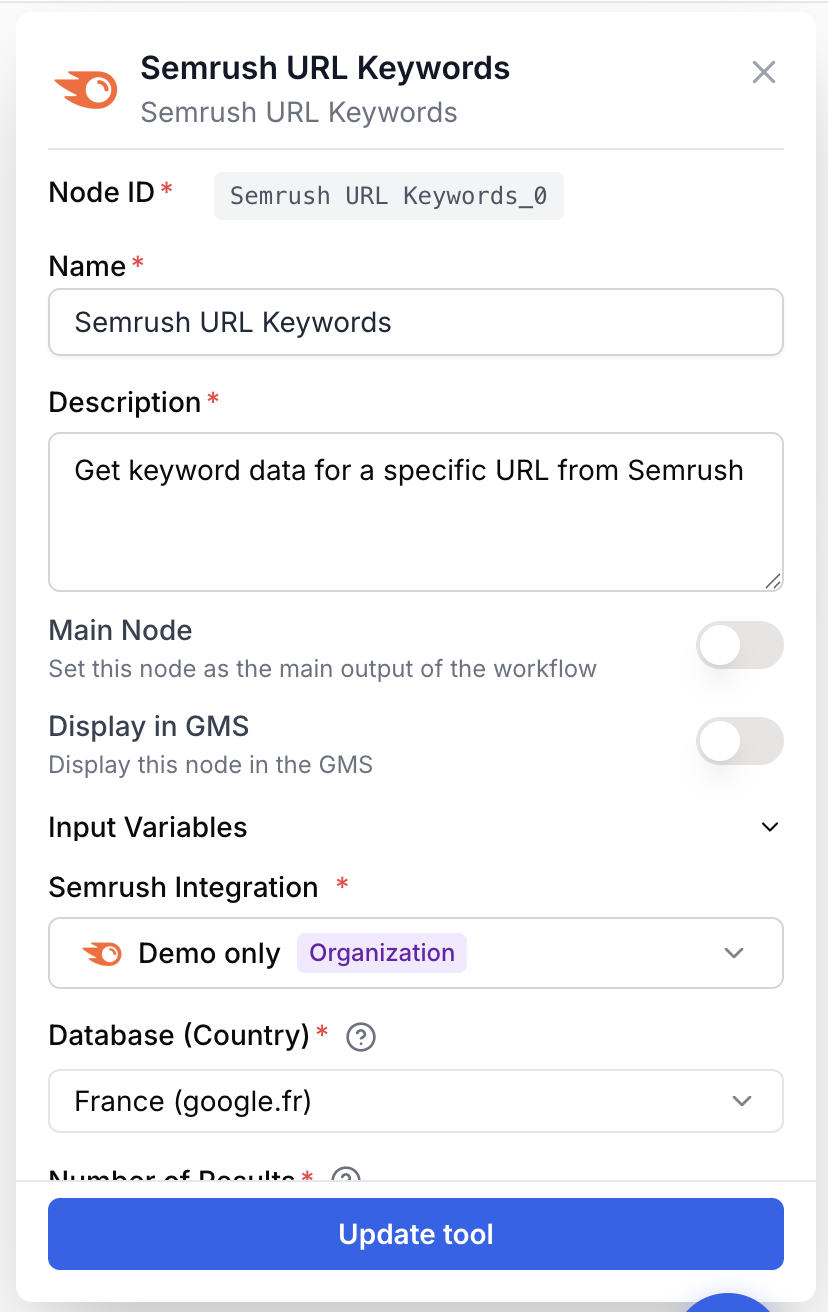
The Semrush URL Keywords node requires a Semrush integration plus a target URL and exposes filters to control the country and the data returned.
Required fields
Name string required default: Semrush URL Keywords Node name — Used to identify this node in the canvas. Rename it when you analyze several URLs in the same workflow (e.g. Semrush keywords - homepage).
Description string required Node description — Short explanation of what this specific node does in the workflow.
Semrush Integration integration required Semrush account — The Semrush integration to use for this call. The credits consumed will be billed on this account.
Database (Country) string required default: fr Country database — The Google domain whose keyword data is returned. Available options: fr (google.fr), us (google.com), uk (google.co.uk), de (google.de), es (google.es), it (google.it), nl (google.nl), ca (google.ca), au (google.com.au), br (google.com.br).
Number of Results number required default: 100 Result limit — Maximum number of keywords to retrieve per URL. Allowed range: 1 to 10000. Each returned keyword consumes 1 Semrush credit.
Export Columns string required default: Ph,Po,Nq,Cp,Co,Nr Columns to export — Choose which data fields to include in the output. Available columns: Ph (Keyword), Po (Position), Nq (Search Volume), Cp (CPC), Co (Competition), Nr (Number of Results).
Optional fields
URL(s) string URL or list of URLs — One full URL per line (e.g. https://www.example.com/page). Can be left empty if the URLs are provided through a connected input from another node.
To analyze several URLs in one run, paste them on separate lines or connect a List node. The Semrush URL Keywords node loops over each URL automatically and returns a single consolidated dataset.
What does the node output?
The node returns a structured dataset containing the keywords associated with each URL, restricted to the columns selected in Export Columns.
Keywords Data string Keyword dataset for the analyzed URLs. Each row contains the URL plus the columns selected in the configuration (keyword, position, search volume, CPC, competition, number of results).
How to use the output
In Draft & Goal you do not need to manipulate a system-generated variable name:
- Draw a connection from the Keywords Data output of the Semrush URL Keywords node.
- Connect it to the input of the next node.
- In that next node, create and name your own variable (for example,
url_keywords). The dataset will be injected into it automatically.
Usage examples
Example 1: Audit a strategic landing page
You want to know all the keywords that your https://www.example.com/pricing page is currently ranking for in France.
Configuration:
- URL(s):
https://www.example.com/pricing - Database:
fr(France - google.fr) - Number of Results:
200 - Export Columns:
Keyword, Position, Search Volume, CPC
Workflow: Semrush URL Keywords -> Filter List (keep keywords with Position less than 11) -> Sheets export.
The result is a clean list of the keywords driving organic traffic to that page, useful for spotting near-page-1 opportunities (positions 11-20) and quick-win optimizations.
Example 2: Reverse-engineer competitor articles in bulk
You want to compare three competitor articles on the same topic and identify the keywords they all rank for in the US.
Configuration:
- URL(s) (one per line):
https://competitor-a.com/seo-guidehttps://competitor-b.com/seo-guidehttps://competitor-c.com/seo-guide
- Database:
us(United States - google.com) - Number of Results:
500 - Export Columns:
Keyword, Position, Search Volume
Workflow: Semrush URL Keywords -> LLM (group keywords by intent) -> Create List -> Sheets export.
You get a content brief based on the keyword universe shared by your competitors, ranked by search volume.
Common issues
The node returns an empty dataset
Cause: The provided URL is not indexed by Semrush in the selected database, or the URL has no organic ranking in that country.
Solution: Check the URL directly in the Semrush UI for the same database. Try a different country database or remove URL parameters and tracking suffixes.
Authentication or quota error from Semrush
Cause: The Semrush integration uses an invalid API key or your Semrush plan has run out of API units.
Solution: Update the API key in Settings > Integrations > Semrush and check the API units balance in your Semrush account. Lower the Number of Results parameter to reduce credit consumption.
The URL was rejected as invalid
Cause: The URL is missing the protocol (https://) or contains spaces or unencoded special characters.
Solution: Always pass full URLs starting with https:// and one URL per line. Trim whitespace before connecting an upstream node.
Best practices and pitfalls
Start with a low Number of Results (50-100) when prototyping a workflow to keep credit consumption under control, then raise it once the rest of the pipeline is validated.
Credit consumption is per keyword returned. A workflow that loops over 50 URLs with a limit of 1000 can consume up to 50000 Semrush credits in a single run. Always check your Semrush plan before scaling up.
How does it fit into a workflow?
The Semrush URL Keywords node is typically used as a data acquisition step, feeding its keyword dataset to downstream nodes that filter, summarize, or distribute the data.
graph LR
    Input[List of URLs] --> Semrush[Semrush URL Keywords]
    Semrush --> Filter[Filter List
<br/>keep top positions]
    Filter --> LLM[LLM
<br/>cluster by intent]
    LLM --> Sheets[Google Sheets export]
Related nodes
Same logic at domain level — retrieves every keyword a whole domain ranks for instead of a single URL.
Get volume, CPC, competition, and trend for a specific keyword to qualify the keywords returned by URL Keywords.
Filter the keyword dataset by position, volume, or CPC before pushing it to the next step.
Cluster keywords by intent or generate a content brief from the URL keyword list.