Url
The Url node creates a URL input field that triggers the workflow with one or multiple user-supplied web addresses.
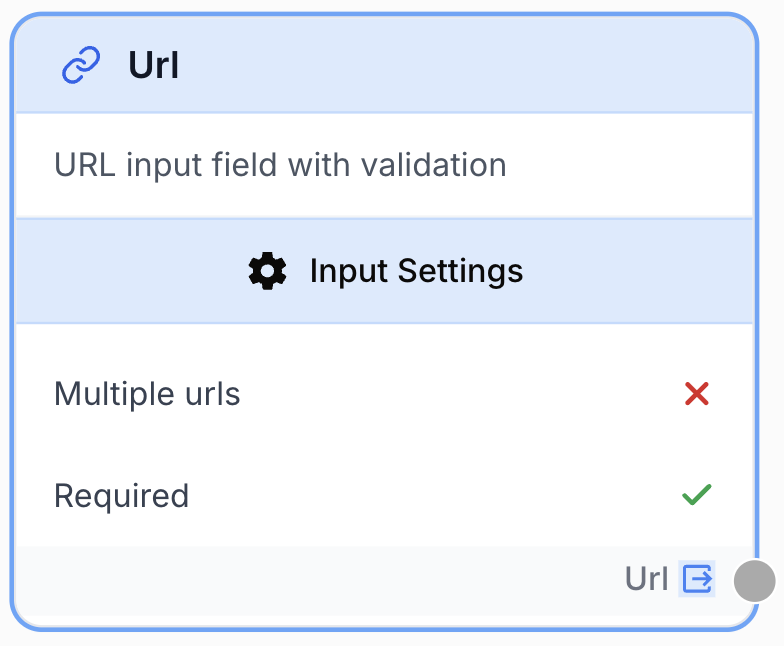
What does the Url node do?
The Url node is an entry point that captures one or several URLs from the user when the workflow is launched. The captured value is exposed as a string (or an array of strings when multi-URL mode is enabled), ready to be consumed by scrapers, API connectors, SEO tools, or any node that expects a web address.
Common use cases:
- Triggering a Web Scraper or HTML Cleaner on a target page provided at runtime.
- Feeding a batch of URLs to a parallel processing loop for SEO audits or content extraction.
- Pre-filling a default URL for testing while still letting end users override it before running the workflow.
Quick setup
Follow these steps to add and configure the Url node in your workflow:
Add the node to the canvas
Open the Node Library, go to the Input category, then drag and drop the Url node onto your workspace.
Choose single or multiple URLs
Open the node settings. Toggle Multiple urls on if the workflow needs to accept several URLs at once; leave it off for a single-URL field.
Set defaults and requirement
Optionally provide a Default Value to pre-fill the field. Keep Required enabled to block workflow runs without a URL, or disable it to allow empty input.
Connect the output
Connect the output port (on the right of the node) to the next node (Web Scraper, API Connector, Loop, etc.). The downstream node consumes the URL via the standard {{Url_0.output}} reference.
Configuration parameters
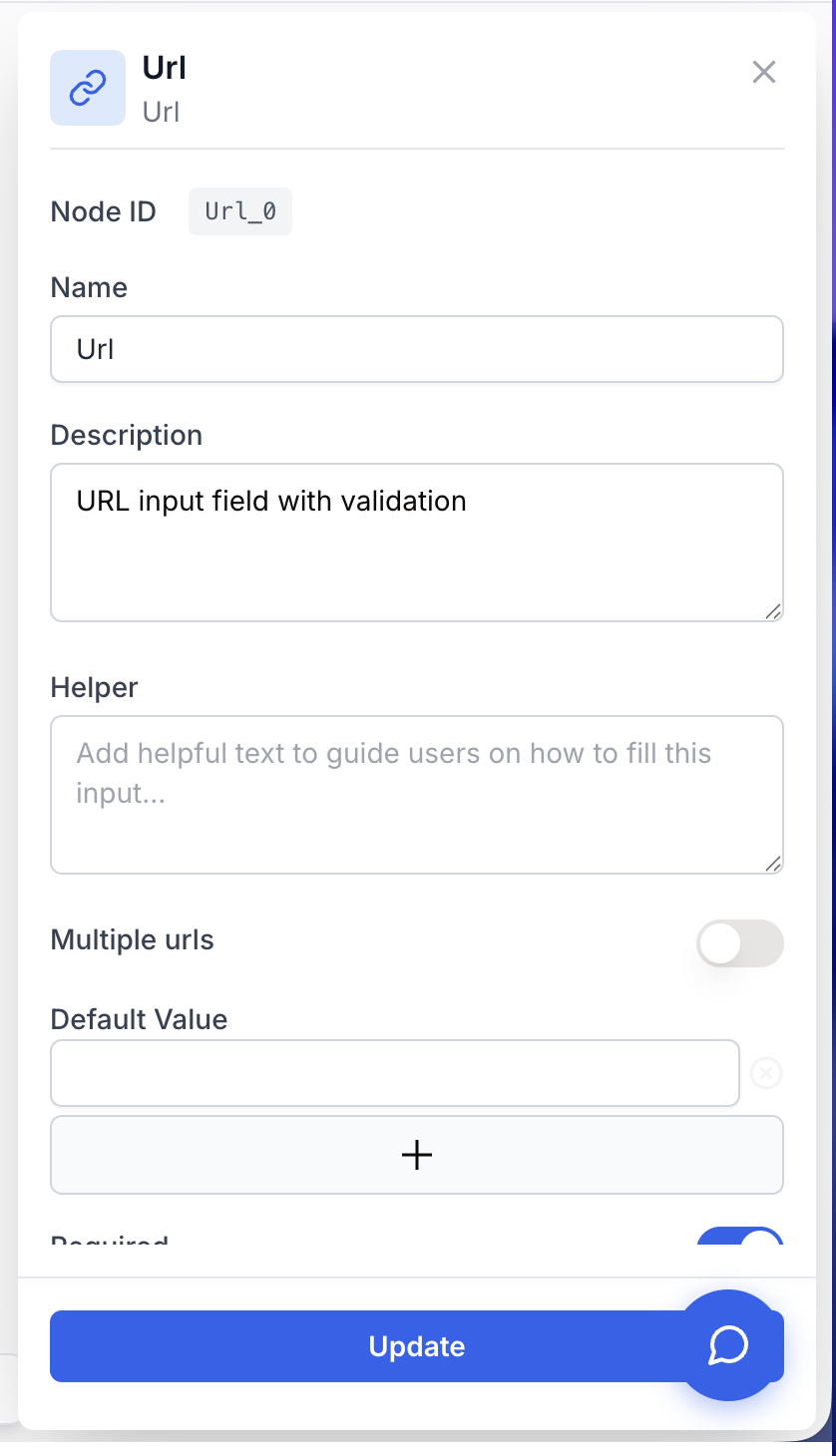
The Url node only needs a couple of decisions: single vs. multi-URL, an optional pre-filled value, and whether the field is mandatory.
Required fields
Name string required default: Url Node name — Used to reference the URL value from other nodes (for example {{Url_0.output}}). Rename it to something descriptive such as Target_Page when several URL inputs coexist in the same workflow.
Description string required default: A input to receive url(s) to launch the workflow Node description — Short text shown in the node header to remind operators what URL is expected (e.g. “Landing page to audit”).
Multiple urls boolean required default: false Multi-URL mode — When enabled, the input accepts a list of URLs and the output becomes an array of strings. When disabled, the node accepts a single URL and outputs a plain string.
Required boolean required default: true Required field — When enabled, the workflow refuses to start until the user provides a URL. Disable it only when the downstream graph can handle an empty input.
Optional fields
Default Value array default: [""] Pre-filled value(s) — Default URL(s) shown in the input at runtime. Provide one entry for single-URL mode, or several entries when Multiple urls is enabled. End users can still overwrite these values before launching the workflow.
Rename the node before wiring it. Changing the Name later forces you to update every {{...}} reference in downstream nodes manually.
What does the node output?
The node exposes a single output port named Url. Its type depends on the Multiple urls flag.
output string | string[] The URL(s) provided at runtime. Returns a single string when Multiple urls is off, and an array of strings when it is on.
How to use the output
- Draw a connection from the Url node’s output to the next node’s input.
- In that next node, reference the value with
{{<NodeName>_<index>.output}}— for example{{Url_0.output}}for the first Url node on the canvas. - In multi-URL mode, plug a Loop node between the Url node and the consumer to process each URL independently.
Usage examples
Example 1: Single URL fed into a Web Scraper
Capture a single landing page from the user, scrape it, and clean the HTML.
Configuration:
Name=Target_PageMultiple urls=falseDefault Value=["https://example.com"]Required=true
Output (after the user submits https://example.com/blog):
{
  "output": "https://example.com/blog"
}
graph LR
Url[Url: Target_Page] --> Scraper[Web Scraper]
Scraper --> Cleaner[HTML Cleaner]
Cleaner --> LLM[LLM]Example 2: Multiple URLs processed through a Loop
Audit a list of pages in parallel.
Configuration:
Name=UrlMultiple urls=trueDefault Value=["https://site.com/a", "https://site.com/b"]Required=true
Output:
{
  "output": [
    "https://site.com/a",
    "https://site.com/b"
  ]
}
graph LR
Url[Url: URL List] --> Loop[Loop]
Loop --> Scraper[Web Scraper]
Scraper --> Extractor[JSON Path Extractor]
Extractor --> Output[Final Aggregation]Common issues
Workflow refuses to start with `Url is required`
Cause: The Required flag is on and no URL was provided at launch (default value left empty and user submitted blank).
Solution: Either fill the input before running, set a non-empty Default Value, or disable Required if the downstream graph tolerates an empty input.
Downstream node receives an array when it expected a string (or vice versa)
Cause: Multiple urls is set inconsistently with what the next node expects. With multi-URL mode on, output is an array; with it off, output is a single string.
Solution: Either align Multiple urls with the consumer’s expected type, or insert a Loop node to iterate over the array, or a Pick List Item node to extract a single URL.
Reference like `{{Url_0.output}}` is empty in the next node
Cause: The Url node was renamed after the reference was written, or the index _0 doesn’t match the node’s actual position.
Solution: Re-open the consumer node, delete the stale reference, and re-pick the Url node’s output from the variable picker so the name and index are regenerated.
Best practices and pitfalls
Use Default Value to ship a working sample URL with the workflow template. New users can run it immediately to validate the pipeline before substituting their own URL.
Don’t disable Required casually. Without it, an empty URL will silently propagate to the Web Scraper or API Connector, where it usually fails with a cryptic 4xx error far from the actual cause.
Related nodes
Most common consumer of a Url node — fetches and parses the page at the supplied address.
Uses a Url input to point arbitrary HTTP requests at user-supplied endpoints.
Pair with multi-URL mode to process each URL through the same downstream sub-graph.
Use when the user must provide free-form text rather than a URL.