DataForSEO Domain Keywords
The DataForSEO Domain Keywords node retrieves the keywords a domain or webpage is currently ranking for, with search volume, position, traffic estimates, and more.
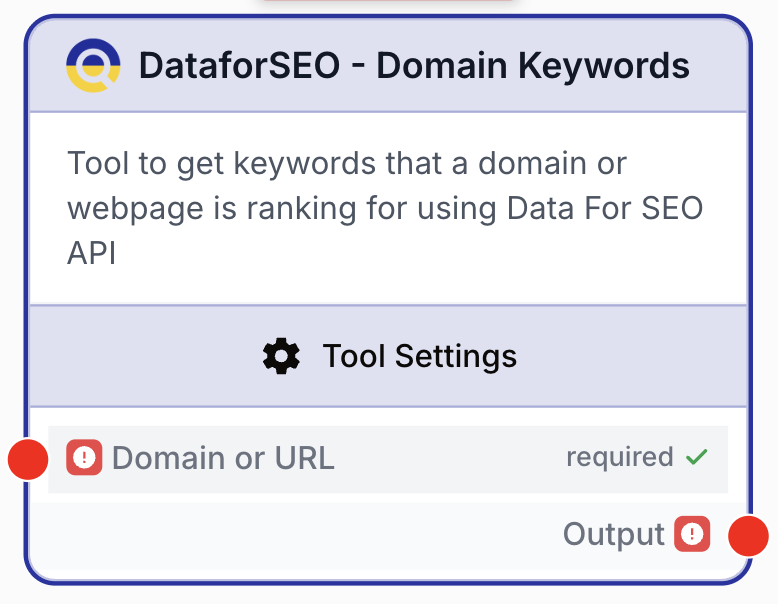
What does the Domain Keywords node do?
The DataForSEO Domain Keywords node calls the DataForSEO API to return every keyword a given domain or URL is ranking for in organic search results. Each keyword comes with rich metrics (position, search volume, CPC, estimated traffic, ranking URL) so you can drive SEO decisions directly from your workflow.
Common use cases:
- Auditing a competitor domain to surface the keywords they own and the ones they are missing
- Tracking your own site’s ranking footprint over time, scoped to a specific country and language
- Feeding a structured keyword corpus into an LLM to cluster topics or detect content gaps
- Filtering ranked keywords by position bucket (e.g. positions 4–20) to build a “quick-wins” report
Quick setup
Add the Domain Keywords node
In the node library, open Integrations > DataForSEO and drag Domain Keywords onto the canvas.
Provide the domain on the input
Connect any upstream node that produces a string (Text Input, URL, list iteration, etc.) to the Domain or URL input. You can pass either a bare domain like example.com or a full URL like https://example.com/blog.
Pick a location and language
In the settings panel, select a Location (United States, France, Germany, etc.). The Language dropdown is then filtered to languages that DataForSEO supports for that location.
Tune the result set
Set Ignore Synonyms to true if you want to drop near-duplicate keyword variations, and set Result Limit anywhere between 100 and 1000 depending on how exhaustive you need the export.
Connect the output
The node produces a single text output. Wire it into an LLM, Filter List, or Loop node depending on how you want to process the keyword list.
Configuration parameters
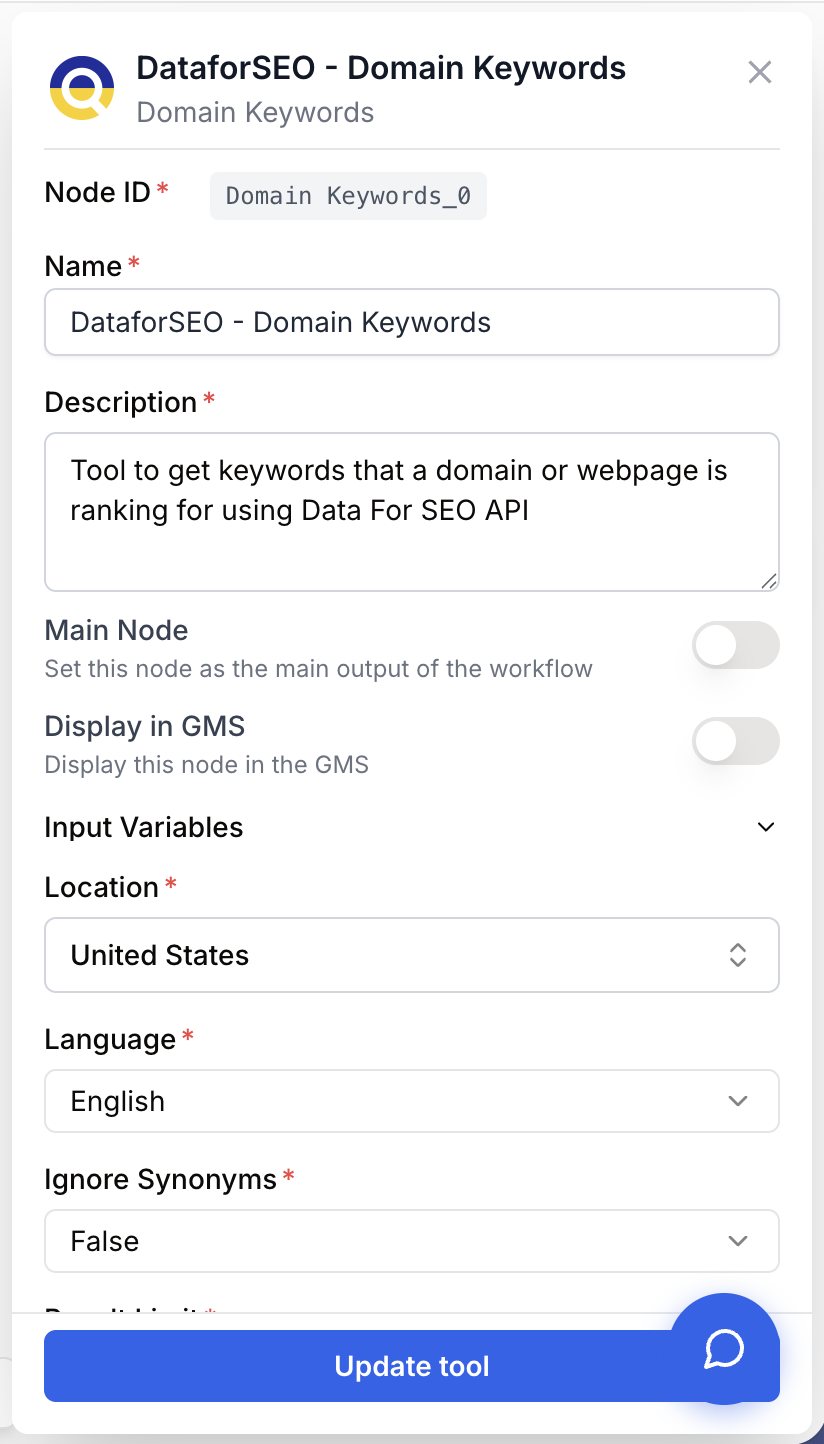
Required fields
domain string required Domain or URL — Provided on the input port. Either a bare domain (example.com) or a full URL (https://example.com/blog). The node fails if no domain is supplied.
location_name string required default: United States Location — Geographic market used to scope the ranking data. Picked from the DataForSEO locations dataset (e.g. United States, United Kingdom, France, Germany).
language_name string required default: English Language — Language of the keywords to return. The list of available languages is repopulated automatically when the location changes.
Optional fields
ignore_synonyms string default: false Ignore Synonyms — Accepts "true" or "false". When true, DataForSEO removes synonym variants and returns a tighter keyword set.
limit number default: 100 Result Limit — Maximum number of keywords to return. Must be between 100 and 1000. Higher limits return more data but increase response time and API cost.
Domains with very deep keyword profiles can return tens of thousands of keywords in DataForSEO. The node caps each call at 1000 — for full coverage, run several scoped queries (per location or per subdirectory URL) instead of a single huge limit.
What does the node output?
The node emits a single string output combining a domain summary and the full keyword list, ready to be passed to an LLM or text-processing node.
{
  "output": "Domain: example.com\nTotal Keywords: 1250\nEstimated Traffic: 45000\nTop Keywords: seo tools, keyword research, backlink checker\n\nFull Keyword List:\nkeyword | position | volume | cpc | traffic | url\nseo tools | 3 | 12000 | 4.50 | 3500 | https://example.com/seo-tools\nkeyword research | 5 | 8500 | 3.20 | 1800 | https://example.com/keyword-research"
}
output string A formatted text block containing the domain, total keyword count, total estimated traffic, top keywords, and a pipe-delimited table of every keyword with its position, volume, CPC, traffic, and ranking URL. Reference it downstream as {{Domain_Keywords_0.output}}.
Usage examples
Example 1: Competitor keyword audit
You want to know what a competitor ranks for and feed the result to an LLM that spots opportunities.
Configuration:
- Domain or URL:
competitor.com - Location:
United States - Language:
English - Ignore Synonyms:
false - Result Limit:
500
Pipe the output into an LLM node with a prompt such as:
Analyze the keyword list below and return:
1. Keywords in positions 4-20 with monthly volume > 1000 (quick-win opportunities)
2. Topical clusters with three to five sample keywords each
3. Gaps where the competitor has no apparent content

Keyword data:
{{Domain_Keywords_0.output}}
Example 2: Localized ranking report for your own site
Track how your site performs in a specific country, with synonyms removed for a cleaner export.
Configuration:
- Domain or URL:
mysite.com - Location:
France - Language:
French - Ignore Synonyms:
true - Result Limit:
200
Send the output to a Filter List node to keep only keywords on page 2 (positions 11–20), then to an Email Sender to dispatch a weekly report.
Example 3: Bulk audit of multiple competitors
Place the Domain Keywords node inside a Loop that iterates over a list of competitor domains. Aggregate the keyword exports with a Merge Lists node before feeding everything to an LLM for cross-domain analysis.
Common issues
Empty results for new or low-traffic domains
Cause: DataForSEO has no ranking data for very recent or low-authority domains, or for domains not yet indexed.
Solution: Confirm the domain is live and indexed (search site:example.com on Google). For brand-new domains, expect results to populate only after a few weeks of indexing.
Slow response when Result Limit is set to 1000
Cause: DataForSEO has to materialize and stream a much larger payload, which can take tens of seconds for high-authority domains.
Solution: Start with a 100-200 limit while iterating on the workflow, then raise the limit only when you need the full export.
Language dropdown is empty after picking a location
Cause: Some locations only support a small number of languages, or the location was just changed and the language list was reset.
Solution: Re-pick the location, then choose a language from the refreshed dropdown. If the language you need is not listed, that location is not supported by DataForSEO for that combination.
The node fails with 'No domain provided'
Cause: No value reached the Domain or URL input — typically because the upstream node returned an empty string or was not connected.
Solution: Verify the upstream connection and run the workflow with a fixed test domain in a Text Input node to isolate the issue.
Best practices and pitfalls
Scope by location AND language together. A French-language audit on a United States location will return very few results. Match the language to the locations where the audience actually searches.
Do not log the raw output as-is in production. The keyword list can be several KB long and pollutes execution logs. Pipe it through an LLM or Filter List first and log only the structured downstream result.
How does it fit into a workflow?
graph LR
    Input[URL or Text Input] --> DK[Domain Keywords]
    DK --> Filter[Filter List]
    Filter --> LLM[LLM analysis]
    LLM --> Out[Email Sender or Output]
Related nodes
Cluster, summarize, or score the keyword export with a model prompt.
Keep only keywords matching a position, volume, or pattern criterion.
Iterate Domain Keywords over a list of competitor domains for a bulk audit.
Cross-check rankings using Semrush as a second SEO data source.
Compare DataForSEO third-party data with your own first-party search data.