Count List Items
The Count List Items node counts the number of items in a list and returns the total as a single value, useful for validating data, branching workflows, or guarding loops.
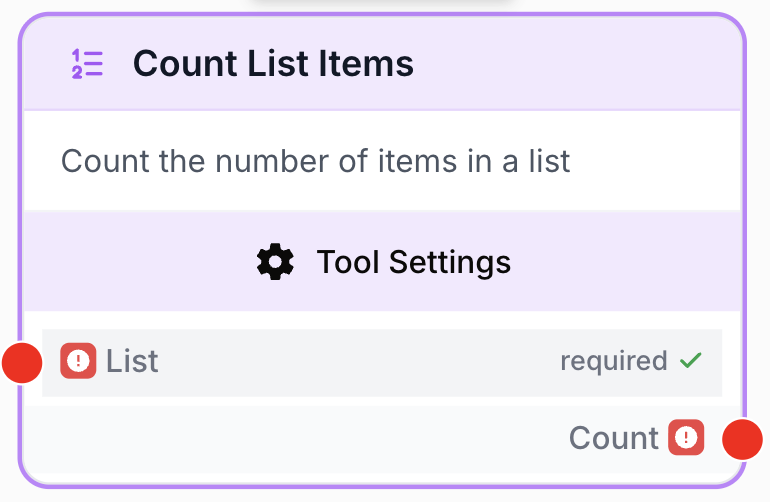
What does the Count List Items node do?
The Count List Items node is a simple but powerful utility that counts the number of elements contained in a list and returns the total as a single value. It accepts JSON arrays as well as strings or text that can be parsed as a list, making it a flexible companion for nodes that produce collections of items (database readers, API connectors, scrapers, LLM outputs, etc.).
Common use cases:
- Checking the size of a list before iterating with a Loop node to avoid unnecessary or empty iterations.
- Validating that an upstream node (API connector, database reader, scraper) returned enough results before continuing the workflow.
- Conditionally branching the workflow based on the number of items retrieved (zero, one, or many).
Quick setup
Follow these steps to add and configure the Count List Items node in your workflow:
Add the node to the canvas
Open the Node Library, go to Tools > List Operations, then drag and drop the Count List Items node onto your workspace.
Connect the input
Connect the output of any node that produces a list (such as a Create List, a Notion Database Reader, a JSON Path Extractor, or an API Connector) to the list input port on the left of the node.
Configure the node
Open the node settings. There are no custom parameters to fill in — only the standard Name and Description fields are available. Rename the node clearly (e.g. Count articles found) for easier debugging.
Connect the output
Connect the output port (on the right of the node) to the next node, then create and name your own variable in that next node to access the count value.
Configuration parameters
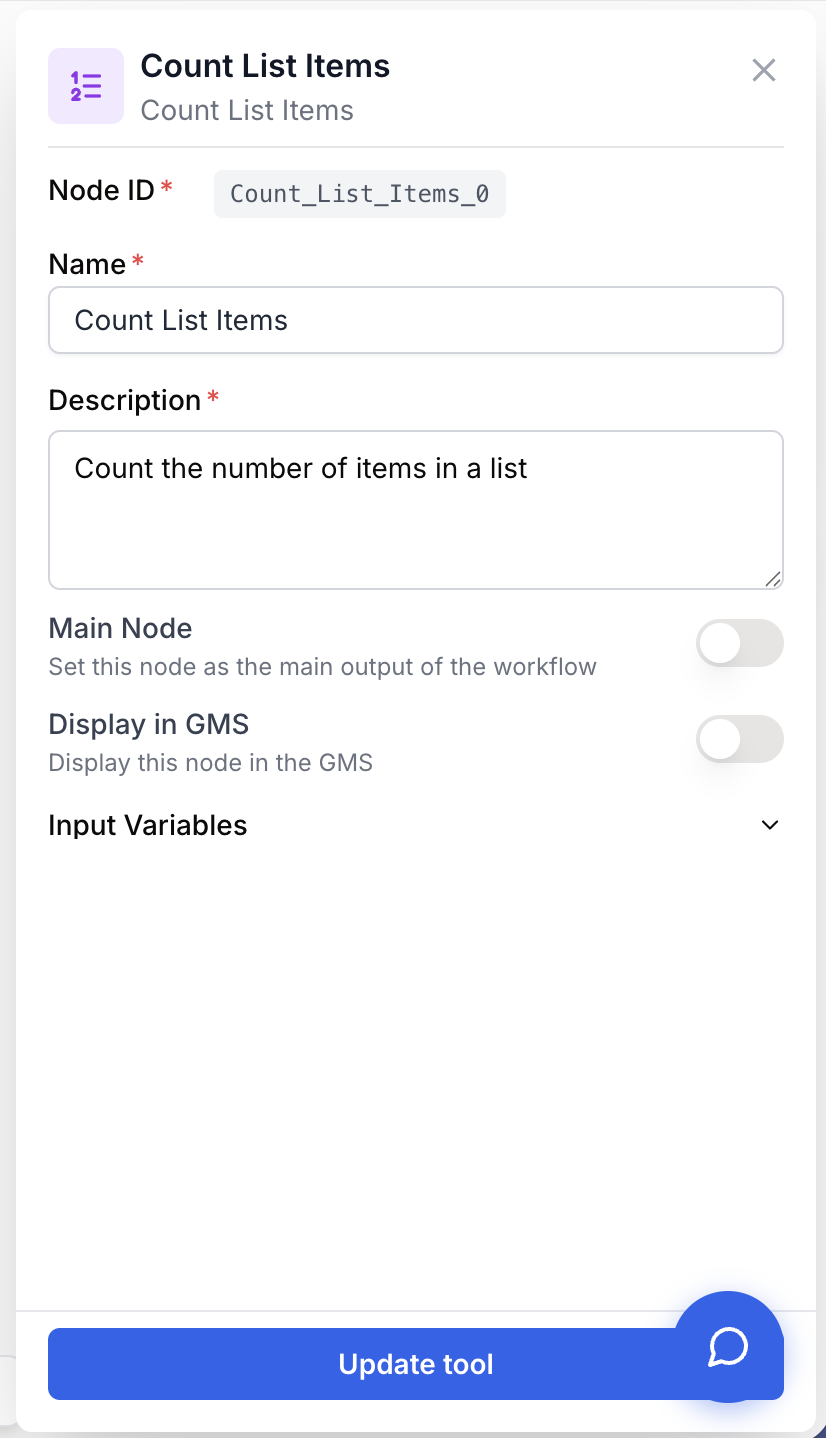
The node has no business-logic parameters: its only role is to count items in the list it receives. You only configure the standard identification fields.
Required fields
Name string required default: Count List Items Node name — Important for quickly identifying this node’s role (e.g. “Count Notion articles”) when running and debugging the workflow.
Description string required default: Count the number of items in a list Node description — A short phrase describing what this node counts in the context of your workflow.
list json required Input list — The list to count. Accepts JSON arrays (["a", "b", "c"]), arrays produced by upstream nodes, or strings that can be parsed as a JSON array. An error is raised if the input is a string that cannot be parsed as a valid JSON list.
Optional fields
This node does not expose any optional parameters.
What does the node output?
The node outputs a single count value representing the number of items in the input list. The value is returned as a string (so it can be reused directly in text templates or other nodes that consume strings).
count string The number of items found in the input list, returned as a string. Returns "0" if the list is empty.
Example raw output:
{
  "count": "12"
}
Usage examples
Example 1: Adapt an LLM summary to the number of items retrieved
You fetch a list of articles from a database and want the LLM that summarises them to know how many results it has to work with.
Workflow:
- Notion Database Reader retrieves a list of articles.
- Count List Items counts the articles.
- LLM receives both the list and the count, and adapts its summary (e.g. “5 articles” vs. “1 article”).
Generated output of Count List Items:
{
  "count": "5"
}
Example 2: Branch the workflow when no result was returned
You call an external API and want to stop the workflow gracefully if it returned nothing instead of feeding an empty list to downstream nodes.
Workflow:
- API Connector returns a list of results.
- Count List Items counts the results.
- Conditional routes the workflow:
- If
count > 0→ continue processing the list. - If
count = 0→ stop the workflow or send an alert.
- If
Common issues
The input is not recognised as a list
Cause: The list input is not a valid JSON array. If a string is passed, the runner tries to parse it with json.loads; if the parsing fails, the node throws “Count List Items node: Input is not a valid JSON list”.
Solution: Make sure the upstream node outputs a proper JSON array (e.g. ["a", "b", "c"]). If you build the list manually from text, double-check that brackets and quotes are correctly formatted.
The count is 0 although I expect items
Cause: The upstream node produced an empty array [], or it failed silently and passed no data downstream.
Solution: Inspect the raw output of the upstream node by connecting it to a Merge or LLM node temporarily. Check upstream filters, queries or pagination settings to confirm that data is actually returned before counting it.
Best practices and pitfalls
Use Count List Items right before any Loop or Conditional node that depends on a list. It costs almost nothing to run and protects the rest of your workflow from empty-list errors and unnecessary iterations.
The count is returned as a string, not a number. If you need to compare it numerically in a Conditional node or in another tool, make sure the receiving node treats the value as a number (or convert it explicitly), otherwise comparisons like count > 10 may not behave as expected.
How does it fit into a workflow?
Count List Items typically acts as a small “validator” or “router” step between a node that produces a list and a node that consumes it (Loop, Conditional, LLM, etc.). Here is a typical integration pattern that guards a Loop with a count check:
graph LR
    Source[API Connector / DB Reader] --> Count[Count List Items]
    Count --> Cond{Conditional}
    Cond -->|count > 0| Loop[Loop over items]
    Cond -->|count = 0| Stop[Stop / Alert]
Related nodes
Iterate over each item in a list — pair with Count List Items to skip empty lists.
Branch the workflow based on the count value (zero, one, or many items).
Combine multiple inputs into a single list before counting them.
Extract a list from a structured JSON payload before passing it to Count List Items.