JSON Path Extractor
The JSON Path Extractor node extracts specific values from a JSON payload using JSONPath expressions, with support for single or multi-output extraction.
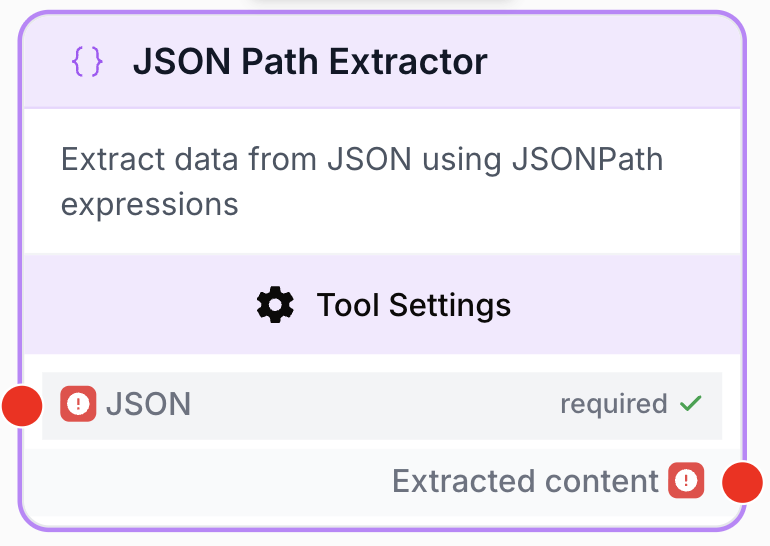
What does the JSON Path Extractor node do?
The JSON Path Extractor node takes a JSON string as input and returns one or several values selected with JSONPath expressions. It is the bridge between nodes that emit structured JSON (LLMs, API connectors, SERP tools, scrapers) and downstream nodes that need a precise field, an array slice, or a filtered subset.
The node automatically strips ```json / ``` Markdown fences from its input, so you can pipe an LLM output directly without prior cleaning. It also supports {{variableName}} placeholders inside expressions, resolved against the connected inputs.
Common use cases:
- Pull a single field (e.g.
$.title) from a JSON object generated by an LLM. - Flatten an array of objects to one of its keys (e.g.
$.results[*].url). - Produce several named outputs in one node (multi-output mode) to avoid chaining multiple extractors.
Quick setup
Follow these steps to add and configure the JSON Path Extractor node in your workflow:
Add the node to the canvas
Open the Node Library, go to Tools > Data transformation, then drag and drop the JSON Path Extractor node onto your workspace.
Connect the JSON input
Connect the output of an upstream node that emits JSON (LLM, API Connector, Web Scraper, SERP tool, etc.) to the JSON input port on the left of the node.
Choose the extraction mode
Open the node settings. Leave Multi-Output Mode off for a single extraction, or toggle it on to define several named expressions, each producing its own output port.
Write the JSONPath expression(s)
In single mode, fill JSON Path Expression (e.g. $.results[*].title). In multi-output mode, click + Add for each expression and provide a unique Name (used as the output port name) plus the Expression.
Connect the output(s)
Connect each output port to the next node. In multi-output mode, every named expression exposes a dedicated port.
Configuration parameters
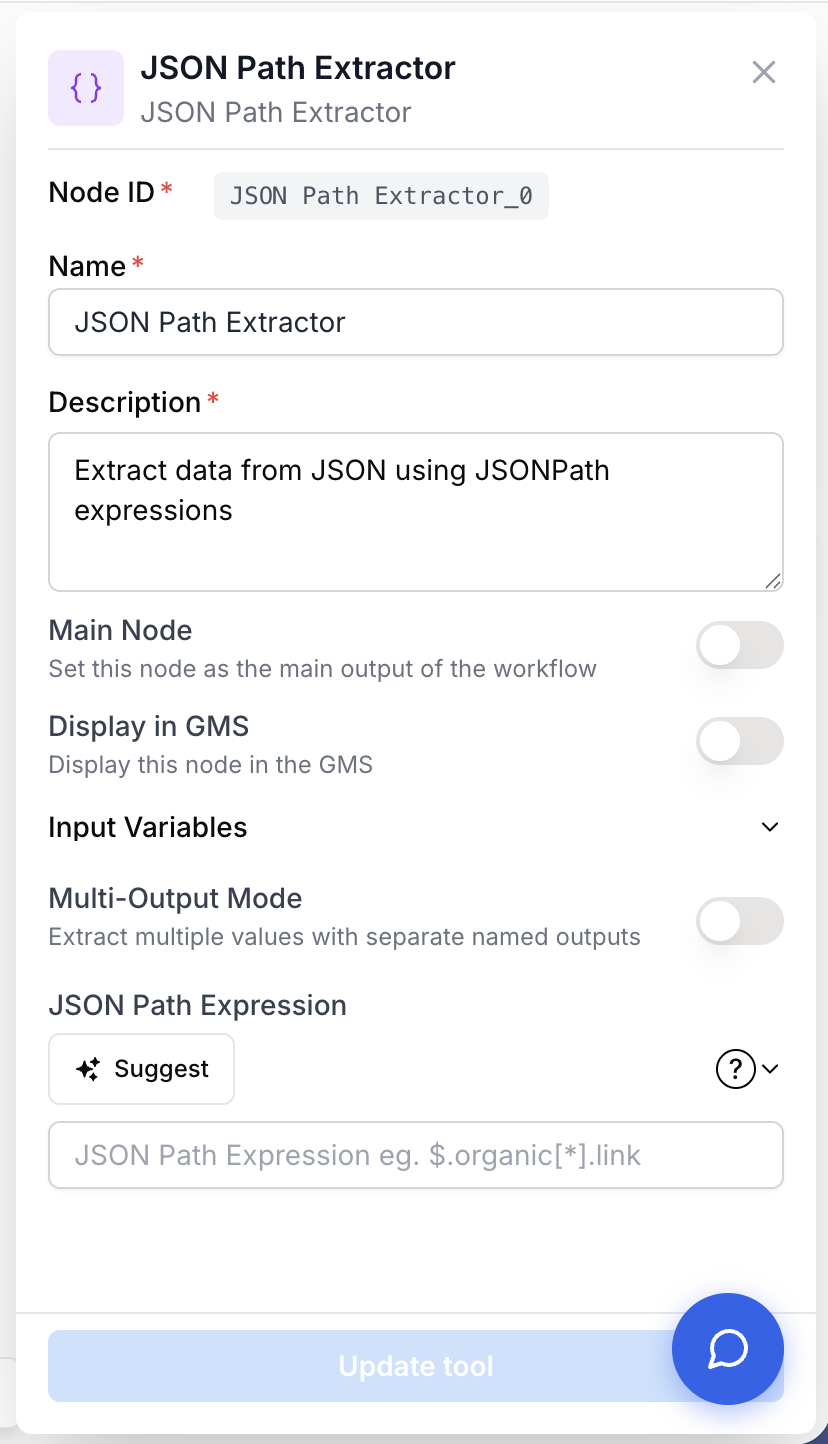
The node combines one mandatory input port with parameters that depend on the chosen extraction mode.
Required fields
Name string required default: JSON Path Extractor Node name — Used to identify the node in the canvas and in run logs (e.g. “Extract product titles”).
Description string required default: Extracting data with a JSON Path expression Node description — Short summary of what this extraction step is supposed to produce.
JSON string required JSON input — Connected port. Accepts a string containing valid JSON (or JSON5). Markdown fences ```json and trailing ``` are stripped automatically before parsing.
JSON Path Expression string required JSONPath expression — Required when Multi-Output Mode is off. Must start with $ (e.g. $.users[0].email). Supports {{variableName}} placeholders resolved from connected inputs.
Optional fields
Multi-Output Mode boolean default: false Multi-output toggle — When enabled, the node exposes one output port per declared expression instead of a single Extracted content port. Use it to fan out several fields from the same JSON payload without duplicating the node.
JSON Path Expressions array default: [] List of named expressions — Required when Multi-Output Mode is on. Each entry has a name (must be unique, becomes the output port name) and an expression (JSONPath, must start with $).
When the upstream node is a known data source (Serper Dev, Web Scraper, YourText.Guru, Semrush, Majestic, Search Console, YouTube Search, Google Sheets Reader, etc.), the settings panel suggests ready-made JSONPath expressions tailored to that node’s payload. Use them as a starting point to avoid typos.
What does the node output?
In single mode, the node exposes a single output port Extracted content carrying the result of the JSONPath query. In multi-output mode, one port is generated per expression, named after the name field of the entry.
Extracted content string Result of the JSONPath query in single mode. Scalars are returned as their string representation; arrays and objects are serialized as JSON.
<expression name> string In multi-output mode, one output of this shape is produced per entry of JSON Path Expressions. The port name matches the name field of the entry; the value is the result of the corresponding expression.
Usage examples
Example 1: Extract a single field from an LLM output
You ask an LLM to return a JSON summary and you only need the article title for the next step.
Input (from an LLM, with Markdown fences):
```json
{
  "article_title": "How to optimize your SEO in 2024",
  "keyword": "SEO strategy",
  "word_count": 1250
}
**Configuration:**
- **Multi-Output Mode**: off
- **JSON Path Expression**: `$.article_title`

**Output (`Extracted content`):**
How to optimize your SEO in 2024
### Example 2: Multi-output extraction from a SERP payload

You connect a Serper Dev node and want to feed three downstream nodes with three distinct slices of the response in a single extractor.

**Configuration:**
- **Multi-Output Mode**: on
- **JSON Path Expressions**:
  - `name` = `urls`, `expression` = `$.organic[*].link`
  - `name` = `titles`, `expression` = `$.organic[*].title`
  - `name` = `paa`, `expression` = `$.peopleAlsoAsk[*].question`

**Result:** the node exposes three output ports (`urls`, `titles`, `paa`), each carrying the corresponding extracted array, ready to be plugged into separate downstream branches.

## Common issues

  <Accordion title="Error: invalid JSON / JSONDecodeError on the input">
    **Cause:** the upstream node sent a string that is neither valid JSON nor valid JSON5, even after stripping ` ```json ` fences. Frequent with LLMs that mix prose and JSON.

    **Solution:** insert a **Find and Replace** or **HTML Cleaner** node before the extractor to strip the offending characters, or tighten the LLM prompt so it returns JSON only. JSON5 (single quotes, trailing commas) is tolerated as a fallback.
  </Accordion>
  <Accordion title="Error: Input '<name>' is required for expression but not provided">
    **Cause:** your expression contains a `{{variableName}}` placeholder, but no input named `variableName` is connected to the node.

    **Solution:** wire the missing variable as an input on the node, or rename the placeholder to match an existing connected input.
  </Accordion>
  <Accordion title="The expression returns nothing or an empty array">
    **Cause:** the JSONPath does not match the actual structure of the payload (typo in a key, missing array wildcard `[*]`, wrong index).

    **Solution:** run the upstream node once and inspect its raw output, then adjust the path. When available, use the suggestions surfaced by the settings panel for known source nodes.
  </Accordion>
  <Accordion title="Multi-output mode shows a validation error on save">
    **Cause:** at least one expression has an empty `Name`, two expressions share the same name, or no expression was added at all.

    **Solution:** every expression must have a unique non-empty name and a non-empty expression starting with `$`.
  </Accordion>

## Best practices and pitfalls

<Callout type="tip">
  Prefer **multi-output mode** over chaining several JSON Path Extractors on the same JSON payload: one node parses the JSON once, and downstream branches stay readable.
</Callout>
<Callout type="warning">
  **Validate paths against real data.** A path like `$.results[0].title` silently returns nothing if the upstream payload uses `data` instead of `results` or wraps the array one level deeper. Always check a real run output before relying on it in production.
</Callout>

## How does it fit into a workflow?

The JSON Path Extractor is the canonical "shape adapter" between a JSON-emitting node and a downstream consumer that expects a scalar or a flat list.

```mermaid
graph LR
    LLM[LLM node generates JSON] --> FR[Find and Replace<br/>cleans Markdown]
    FR --> JPE[JSON Path Extractor]
    JPE --> Loop[Loop over items]
    Loop --> Next[Final node]
Related nodes
Generate structured JSON, then extract specific fields with JSON Path Extractor.
Strip stray characters or Markdown fences before parsing if the LLM output is noisy.
Call any HTTP API and pipe its JSON response straight into the extractor.
Iterate over an array extracted by JSON Path Extractor (e.g. $.results[*]).