Create List
The Create List node builds a list either by splitting text on a delimiter or by combining multiple individual inputs into a single array.
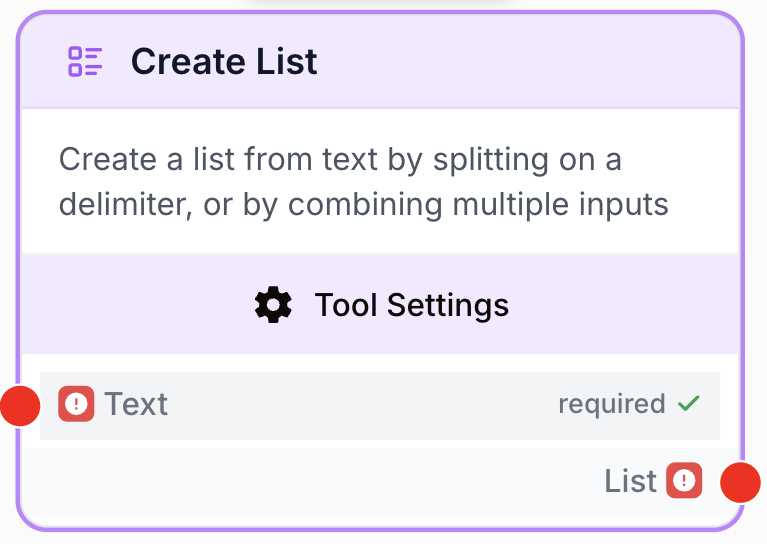
What does the Create List node do?
The Create List node turns raw data into a structured array (a JSON list) so downstream nodes such as Loop, Filter List, or Merge Lists can iterate over each element. It supports two complementary modes: split a single text input on a chosen delimiter, or combine several separate inputs into one list.
Common use cases:
- Convert a multi-line block of text (URLs, keywords, e-mails) into a list ready to be looped over.
- Aggregate the outputs of several nodes (e.g. several Text Inputs or LLM calls) into a single array.
- Prepare batches of items for a Loop node that calls an external API for each entry.
Quick setup
Follow these steps to add and configure the Create List node in your workflow:
Add the node to the canvas
Open the Node Library, go to Tools > List Operations, then drag and drop the Create List node onto your workspace.
Choose the mode
By default the node is in delimiter mode (single Text input split on a chosen delimiter). To combine several values instead, toggle Multiple Inputs on in the settings panel — the node then exposes one handle per item (item_1, item_2, …).
Connect the inputs
In delimiter mode, connect the source node (Text Input, LLM, Web Scraper, …) to the text handle. In multi-input mode, connect one source per item_N handle.
Use the output
Wire the list output to the next node (Loop, Count List Items, Filter List, …) and reference it from downstream as {{CreateList_0.list}}.
Configuration parameters
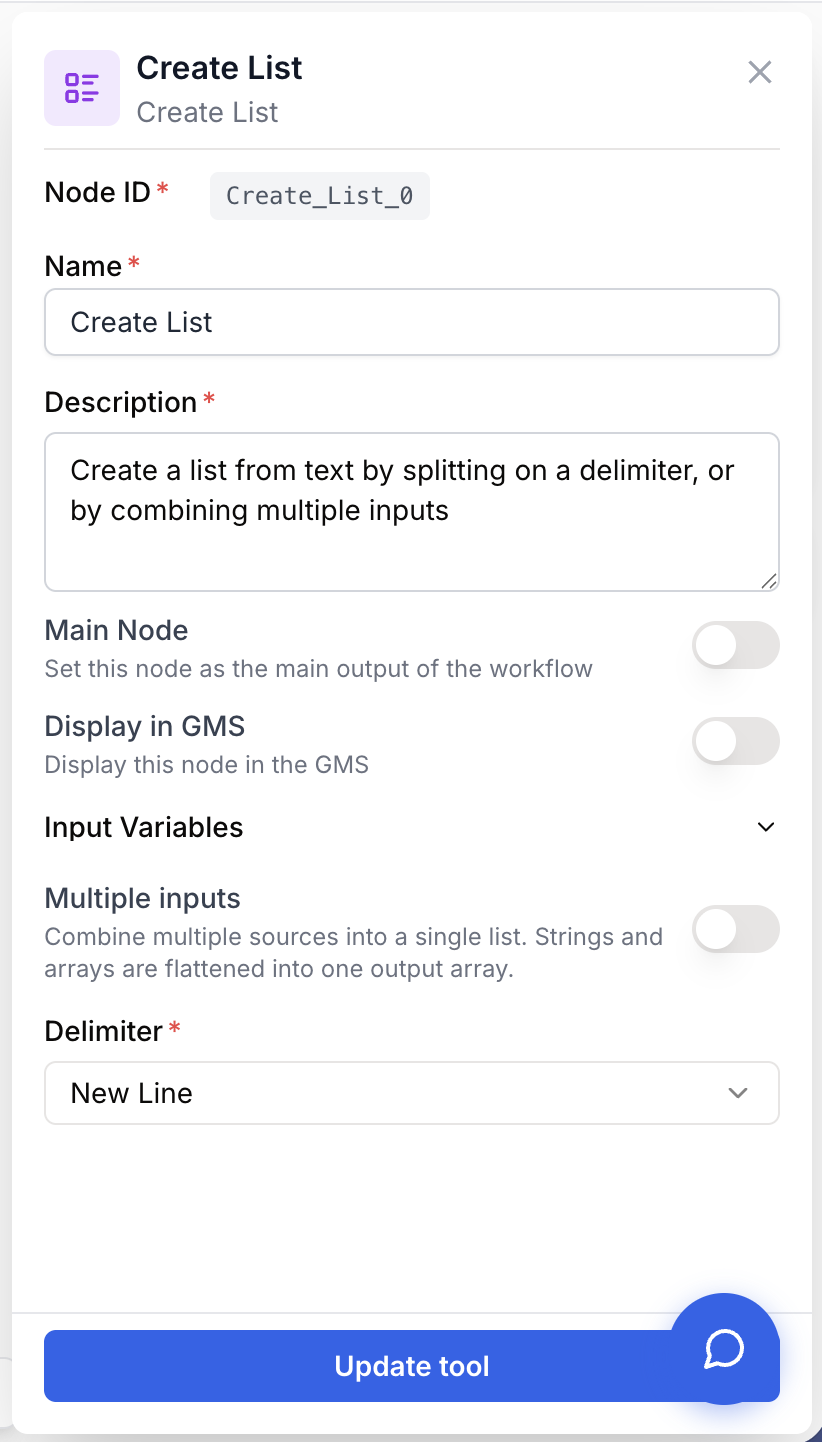
The node has two modes that share the same output. Toggling Multiple Inputs swaps the visible parameters in the settings panel.
Required fields
Name string required default: Create List Node name — Identifies the node on the canvas and in run logs. Rename it to reflect its purpose (e.g. “Split URLs” or “Combine keywords”).
Description string required default: Create a list from text by splitting on a delimiter, or by combining multiple inputs Node description — Short text shown in the node card. Use it to document what kind of list this node produces.
Text string required Text to split — The string that will be split into list items. Required in delimiter mode (when Multiple Inputs is off). Hidden when multi-input mode is enabled.
Optional fields
Multiple Inputs boolean default: false Multi-input mode toggle — When off, the node uses delimiter mode with a single Text input. When on, the node exposes between 2 and 10 item_N handles instead, and the Delimiter field is hidden.
Delimiter select default: newline Split character — Character used to split the input text into items. Available options: newline, comma, space, tab, semicolon. Visible only in delimiter mode.
Number of inputs number default: 2 Item count — Number of item_N handles exposed when multi-input mode is enabled. Bounded between 2 and 10. Visible only in multi-input mode.
item_1, item_2, …, item_N string required Individual items — Each handle accepts a string value. The N-th handle becomes the N-th element of the output list. Visible only in multi-input mode.
Switching modes is destructive: turning Multiple Inputs off discards the item_N connections, and turning it on hides the text connection. Reconnect the relevant handles after toggling.
What does the node output?
The node always returns a single output named list, a JSON array of strings. Each element is either a segment of the split text (delimiter mode) or one of the connected items (multi-input mode), in their original order.
list json (array of string) The list built from the input(s). In delimiter mode it contains one entry per segment between two delimiters. In multi-input mode it contains one entry per item_N handle, ordered by index.
Reference the output from any downstream node as {{CreateList_0.list}} (replace 0 with the node’s index on the canvas).
Usage examples
Example 1: Split a multi-line text for a Loop
Goal: Turn a static block of URLs (one per line) into a list, then scrape each one.
Configuration:
- Multiple Inputs: off
Text:{{StaticText_0.text}}Delimiter:newline
Workflow shape:
graph LR
    A[Static Text] --> B[Create List]
    B --> C[Loop]
    C --> D[Web Scraper]
    D --> E[LLM: Summarize]
Each line of the input becomes one element of list, the Loop iterates over it, and each iteration scrapes one URL.
Example 2: Combine outputs from several nodes
Goal: Gather three independent text outputs into a single array before merging them with another list.
Configuration:
- Multiple Inputs: on
Number of inputs:3item_1:{{TextInput_0.text}}item_2:{{TextInput_1.text}}item_3:{{LLM_0.text}}
graph LR
    A[Text Input 1] --> D[Create List]
    B[Text Input 2] --> D
    C[LLM] --> D
    D --> E[Merge Lists]
The output list is ["value_1", "value_2", "llm_output"], ready to feed Merge Lists, Filter List, or Loop.
Common issues
The list contains empty items
Cause: The input text contains consecutive delimiters or a trailing delimiter (e.g. "a,,b,"), which produces empty segments.
Solution: Clean the input before splitting (Find and Replace to collapse repeated delimiters), or place a Filter List node downstream to drop empty strings.
Everything ends up in a single item
Cause: The selected Delimiter does not occur in the input text. Common pitfalls: text uses ; while the node is set to comma, or the text uses \r\n while newline matches only \n reliably.
Solution: Inspect the input text in the previous node’s output, then pick the matching delimiter. If the text mixes line endings, add a Find and Replace node to normalize them.
Multi-input mode shows fewer handles than expected
Cause: Multiple Inputs is enabled but Number of inputs is still set to 2 (the minimum), or the toggle was just switched off and back on.
Solution: Open the node settings and use the + button next to Number of inputs to increase the handle count up to 10. Each increment exposes a new item_N handle.
Switching modes lost my connections
Cause: Delimiter mode and multi-input mode use different handles (text vs item_N), so toggling Multiple Inputs removes the previous wiring.
Solution: Decide on the mode before wiring the node, or reconnect the relevant inputs after each toggle.
Best practices and pitfalls
When pulling lines from an LLM output, chain a Find and Replace before Create List to strip Markdown bullets (- , * ) or numbering (1. ). You’ll get clean items without writing a regex.
Don’t confuse Create List with Split List: Create List builds a list from raw inputs, while Split List takes an existing list and chunks it into smaller sub-lists. Using the wrong one usually produces a list of single-character items or a “list of lists” your Loop can’t iterate.
How does it fit into a workflow?
Create List sits at the entry point of any iterative workflow: it transforms raw text or scattered values into the array shape Loop, Filter List, and Count List Items expect.
graph LR
    Source[Static Text / LLM / Inputs] --> CL[Create List]
    CL --> Loop[Loop]
    Loop --> Action[Web Scraper / LLM / API]
    Action --> Output[Final result]
Related nodes
The most common consumer of Create List — iterate once per element of the produced array.
Use after Create List when you need to process the items in batches instead of one by one.
Combine the array produced by Create List with another list before further processing.
Quickly check how many elements Create List produced — useful for validation and branching.
Drop empty strings or unwanted entries right after Create List to clean up the array.