Majestic Anchor Text
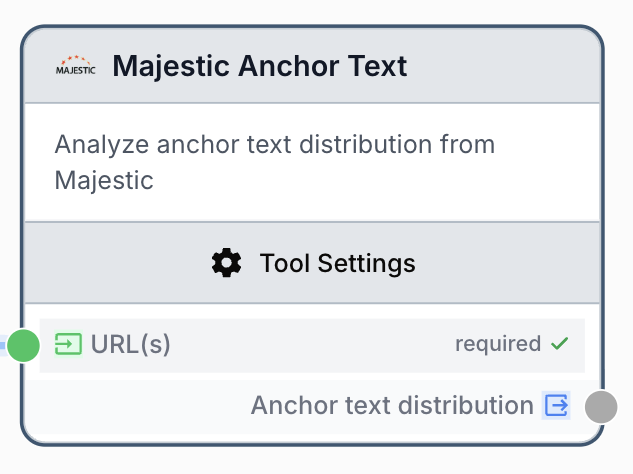
The Majestic Anchor Text node retrieves the distribution of anchor texts pointing to one or more URLs to identify keywords used in inbound links.
What does the Majestic Anchor Text node do?
The Majestic Anchor Text node queries the Majestic API to return the distribution of anchor texts pointing to one or more URLs. It surfaces the exact words and phrases used in inbound links, which is critical for off-page SEO analysis, anchor diversification audits, and detecting over-optimization risks.
Common use cases:
- Auditing the anchor text profile of a domain to spot over-optimized money keywords.
- Comparing anchor distributions of competitors before building a backlink strategy.
- Monitoring brand-mention anchors versus exact-match keyword anchors over time.
Quick setup
Follow these steps to add and configure the Majestic Anchor Text node in your workflow:
Add the node to the canvas
Open the Node Library, go to Integrations > SEO Tools > Majestic, then drag and drop the Majestic Anchor Text node onto your workspace.
Connect the Majestic integration
In the node settings, select your Majestic account in the integration field. If no account is available, add one from the integration settings page first.
Provide one or more URLs
Either type URLs directly in the URL(s) input (one per line) or connect the input port to an upstream node (Text Input, Create List, JSON Path Extractor) that produces a list of URLs.
Choose data source and result count
Pick Fresh Index (last 90 days) or Historic Index (full history), then set the Number of results between 1 and 10000.
Connect the output
Connect the output port to the next node (LLM, JSON Path Extractor, Filter List). Name your variable in the receiving node to consume the anchor text distribution as a JSON string.
Configuration parameters
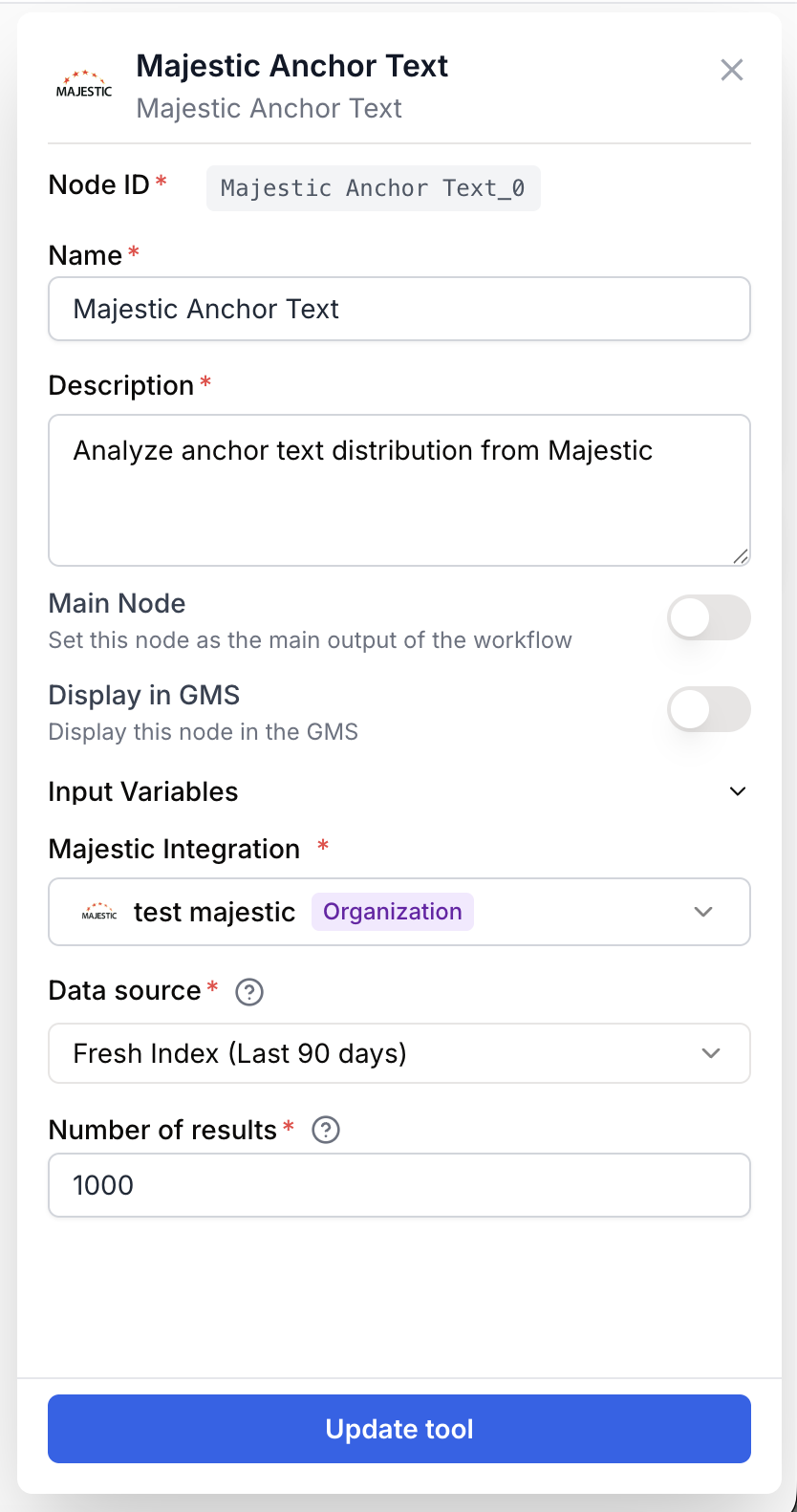
Configuring the node requires a valid Majestic integration and at least one URL to analyze.
Required fields
Name string required default: Majestic Anchor Text Node name — Used to identify this node in the workflow (e.g. Anchor audit competitor A) when running and debugging.
Description string required default: Analyzes the distribution of anchor texts pointing to a URL. Helps identify keywords used in inbound links. Node description — A short phrase describing the role of this specific instance.
Majestic Integration integration required Majestic account — The Majestic API credential used to authenticate the request. Add it in Settings > Integrations if missing.
URL(s) string[] required URLs to analyze — One or more URLs whose inbound anchor texts you want to retrieve. Accepts one URL per line, a connected list output, or a JSON array string. Duplicates are removed automatically.
Optional fields
Data source string default: Fresh Index type — Fresh returns data from the last 90 days, Historic returns the full historical index. Historic is heavier but more complete.
Number of results number default: 1000 Result limit — Maximum number of anchor texts to retrieve per URL, between 1 and 10000. Higher values consume more Majestic credits.
Connect a Create List or JSON Path Extractor node to the URL(s) input to batch-analyze dozens of competitor domains in a single run.
What does the node output?
The node returns a JSON string containing the anchor text distribution for each requested URL. Each entry typically includes the anchor text, the number of referring backlinks, the number of referring domains, and the percentage share.
How to use the output
In Draft & Goal, you do not need to look up a system-generated variable name. To use the result:
- Draw a connection from the Majestic Anchor Text node output.
- Connect it to the next node input.
- In that next node, create and name your own variable (for example,
anchor_distribution). The JSON payload is injected automatically.
anchor_text_distribution string JSON string listing anchor texts and their counts. Pipe it into a JSON Path Extractor or an LLM node to turn it into a report or filtered list.
Usage examples
Example 1: Audit a single competitor domain
You want a quick view of which keywords competitors are ranking for through their backlink anchors.
Configuration:
URL(s)=https://competitor.comData source=FreshNumber of results=500
Pipe the JSON output into an LLM node with a prompt like Summarize the top 10 anchor texts and flag any over-optimized exact-match keywords.
Example 2: Batch analysis across a list of URLs
You maintain a watchlist of 20 domains and want a weekly anchor-text snapshot.
Workflow shape:
- Create List node holds the 20 URLs.
- Majestic Anchor Text node receives the list on its
URL(s)input, withData source=HistoricandNumber of results=2000. - JSON Path Extractor isolates per-URL anchor arrays.
- Email Sender delivers the consolidated report.
Common issues
Error: Majestic: API key not configured. Please add integration in settings.
Cause: No Majestic integration is selected on the node, or the saved credential was deleted.
Solution: Open the node settings, pick a valid Majestic account in the integration field, or add a new one in Settings > Integrations.
Error: URLs are required / At least one URL is required
Cause: The URL(s) input is empty or only contains blank lines after normalization.
Solution: Type at least one URL in the field, or make sure the upstream node actually produces a non-empty list. The node accepts plain strings, newline-separated strings, JSON arrays, and nested lists.
The output is empty or returns very few anchors
Cause: The URL has very few inbound links in the selected index, or Fresh is too short a window.
Solution: Switch Data source to Historic for full history coverage, and confirm the URL is correctly indexed by Majestic.
Best practices and pitfalls
Use Fresh for ongoing monitoring of recent link-building campaigns, and Historic for one-shot deep audits of mature domains.
Watch your Majestic credit usage: Each URL consumes credits proportional to Number of results. Avoid setting 10000 on a long URL list unless your plan supports it.
How does it fit into a workflow?
Majestic Anchor Text typically sits in the data-collection phase, between a URL source and a downstream analysis or reporting node.
graph LR
    URLs[Create List of URLs] --> MAT[Majestic Anchor Text]
    MAT --> Extract[JSON Path Extractor]
    Extract --> LLM[LLM node summarizes anchors]
    LLM --> Email[Email Sender]
Related nodes
Retrieve full backlink details for the same URLs to complement anchor analysis.
Check Trust Flow, Citation Flow and topical metrics alongside anchor distribution.
Extract specific anchor entries or fields from the JSON payload returned by this node.
Turn the raw anchor distribution into a human-readable audit or risk-flagging summary.