Google BigQuery Reader
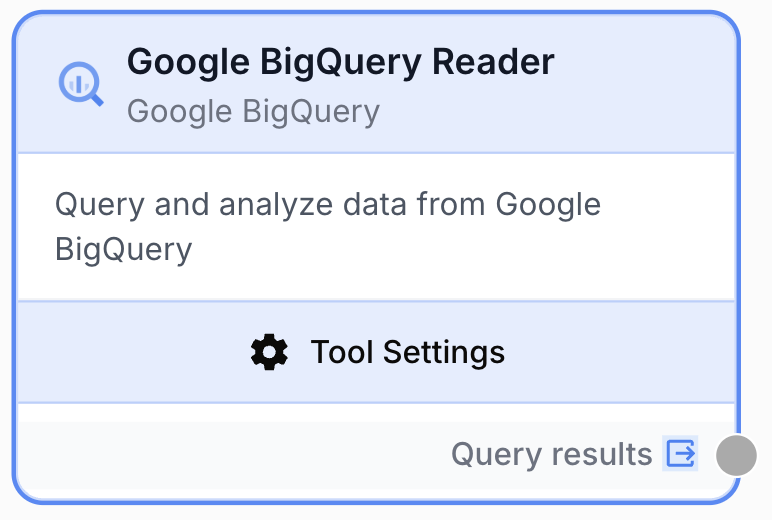
The Google BigQuery Reader node executes SQL queries against Google BigQuery and returns the results as structured data for downstream processing.
What does the Google BigQuery Reader node do?
The Google BigQuery Reader node connects to your Google Cloud project and runs a SQL query against BigQuery, returning the rows as a JSON string. It lets you pull large analytics datasets, warehouse tables, or query results into your workflow without manual exports or intermediate files.
Common use cases:
- Pulling daily campaign performance from a marketing data warehouse to summarize with an LLM
- Extracting product catalog rows for downstream enrichment, classification, or content generation
- Running an aggregation query (e.g. revenue by channel) and feeding the results into a report node
- Joining BigQuery tables on the fly to build a dataset that another node consumes row by row
Quick setup
Connect a BigQuery integration
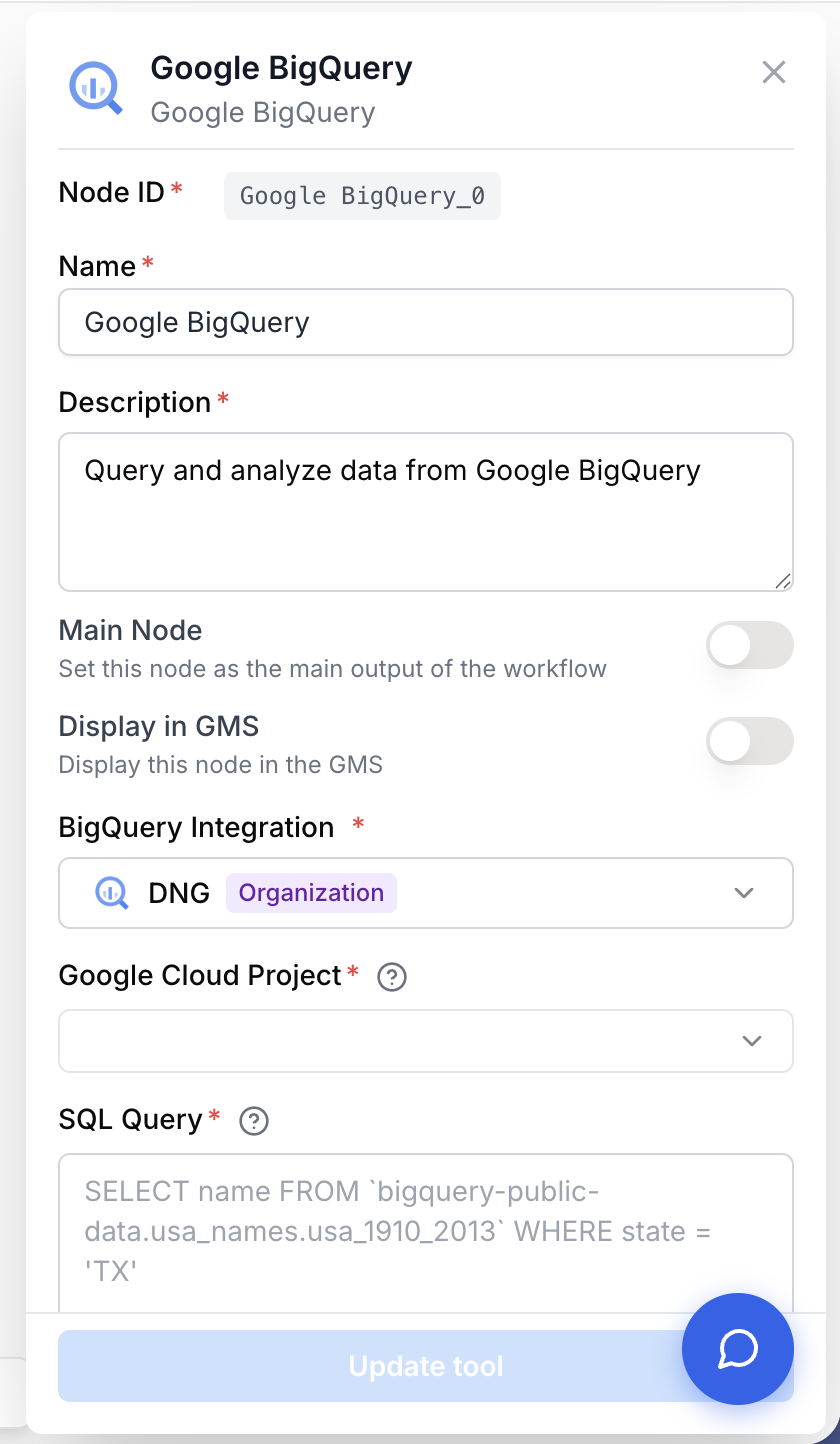
Open the node settings and pick a BigQuery Integration from the dropdown. If none is listed, go to Settings > Integrations and connect a Google account that has BigQuery access.
Select the Google Cloud project
Once the integration is connected, choose the Google Cloud Project that owns your dataset. The dropdown is populated automatically from the projects visible to the integration.
Write the SQL query
In the SQL Query field, enter a valid BigQuery Standard SQL SELECT statement. You can reference fully qualified tables with backticks, for example `bigquery-public-data.usa_names.usa_1910_2013`.
Connect the output
Connect the output port to the next node. The query results are emitted as a JSON string, ready to feed into a Loop, JSON Path Extractor, LLM, or any other downstream node.
Configuration parameters
Required fields
integration_id integration required BigQuery Integration — Select the Google account connection to use. The integration must have BigQuery read access on the target project.
google_cloud_project string required Google Cloud Project — The Google Cloud project that hosts your BigQuery dataset. Pick it from the dropdown populated by the selected integration. Switching the integration resets this field.
sql_query string required SQL Query — The BigQuery Standard SQL query to execute. Use backticks around fully qualified table names and standard BigQuery functions. Template variables like {{start_date}} are resolved at runtime from upstream node outputs.
SELECT name, state, number
FROM `bigquery-public-data.usa_names.usa_1910_2013`
WHERE state = 'TX'
LIMIT 100You can inject template variables anywhere in the query (e.g. WHERE date >= '{{start_date}}'). They are resolved from upstream inputs before the query is sent to BigQuery.
What does the node output?
The node outputs the query results as a single JSON string containing the array of rows. Each row is an object whose keys are the column names returned by the query.
[
  { "name": "Maria", "state": "TX", "number": 12345 },
  { "name": "James", "state": "TX", "number": 11200 }
]
columnsoutput string A JSON string containing the array of rows returned by the query. Column order and names match the SELECT clause.
Usage examples
Example 1: Daily revenue report
You want to summarize last week’s revenue per campaign and feed the result into an LLM for a written report.
Configuration:
- BigQuery Integration: Marketing GCP
- Google Cloud Project:
acme-marketing-prod - SQL Query:
SELECT date, campaign, SUM(revenue) AS total
FROM `acme-marketing-prod.ads.campaign_revenue`
WHERE date >= DATE_SUB(CURRENT_DATE(), INTERVAL 7 DAY)
GROUP BY date, campaign
ORDER BY date
Connect the output to an LLM node with a prompt like Summarize the weekly revenue trends from the JSON below.
Example 2: Loop over rows for per-row processing
You need to enrich each product in a catalog with a generated description.
Configuration:
- SQL Query:
SELECT sku, title, category
FROM `acme-prod.catalog.products`
WHERE active = TRUE
Pipe the output into a Loop node, then into an LLM node that drafts a description per row.
Example 3: Dynamic date range with template variables
Reuse the same node across workflows by templating the date filter.
Configuration:
- SQL Query:
SELECT user_id, event, ts
FROM `acme-prod.analytics.events`
WHERE DATE(ts) BETWEEN '{{start_date}}' AND '{{end_date}}'
The start_date and end_date values come from upstream Date or Text Input nodes.
Common issues
The node fails with BigQuery integration is not configured
Cause: No BigQuery integration is selected on the node.
Solution: Open the node settings and pick a BigQuery integration in the dropdown. If none is listed, add one in Settings > Integrations.
Google Cloud project ID is missing
Cause: The Google Cloud Project field is empty, often because the integration was just changed and the previous project was reset.
Solution: Pick a project from the dropdown after the integration finishes loading. The list is refreshed automatically when you switch integrations.
SQL query is empty or rejected by BigQuery
Cause: The SQL Query field is empty, contains only whitespace, or the syntax is not valid BigQuery Standard SQL.
Solution: Test the query first in the BigQuery console. Make sure to use backticks around fully qualified table names (project.dataset.table) and Standard SQL functions.
Permission denied or table not found
Cause: The integration account lacks read access to the dataset, or the table reference is wrong.
Solution: Verify the service or user account has at least BigQuery Data Viewer and BigQuery Job User roles on the target project. Double-check the dataset and table names.
Queries time out or return too much data
Cause: The query scans large tables without filters or returns millions of rows that overload downstream nodes.
Solution: Add a WHERE clause on a partitioned column, use LIMIT, or pre-aggregate with GROUP BY. Avoid SELECT * on large tables.
Best practices
Filter on partitioned columns. Most BigQuery analytics tables are partitioned by date. Adding WHERE date >= ... cuts the bytes scanned and the cost dramatically.
Select only the columns you need. Listing columns explicitly is faster, cheaper, and more robust to schema changes than SELECT *.
Avoid unbounded queries. Running a query that scans terabytes can hit project quotas, slow your workflow, and incur unexpected costs. Always preview the bytes processed in the BigQuery console first.
Sanitize template variables. Values injected via {{var}} are not parameterized at the BigQuery layer. Make sure upstream values come from trusted sources before using them in WHERE clauses.
How does it fit into a workflow?
The Google BigQuery Reader is typically used at the start of a workflow to pull a dataset that subsequent nodes process row by row or in aggregate.
graph LR
    BQ[Google BigQuery Reader] --> Loop[Loop node]
    Loop --> LLM[LLM node processes each row]
    LLM --> Out[Write results downstream]
Related nodes
Iterate over each row returned by the query to process them individually.
Extract specific fields from the BigQuery output when you only need certain columns.
Use an AI model to summarize, analyze, or transform the rows fetched from BigQuery.
Write rows back to BigQuery after enrichment or transformation.