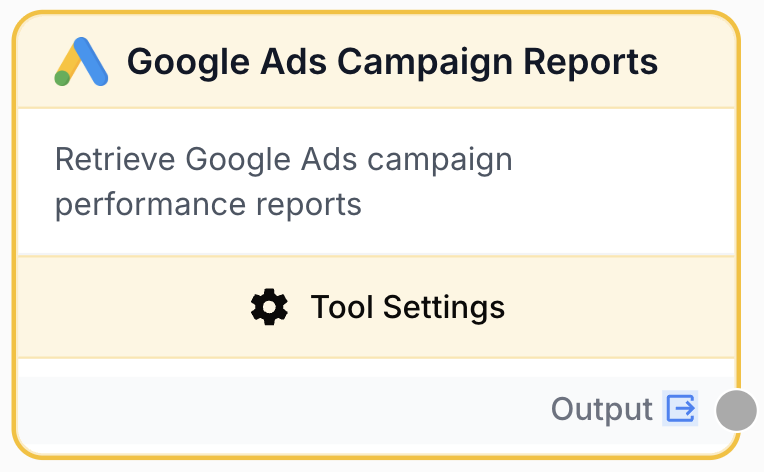
Google Ads Campaign Reports
Fetch campaign performance metrics from Google Ads — clicks, impressions, cost, conversions and keywords
What’s New — May 2026
- In-node campaign filter for
all_campaigns— when Use all campaigns is on, a Filter Rules section lets you assemble{property, operator, value}rows (AND-combined) that are pushed into the GAQLWHEREserver-side, so you don’t ship hundreds of campaigns just to drop them in a downstream Filter List. - Customer ID and Campaign IDs now share a single atomic Use variables toggle (replaces the two separate toggles), and a separate Use a variable for integration toggle has been added. Enabling the integration variable automatically forces the customer + campaigns to use variables too (without a concrete integration we can’t load customers/campaigns). Pairs naturally with the Google Ads Campaigns input node.
What does this node do?
The Google Ads Campaign Reports node fetches campaign performance data from Google Ads — clicks, impressions, cost, conversions, CTR, average CPC and (optionally) keyword-level metrics. The node accepts a customer ID, one or several campaign IDs, and a date range, then returns a JSON report.
Common uses:
- Build automated weekly / monthly campaign performance reports
- Monitor keyword-level performance for specific campaigns
- Run multi-customer reports in batch via a CSV (one row per customer + campaign)
- Combine with an LLM node to generate executive summaries
Quick setup
Connect a Google Ads integration
Go to Builder → Integrations → Google Ads and authenticate.
Add the Google Ads Campaign Reports node
Find it in Integrations → Google → Google Ads Campaign Reports.
Pick the customer and campaigns
Either pick them inline in the settings panel, or wire them from the Google Ads Campaigns input node (atomic toggle “Use variables for customer ID and campaign IDs”).
Configure the date range and keywords
Pick a predefined date range (last 7 days, last month, etc.) and toggle keyword inclusion on/off.
(Optional) Filter campaigns when using all_campaigns
When you tick Use all campaigns, a Filter Rules card appears. Add rows of {property, operator, value} (e.g. status equals ENABLED, cost gt 100) — they’re AND-combined into the GAQL WHERE clause so only matching campaigns are fetched.
Configuration parameters
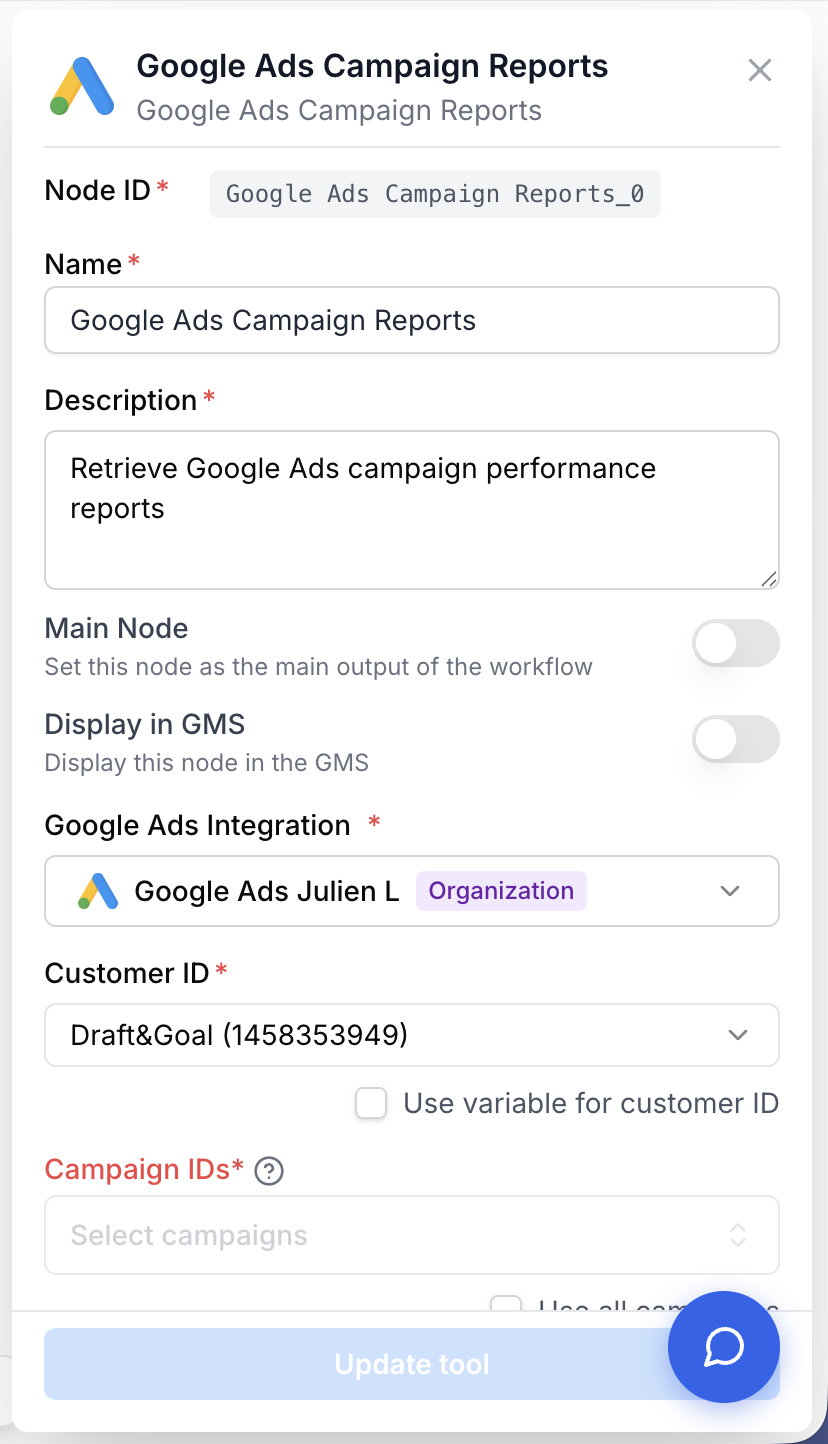
Required fields
integration_id string required The Google Ads integration to authenticate the API call. Either picked inline, or externalized via the Use a variable for integration toggle (then provided by an upstream input node connected to the integration_id handle).
customer_id string required Google Ads customer ID (without dashes), e.g. 1234567890. Either picked inline from the dropdown, or externalized via the Use variables for customer ID and campaign IDs toggle (provided by an upstream customer_id input).
campaign_ids string required One campaign ID, or a comma-separated list of campaign IDs. Either picked inline from the multi-select, or externalized (provided by an upstream campaign_ids input). Special inline value all_campaigns includes every campaign for the customer.
date_range string required default: last_7_days Predefined date range for the report. Options include today, yesterday, last_7_days, last_14_days, month_to_date, last_month, last_3_months, year_to_date, last_year, all_time and several “previous period” comparisons.
Optional fields
include_keywords boolean default: true When enabled, the report includes per-campaign keyword-level metrics. Disable this for a leaner report when keyword data isn’t needed (also makes the API call faster).
campaign_filters list default: [] Server-side filters applied to the campaign list when Use all campaigns is on. Each entry is {property, operator, value}; rows are AND-joined and appended to the GAQL WHERE clause.
Properties (9): name, status (enum: ENABLED, PAUSED, REMOVED), type (enum: SEARCH, DISPLAY, SHOPPING, VIDEO, PERFORMANCE_MAX, MULTI_CHANNEL, LOCAL, SMART, DEMAND_GEN), currencyCode, cost, clicks, impressions, conversions, conversionsValue.
Operators (string): equals, not_equals, contains, not_contains, starts_with, ends_with, in, not_in, is_empty, is_not_empty. Operators (number): equals, not_equals, gt, ge, lt, le, in, not_in. The operator dropdown is type-aware — it only offers operators applicable to the chosen property.
Visibility — the section only appears when Use all campaigns is ON AND Use variables is OFF. With variables on, campaigns are picked at runtime by the upstream input node, so filtering at the tool layer is bypassed.
Externalization toggles
use_variables boolean default: false Single atomic toggle: both customer ID and campaign IDs become variables together, fed by upstream input handles. Mixing static customer + variable campaigns would let the runner pick campaigns the static customer doesn’t own — that’s why the toggle is atomic.
use_integration_variable boolean default: false Externalizes the integration. Forces use_variables ON because without a concrete integration the settings panel can’t load customers/campaigns.
Output
A JSON object with one entry per campaign. When include_keywords is on, each campaign has a keywords array with per-keyword metrics.
{
  "campaigns": [
    {
      "campaign_id": "1234567890",
      "campaign_name": "Brand Campaign",
      "clicks": 5000,
      "impressions": 100000,
      "cost_micros": 2500000000,
      "ctr": 0.05,
      "average_cpc_micros": 500000,
      "conversions": 150,
      "keywords": [
        { "text": "best seo tools", "clicks": 800, "impressions": 12000 }
      ]
    }
  ]
}Cost values are returned in micros (1 EUR = 1,000,000 micros). Divide by 1,000,000 in the next node if you want the value in account currency.
Usage examples
Example 1: Inline configuration
Pick a customer and campaigns directly in the settings panel. Use this when the workflow targets a single, well-known account.
Example 2: Runtime selection via input node
Connect a Google Ads Campaigns input node to the customer/campaigns/integration handles, enable both Use variables toggles. The runner picks the customer and campaigns at run time.
Example 3: All campaigns for a customer
Pick a customer inline, then check Use all campaigns. The node fetches every campaign for that customer in one call. Optionally narrow the result with Filter Rules (e.g. status equals ENABLED AND cost gt 100) to keep the payload small.
Best practices
When Use a variable for integration is on, the node can’t load the customer / campaign lists in the settings panel — the integration is unknown until runtime. The customer + campaign toggles are forced to variables in that case.
For multi-customer batch runs, pair this node with the Google Ads Campaigns input node and map both the customer ID and campaign IDs columns from your CSV in step 3.
Push filters server-side. With all_campaigns ON, prefer Filter Rules over a downstream Filter List node — the filter is appended to the GAQL WHERE, so non-matching campaigns are never fetched. Useful on accounts with hundreds of campaigns where the default would otherwise ship them all.
No OR between filter rows — GAQL doesn’t support OR between top-level predicates. All Filter Rules rows are AND-combined. To express OR, use the in / not_in operators on a single property (e.g. status in ENABLED, PAUSED).
Common issues
403 'cross-integration mismatch' at runtime
An input node fed a customer from integration A but the tool is statically bound to integration B. Externalize the integration via the Use a variable for integration toggle and wire the integration_id output of the input node into the tool.
'Customer ID is required' raised by the runner
The variable toggle was on but no upstream node fed the customer_id input. Connect the Google Ads Campaigns input node (or any other source emitting that handle).
'Invalid campaign ID format' error
Campaign IDs must contain only digits and hyphens. Check that the upstream value is the raw Google Ads campaign ID, not a campaign name or URL.
Filter Rules section doesn't appear
The section is gated by two conditions: Use all campaigns must be ON, AND Use variables must be OFF. If campaigns come from an upstream input node, filter them in the input node selection (or with a downstream Filter List).
A Filter Rules row is silently dropped at runtime
The runner discards filter rows with missing or unknown property / operator. Re-open Settings and re-save — the UI sanitises rows on save, so a re-save will surface any invalid combination as a toast.