Image to Video
The Image to Video node animates a static image into a dynamic video clip with AI, supporting multiple model families (Veo 3.1, Sora 2/Pro, Kling, Seedance 2.0).
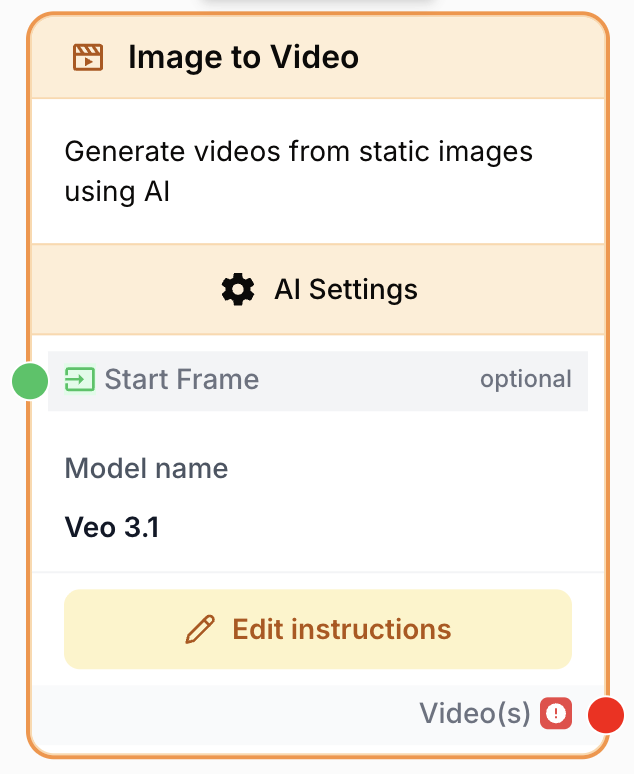
What does the Image to Video node do?
The Image to Video node turns a static image into a short animated video clip using AI video models. It supports several model families — each with different capabilities for audio generation, end-frame control, reference media, multi-shot narratives, and aspect ratios — and exposes those capabilities through the same canonical configuration.
Common use cases:
- Animating a product photo into a polished showcase clip with motion and audio.
- Producing vertical social-media videos from a single landscape or portrait image.
- Building multi-shot narratives from one start frame using Kling’s multi-prompt mode.
- Composing a clip from multi-modal references (images + videos + audio) with Seedance 2.0 Reference, with no start frame at all.
Quick setup
Follow these steps to add and configure the Image to Video node in your workflow:
Add the node to the canvas
Open the Node Library, go to AI Nodes > AI_VIDEO, then drag the Image to Video node onto your workspace.
Pick a provider and model
Open the node settings. Select an LLM Provider, then a specific Model (Veo 3.1, Sora 2 / Sora 2 Pro, Kling v3 / o3 / o3 Ref, Seedance 2.0, or Seedance 2.0 Reference). Switching model family resets aspect ratio, duration, resolution, and audio defaults to the new family’s defaults.
Connect a start frame (when required)
Connect an upstream image output to the input_start_frame port. Required for Kling v3, Kling o3, Seedance 2.0. Optional for Veo 3.1, Sora 2 / Pro, Kling o3 Ref. Hidden entirely for Seedance 2.0 Reference, which uses the seedance_refs_config references instead.
Write the prompt
In the prompt area, describe the motion, camera, lighting, and any subject behavior. Use {{variables}} for dynamic content. Reference inputs as @Element1, @Element2 (Kling) or @Image1, @Video1, @Audio1 (Seedance 2.0 Reference).
Run the workflow
Execute the workflow. The node returns a generated video file on the output port.
Configuration parameters
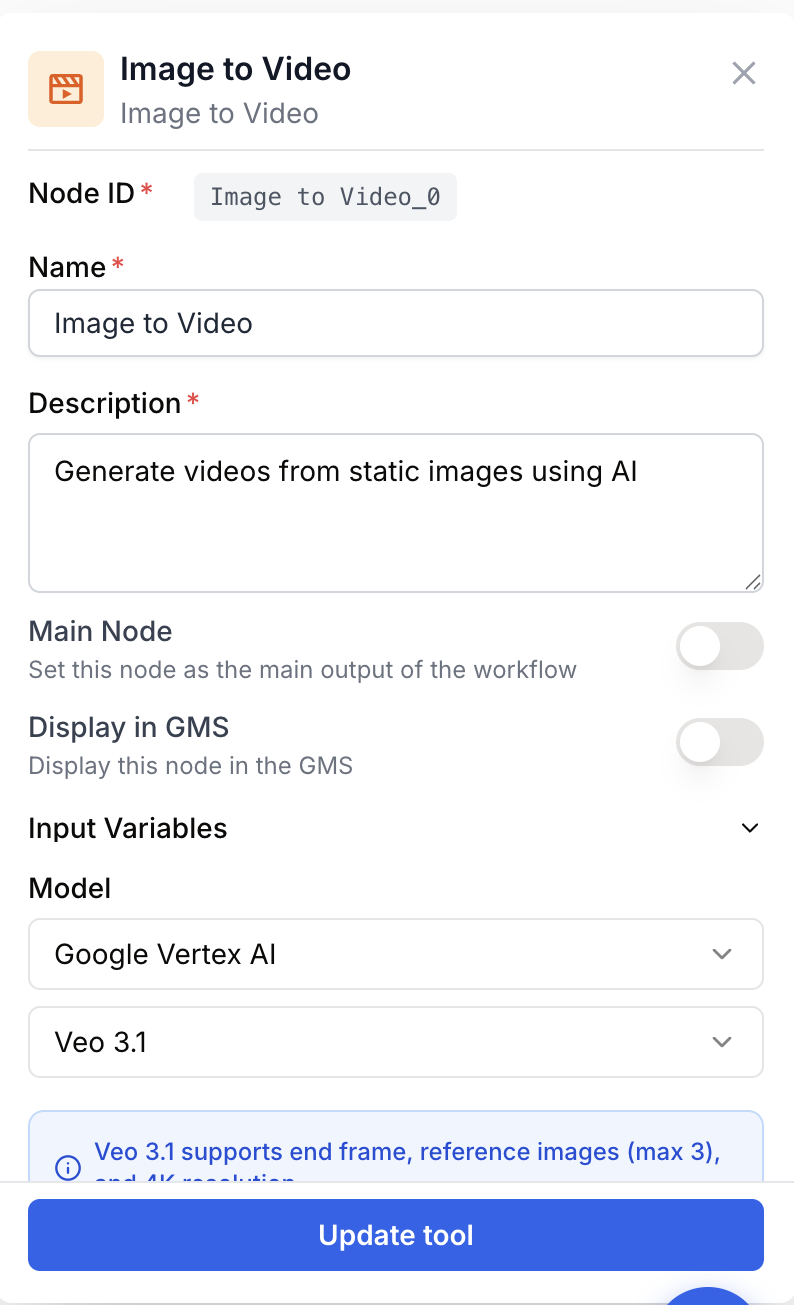
The node exposes a unified parameter set; the live settings panel hides parameters that the selected model family does not support.
Required fields
Name string required default: Image to Video Node name — Useful for identifying this node in the canvas (e.g. “Veo product clip” or “Kling multi-shot intro”).
Description string required default: Transform static images into dynamic videos using AI models. Node description — Short phrase describing what this node generates.
modelName LLM selection required AI video model — The model used to generate the clip. Each family supports different capabilities — see the model comparison table below.
prompt string required Prompt — Description of the motion and animation to apply. Supports {{variables}}, @Element1..N (Kling) and @Image1..9 / @Video1..3 / @Audio1..3 (Seedance 2.0 Reference). Required unless multi_prompt_enabled is true (then multi_prompt_config provides one prompt per shot).
Optional fields
aspect_ratio string default: 16:9 Aspect ratio — Output video aspect ratio. Allowed values vary by family:
- Veo 3.1:
16:9,9:16 - Sora 2 / Sora 2 Pro:
auto,9:16,16:9 - Kling v3 / o3 / o3 Ref:
16:9,9:16,1:1 - Seedance 2.0 / 2.0 Ref:
auto,21:9,16:9,4:3,1:1,3:4,9:16
duration_seconds number default: 8 Duration in seconds — Allowed range/values vary by family:
- Veo 3.1:
4,6, or8 - Sora 2 / Sora 2 Pro:
4,8, or12 - Kling v3 / o3 / o3 Ref: integer
3–15 - Seedance 2.0 / 2.0 Ref:
0(Auto) or integer4–15
resolution string default: 1080p Output resolution — Allowed values per family:
- Veo 3.1:
4K,1080p,720p - Sora 2:
auto,720p - Sora 2 Pro:
auto,1080p,720p - Kling v3 / o3 / o3 Ref:
1080p - Seedance 2.0 / 2.0 Ref:
720p,480p
num_videos number default: 1 Number of videos — How many clips to generate per run. Range 1–2.
generate_audio boolean default: true Generate audio — Add AI-generated audio to the clip. Effective only on Veo 3.1 and Seedance 2.0 / 2.0 Ref.
enhance_prompt boolean default: true Enhance prompt — Let the provider rewrite your prompt with extra cinematic detail before generation.
negative_prompt string Negative prompt — What to avoid in the generated video. Effective only on Kling models.
use_end_frame boolean default: false Enable end frame — When enabled, exposes a dynamic input_end_frame port. Connect an image to set the final frame. Supported by Veo 3.1, Kling v3 / o3 / o3 Ref, Seedance 2.0.
use_reference_images boolean default: false Enable reference images — When enabled, exposes a dynamic input_reference_images port for visual consistency. Supported by Veo 3.1 (up to 3) and Kling o3 Ref (up to 4).
elements_config json default: [] Elements — JSON array of element definitions, each { id, type: "image" | "video" }. Each element exposes its own input port (input_element_<id>_frontal + input_element_<id>_references for images, input_element_<id>_video for videos) and is referenced in the prompt as @Element<id>. Supported by Kling v3 (max 4) and Kling o3 Ref (max 4).
seedance_refs_config json default: {"images":0,"videos":0,"audios":0} Seedance references — JSON object with counts of reference images, videos, and audio for Seedance 2.0 Reference. Caps: 9 images, 3 videos, 3 audio, 12 total. Each slot exposes a connector input (input_seedance_image_N, input_seedance_video_N, input_seedance_audio_N) referenced as @Image1..9, @Video1..3, @Audio1..3 in the prompt. Audio requires at least one image or video reference.
multi_prompt_enabled boolean default: false Enable multi-prompt — Compose the clip from multiple sequential shots, each with its own prompt and duration. Supported by Kling v3 and Kling o3 Ref.
multi_prompt_config json default: [] Multi-prompt shots — JSON array of shots { prompt, duration }. Used when multi_prompt_enabled is true. Total duration across shots must not exceed 15s. At least one shot must have a non-empty prompt.
Switching model family resets aspect_ratio, duration_seconds, resolution, generate_audio, enhance_prompt, num_videos, and negative_prompt to that family’s defaults, and clears use_end_frame / use_reference_images / unsupported elements / multi-prompt / Seedance refs. Reconfigure those after switching.
What does the node output?
The node produces one or more video files on the output port. You can connect this output to any downstream node that accepts video or file input.
output video The generated video clip (or array of clips when num_videos > 1).
How to use the output
In Draft & Goal you don’t need to know a system-generated variable name:
- Draw a connection from the
outputport of the Image to Video node. - Connect it to the input of a downstream node (Video Merger, Extract Video Frame, a storage node, etc.).
- In that next node, create and name your own variable (for example,
intro_clip). The generated video will be injected into it automatically.
Model comparison
| Feature | Veo 3.1 | Sora 2 | Sora 2 Pro | Kling v3 | Kling o3 | Kling o3 Ref | Seedance 2.0 | Seedance 2.0 Ref |
|---|---|---|---|---|---|---|---|---|
| Start Frame | Optional | Optional | Optional | Required | Required | Optional | Required | Hidden |
| Aspect Ratios | 16:9, 9:16 | auto, 9:16, 16:9 | auto, 9:16, 16:9 | 16:9, 9:16, 1:1 | 16:9, 9:16, 1:1 | 16:9, 9:16, 1:1 | auto, 21:9, 16:9, 4:3, 1:1, 3:4, 9:16 | auto, 21:9, 16:9, 4:3, 1:1, 3:4, 9:16 |
| Duration | 4, 6, 8s | 4, 8, 12s | 4, 8, 12s | 3–15s | 3–15s | 3–15s | Auto / 4–15s | Auto / 4–15s |
| Resolution | 4K, 1080p, 720p | auto, 720p | auto, 1080p, 720p | 1080p | 1080p | 1080p | 720p, 480p | 720p, 480p |
| Audio | Yes | No | No | No | No | No | Yes | Yes |
| End Frame | Yes | No | No | Yes | Yes | Yes | Yes | No |
| Reference Images | 3 | No | No | No | No | 4 | No | No |
| Elements | No | No | No | 4 | No | 4 | No | No |
| Multi-Prompt | No | No | No | Yes | No | Yes | No | No |
| Seedance Refs | No | No | No | No | No | No | No | 9 img + 3 vid + 3 audio (12 total) |
Usage examples
Example 1: Product showcase with Veo 3.1 and audio
Animate a clean product photo into a six-second showcase clip with synchronized AI audio.
Configuration:
modelName: Veo 3.1input_start_frame: product photo on a white backgroundprompt:Product slowly rotates with soft studio lighting, gentle reflections on surface, ambient background musicaspect_ratio:16:9duration_seconds:6resolution:1080pgenerate_audio:trueenhance_prompt:true
The output port emits the polished MP4 clip ready to drop into a CMS or Video Merger.
Example 2: Multi-shot narrative with Kling v3
Build a 15-second three-shot narrative from a single character portrait.
Configuration:
modelName: Kling v3input_start_frame: character portraitmulti_prompt_enabled:truemulti_prompt_config:
[
  { "prompt": "Close-up of the character looking at the camera, subtle smile", "duration": 5 },
  { "prompt": "Camera pulls back to reveal a city skyline at sunset behind the character", "duration": 5 },
  { "prompt": "Wide aerial shot of the city as the sun sets", "duration": 5 }
]aspect_ratio:16:9resolution:1080p
Each shot inherits the start frame’s identity. Total duration (15s) sits exactly at the KLING_MAX_TOTAL_DURATION cap — adding a fourth shot would fail validation.
Example 3: Multi-modal composition with Seedance 2.0 Reference
Compose a forest sequence from two reference images, one reference video, and one ambient audio track — no start frame at all.
Configuration:
modelName: Seedance 2.0 Referenceseedance_refs_config:{ "images": 2, "videos": 1, "audios": 1 }- Connect inputs:
input_seedance_image_1,input_seedance_image_2,input_seedance_video_1,input_seedance_audio_1 prompt:
@Image1 is walking through a forest in the style of @Image2.
The camera follows her from behind as she moves along the path shown in @Video1.
The ambient soundtrack from @Audio1 plays throughout the scene with birds chirping.duration_seconds:0(Auto)generate_audio:true
The input_start_frame port is hidden in this mode. The four reference inputs together count 4 / 12 toward the Seedance reference cap.
Common issues
Validation error: 'Image to Video requires a model to be selected'
Cause: No modelName was picked, or the saved LLM is no longer available for your workspace.
Solution: Open the settings panel, pick a provider, then a model. The node auto-selects the first available LLM the first time it loads if no model is saved.
Validation error: 'Total shot duration (Xs) exceeds maximum of 15s'
Cause: In multi-prompt mode, the sum of duration values in multi_prompt_config is greater than KLING_MAX_TOTAL_DURATION (15s).
Solution: Trim shot durations or remove a shot until the total is ≤ 15s.
Validation error: 'At least one shot prompt is required in multi-prompt mode'
Cause: multi_prompt_enabled is true but every shot in multi_prompt_config has an empty prompt.
Solution: Fill at least one shot prompt, or turn multi_prompt_enabled off and use the single prompt field.
Generated audio is missing
Cause: Audio is only produced by Veo 3.1 and Seedance 2.0 / 2.0 Ref. On other families generate_audio is silently ignored.
Solution: Switch to a Veo or Seedance model, and confirm generate_audio is enabled (Seedance enables it by default).
Elements aren't reflected in the output
Cause: Element references in the prompt don’t match the elements_config ids, or the current model family doesn’t support elements.
Solution: Reference each element exactly as @Element1, @Element2, etc., matching the id values in elements_config. Elements are supported only by Kling v3 and Kling o3 Ref.
Seedance Reference: audio is ignored
Cause: Seedance 2.0 Reference rejects audio references when no image or video reference is provided.
Solution: Add at least one image (@Image1) or video (@Video1) reference before adding @Audio references.
The start frame port disappeared after switching model
Cause: You switched to Seedance 2.0 Reference, which hides input_start_frame and uses seedance_refs_config references instead.
Solution: Use the Seedance refs counters in the settings panel to add reference images/videos/audio, and connect those inputs instead.
Best practices and pitfalls
Match the model to the goal: Veo 3.1 for the highest resolution and integrated audio, Sora 2 / Pro for longer single clips, Kling for multi-shot narratives or element-driven consistency, Seedance 2.0 for flexible aspect ratios with audio, Seedance 2.0 Reference when you need true multi-modal references with no start frame.
Watch the family-switch reset. Changing model family resets aspect ratio, duration, resolution, audio, prompt-enhance, num_videos, and negative prompt to the new family’s defaults, and clears end-frame / reference-image toggles, unsupported elements, multi-prompt, and Seedance refs. Lock down the model first, then tune parameters — not the other way around.
How does it fit into a workflow?
Image to Video typically sits between an image-producing step and a video-consuming step:
graph LR
    Source[Text to Image / Static Image / scraped photo] --> I2V[Image to Video]
    I2V --> Merger[Video Merger]
    I2V --> Frame[Extract Video Frame]
    Merger --> Storage[Storage / CMS]
Related nodes
Generate the source image first, then animate it with Image to Video.
Restyle or prepare an image (background, framing) before sending it as a start frame.
Extract a textual description from an image to feed back into your motion prompt.
Caption or transcribe the generated clip downstream of Image to Video.