Fasterize Bulk URL Rewriting
The Fasterize Bulk URL Rewriting node pushes a batch of URL rewriting, replacement and redirection rules to a Fasterize site through the Bulk URL Rewriting application.
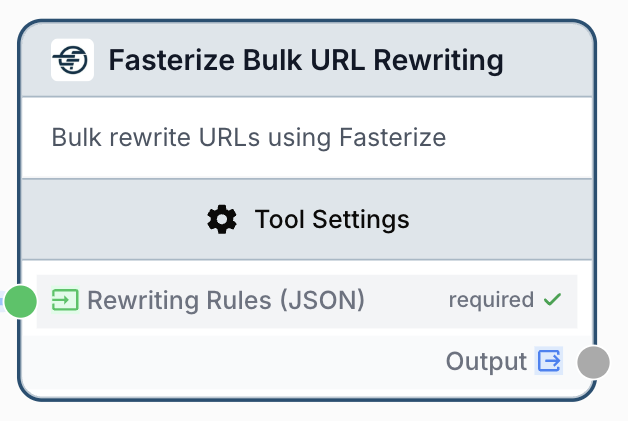
What does the Fasterize Bulk URL Rewriting node do?
The Fasterize Bulk URL Rewriting node sends a list of URL rules to the Bulk URL Rewriting application of your Fasterize site. Each rule can rewrite a URL, replace one URL with another inside href="" tags and/or deploy a 301 redirect, all without manually editing a CSV in the Fasterize back office.
Common use cases:
- Deploying a large batch of
301redirects after a site migration or URL structure change. - Rewriting outdated product or category URLs to their new canonical version site-wide.
- Replacing internal links (
href="") in bulk when a partner or campaign URL changes. - Automating SEO clean-up: feed an LLM or JSON Path Extractor output directly into Fasterize to keep your redirect map in sync with your CMS.
Quick setup
Add the node to the canvas
Open the Node Library, go to Integrations > Fasterize, then drag and drop the Fasterize Bulk URL Rewriting node onto your workspace.
Connect your Fasterize integration
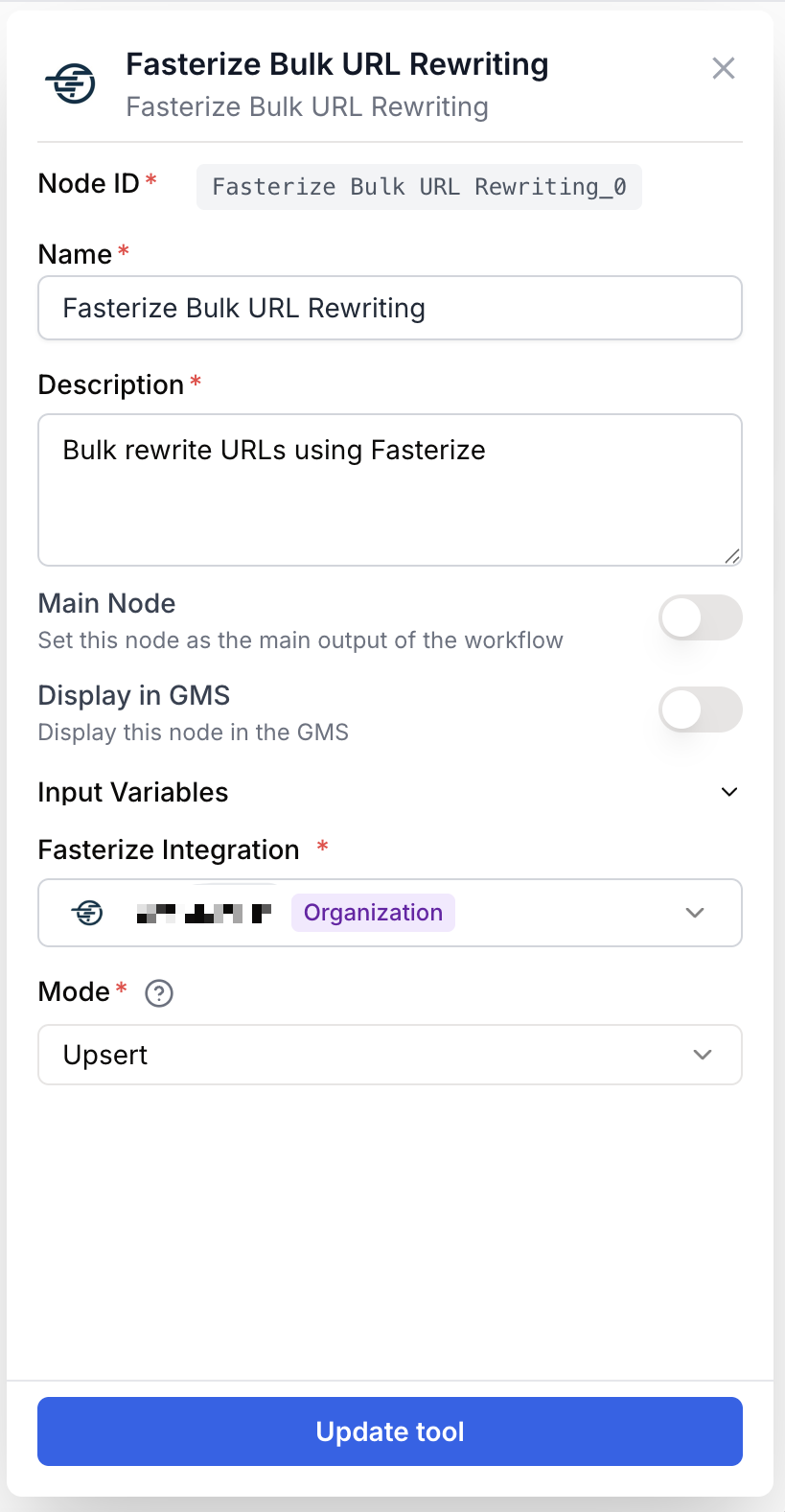
Open the node settings and select your Fasterize integration in the Fasterize Integration dropdown. The integration must be configured with the target site. If none is available, go to Settings > Integrations and add a Fasterize connection first.
Choose the deployment mode
Pick a Mode: upsert to update existing rules and add new ones, or replace to wipe the current ruleset and load only the rules you provide.
Provide the rewriting rules
Connect an upstream node to the Rewriting Rules (JSON) input port, or paste a JSON array directly into the field. Each entry must follow the rule schema (url_source, url_rewrite, feature_rewrite, feature_replace_url, feature_redirection).
Connect the output
Connect the output port to the next node in your workflow. The node returns the API response from Fasterize, which you can inspect with a JSON Path Extractor or use as a confirmation step.
Configuration parameters
Required fields
integration_id integration required Fasterize integration — Select the Fasterize connection that holds the credentials and the site identifier where the rules will be applied.
rules string required Rewriting Rules (JSON) — A JSON array of rule objects. Each rule supports url_source (the URL to match), url_rewrite (the destination URL), and the three boolean toggles feature_rewrite, feature_replace_url, feature_redirection. The field accepts a string from an upstream node or a literal JSON array pasted into the node.
Optional fields
mode string default: upsert Mode — Deployment strategy used by Fasterize when applying the rules.
upsert: existing rules are updated, new rules are added, untouched rules stay in place.replace: the current ruleset on the Fasterize site is wiped and replaced by the rules you submit.
You can pipe the output of an LLM node or a JSON Path Extractor straight into the Rewriting Rules (JSON) input. The runner accepts both a JSON string and a direct array/object from upstream nodes, so no manual stringification is needed.
What does the node output?
The node returns the raw response payload from the Fasterize Bulk URL Rewriting API as a single output named output.
Successful response (example shape):
{
  "status": "ok",
  "rules_applied": 42,
  "mode": "upsert"
}
Error response when validation fails locally (before calling Fasterize):
{
  "error": "Invalid JSON format for rules. Expected array of {from, to} objects"
}
output string The Fasterize API response payload, returned as a JSON string. Contains either the deployment status returned by Fasterize or an error field if the rules array is missing, empty, or malformed.
Usage examples
Example 1: Bulk-deploy redirects after a site migration
You moved your blog from /tool-integration/ to /tool-integration-v2/ and need to redirect a list of legacy URLs in one shot.
Configuration:
- Fasterize Integration: your production site connection
- Mode:
upsert - Rewriting Rules (JSON):
[
  {
    "url_source": "https://dng.ai/tool-integration/",
    "url_rewrite": "https://dng.ai/tool-integration-v2/",
    "feature_rewrite": false,
    "feature_replace_url": false,
    "feature_redirection": true
  },
  {
    "url_source": "https://dng.ai/old-pricing/",
    "url_rewrite": "https://dng.ai/pricing/",
    "feature_rewrite": false,
    "feature_replace_url": false,
    "feature_redirection": true
  }
]
The Fasterize site is updated without touching the rules already in place.
Example 2: Wipe and reload the redirect map from a CMS export
You maintain the canonical redirect list in a Notion database or a Google Sheet. You want the Fasterize ruleset to mirror it exactly on every workflow run.
Configuration:
- Mode:
replace - Rewriting Rules (JSON): connected to the output of a Notion Database Reader followed by an LLM or JSON Path Extractor that maps each row to the rule schema.
Because the mode is replace, any rule that disappeared from the source of truth is removed from Fasterize automatically.
Example 3: Rewrite internal links across the site
You changed a partner URL and need every href="" on the site to point to the new destination, without issuing a 301.
Configuration:
- Mode:
upsert - Rewriting Rules (JSON):
[
  {
    "url_source": "https://partner.example.com/old/",
    "url_rewrite": "https://partner.example.com/new/",
    "feature_rewrite": false,
    "feature_replace_url": true,
    "feature_redirection": false
  }
]
Only feature_replace_url is enabled, so Fasterize only swaps the value inside link tags.
Common issues
The node returns 'No rules provided for URL rewriting'
Cause: The rules input is empty, missing, or evaluates to the literal string [].
Solution: Verify the upstream node actually emits a non-empty array. If you paste rules manually, make sure the JSON array contains at least one object.
The node returns 'Invalid JSON format for rules. Expected array of {from, to} objects'
Cause: The string passed to the Rewriting Rules (JSON) input is not valid JSON, or it is JSON but cannot be parsed as an array.
Solution: Validate the payload with a JSON formatter, or insert a Find and Replace node beforehand to strip Markdown fences (```json) often added by LLM outputs.
My rules are applied but old rules disappeared
Cause: The node was run with Mode set to replace, which removes every rule not present in the submitted payload.
Solution: Switch to upsert if you only want to update or add rules without touching the rest of the ruleset.
The node fails with an authentication or integration error
Cause: The selected Fasterize integration is missing, expired, or not authorized on the target site.
Solution: Open Settings > Integrations, reconnect the Fasterize integration, and confirm it is associated with the correct Fasterize site before re-running the workflow.
Best practices
Keep a single source of truth for your redirects. A Notion database, a Google Sheet, or a CMS export piped into this node with Mode set to replace guarantees Fasterize stays in sync with your canonical list.
Use replace carefully. It deletes every rule that is not in the submitted payload. Always run a dry test on a staging site or with a partial ruleset before pointing it at production.
Related nodes
Extract specific fields from a CMS or LLM payload before formatting them into the rule schema expected by Fasterize.
Strip Markdown fences or stray characters from an LLM output before sending the rules to Fasterize.
Generate or normalize a list of rewriting rules from unstructured input, then feed the JSON into this node.
Iterate over a large list of redirect entries and chunk them into multiple bulk uploads if needed.