Web Scraper
The Web Scraper node fetches a web page and extracts its content using built-in templates or custom XPath selectors, returning the result as a single string for downstream processing.
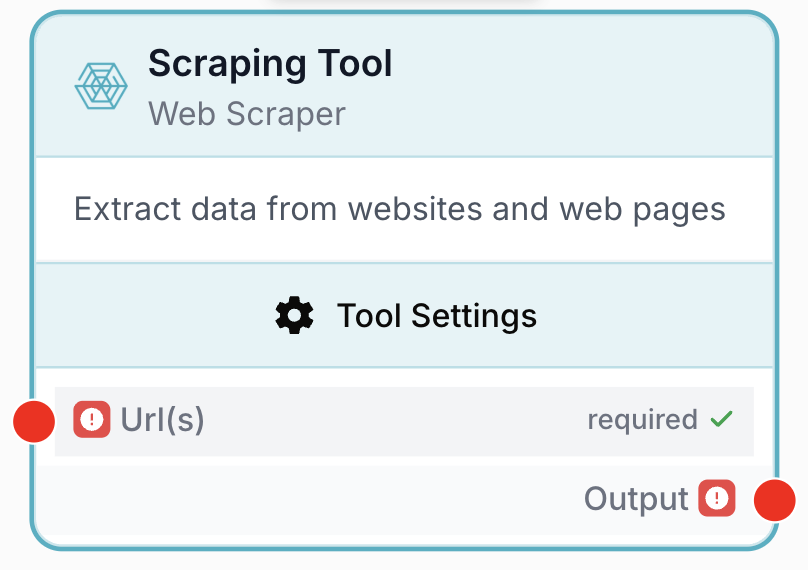
What does the Web Scraper node do?
The Web Scraper node fetches a web page from a URL and extracts its content. It can run in raw mode (no template) and return the page payload as text, apply one of four built-in templates tuned for common page types (articles, article lists, products, product lists), or target very specific elements with up to three XPath selectors. The node returns a single string that downstream nodes can clean, parse, or feed to an LLM.
Common use cases:
- Pulling article bodies from blog or news pages before summarising them with an LLM.
- Collecting product details (name, price, description) from e-commerce listings into a structured dataset.
- Extracting specific elements from a known page structure using XPath (prices, ratings, hidden fields).
- Iterating over a list of URLs inside a Loop to build a content corpus or competitor watch.
Quick setup
Follow these steps to add and configure the Web Scraper node in your workflow:
Add the node to the canvas
Open the Node Library, go to Integrations, then drag and drop the Web Scraper node onto your workspace.
Connect or set the URL
Either type a static URL directly into the Url(s) input, or connect the output of an upstream node (Text Input, Loop, JSON Path Extractor) that provides the URL to scrape.
Pick a content template
In the node settings, choose a Content Type: keep No Template for the raw page, or pick Article, ArticleList, Product, ProductList to apply a pre-built extraction profile.
(Optional) Add XPath selectors
Open the XPath Selectors section and fill XPath 1, XPath 2, and/or XPath 3 to target specific DOM nodes (e.g. //div[@class='product-price']).
Choose how to handle errors
Pick an Error Handling strategy: None to fail the workflow run on error, or Skip & Continue to return an empty string for that URL and keep going.
Connect the output
Connect the output port (on the right of the node) to the next node, and create your own variable name in that next node to receive the scraped content.
Configuration parameters
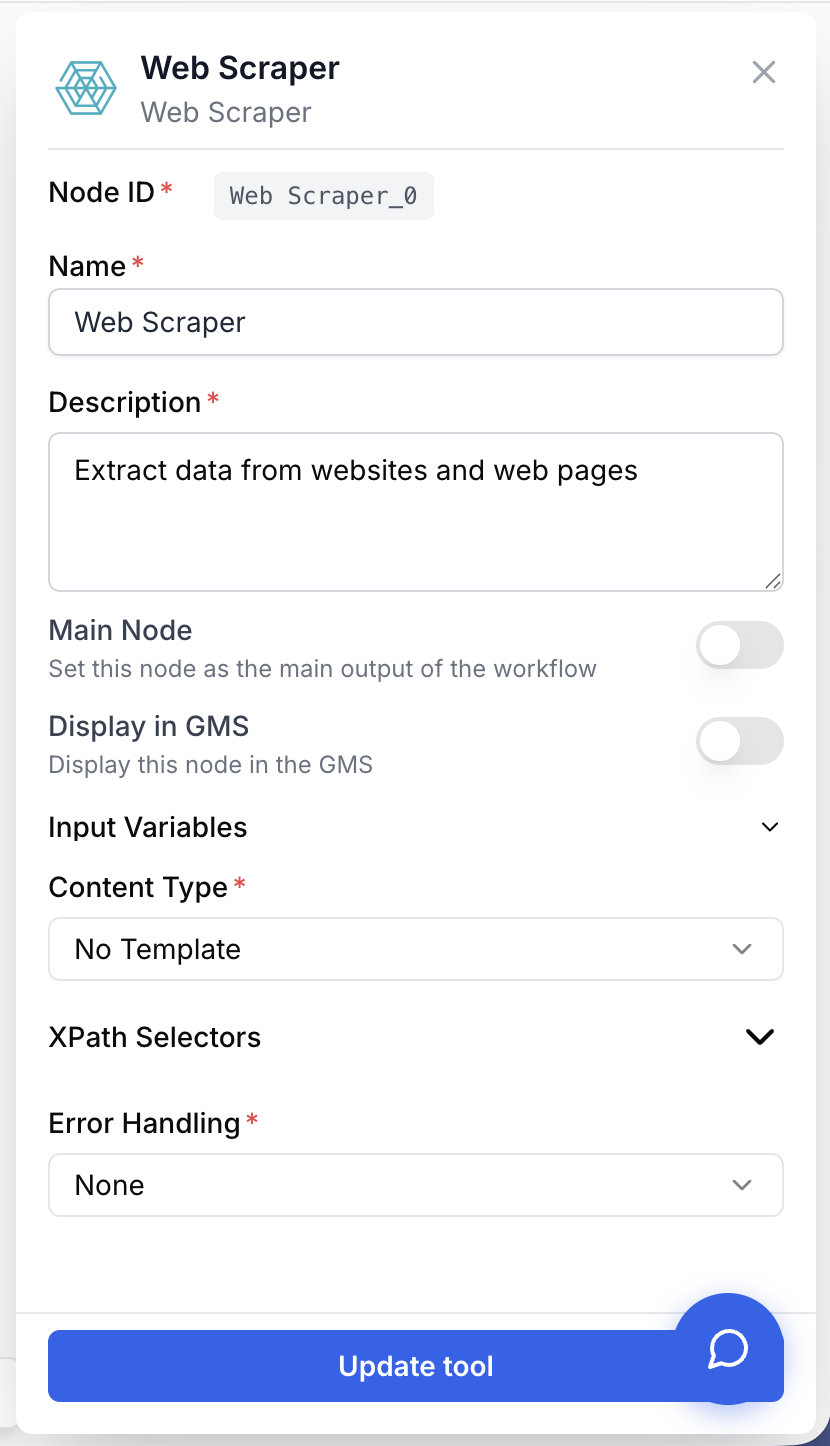
The Web Scraper exposes one input port and four business parameters on top of the standard identification fields.
Required fields
Name string required default: Scraping Tool Node name — Important for quickly identifying this node’s role (e.g. Scrape competitor product page) when running and debugging the workflow.
Description string required default: A tool to scrape web content using XPath selectors Node description — A short phrase describing what this scraping node fetches in the context of your workflow.
Url(s) string required URL to scrape — The web page URL to fetch. Can be a hard-coded string or a variable injected from an upstream node (Text Input, Loop iteration, JSON Path Extractor, etc.).
Content Type string required default: No Template Extraction template — Selects how the page is extracted. Available values:
| Value | Behaviour |
|---|---|
No Template | Returns the raw page content with no template applied. |
Article | Extracts a single article (title, body, metadata). |
ArticleList | Extracts a list of article items from an index page. |
Product | Extracts a single product (name, price, description). |
ProductList | Extracts a list of products from a listing page. |
Error Handling string required default: None Error handling strategy — Controls how the node reacts when the page cannot be fetched or parsed:
| Value | Behaviour |
|---|---|
None | When an error occurs, the node stops and the workflow run fails. |
Skip & Continue | If an error occurs, the node returns an empty string for that URL and execution continues. |
Optional fields
XPath 1 string default: Empty First XPath selector — Custom XPath expression used to target a specific element on the page (e.g. //div[@class='product-title']). Combined with the chosen content template when both are provided.
XPath 2 string default: Empty Second XPath selector — Additional XPath, typically used to extract a second piece of information (e.g. //div[@class='product-price']).
XPath 3 string default: Empty Third XPath selector — Additional XPath, typically used to extract a third piece of information (e.g. //div[@class='product-description']).
Start with No Template and a single XPath when prototyping, inspect the raw output, then switch to a template (Article, Product…) only once you know which fields you actually need downstream.
What does the node output?
The node outputs a single string named html that contains the scraped content. The exact shape of that string depends on the chosen Content Type and on the XPath selectors:
- With
No Template, the output is the raw page payload (typically HTML). - With a template (
Article,ArticleList,Product,ProductList), the output is a serialised text representation of the extracted fields. - With XPath selectors, the output focuses on the matched DOM nodes.
How to use the output
In Draft & Goal you don’t need to look up a system-generated variable name. To use the result:
- Draw a connection from the Web Scraper output port.
- Connect it to the next node’s input (HTML to Markdown, HTML Cleaner, JSON Path Extractor, LLM, etc.).
- In that next node, create and name your own variable (for example,
scraped_page). The scraped content will be injected into it automatically.
html string The scraped content, returned as a string. Empty when the URL fails to load and Error Handling is set to Skip & Continue.
Usage examples
Example 1: Scrape an article and summarise it with an LLM
You want to turn any article URL into a short briefing.
Workflow:
- Text Input holds the article URL.
- Web Scraper fetches it with
Content Type = ArticleandError Handling = Skip & Continue. - HTML to Markdown cleans the output for the LLM.
- LLM receives the markdown and produces the summary.
Web Scraper configuration:
Url(s)={{Text_0.value}}Content Type=ArticleError Handling=Skip & Continue
Example 2: Targeted product extraction with XPath
You monitor a competitor’s product page and only need the title, price, and description.
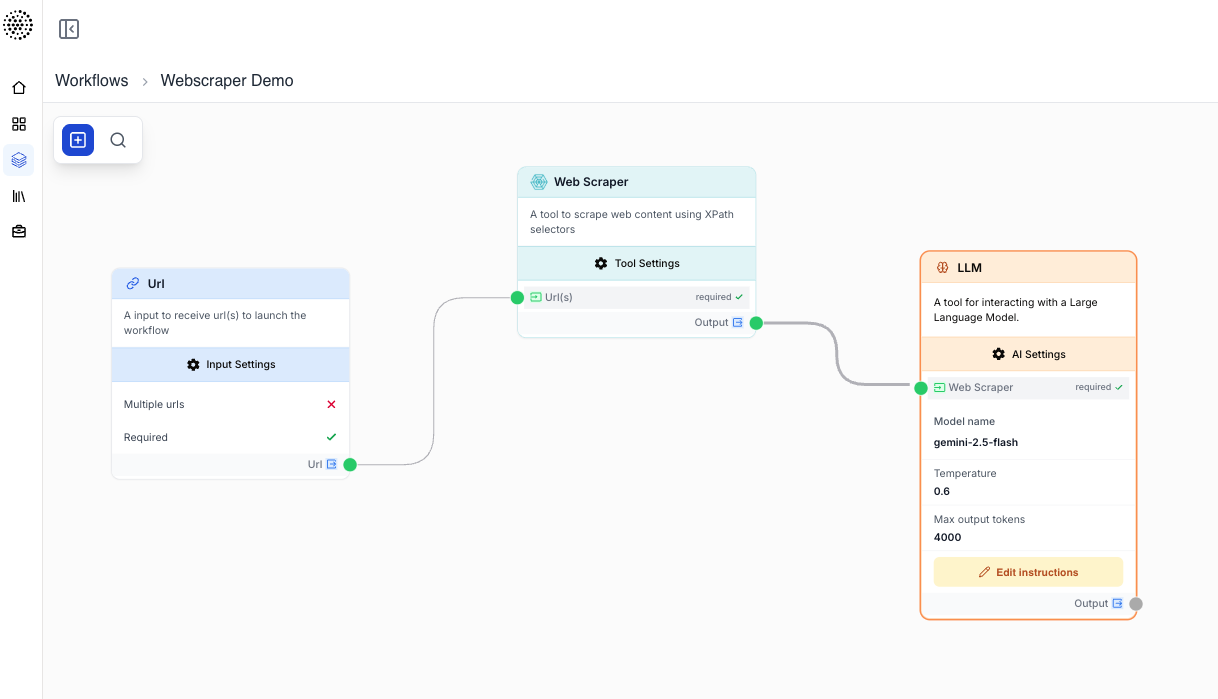
Web Scraper configuration:
Url(s)=https://shop.example.com/product/123Content Type=ProductXPath 1=//div[@class='product-title']XPath 2=//div[@class='product-price']XPath 3=//div[@class='product-description']Error Handling=None
The html output then contains the three targeted blocks, ready to be parsed by a JSON Path Extractor or sent to an LLM for normalisation.
Example 3: Bulk scraping with a Loop
You hold a list of URLs and want to scrape each one and store the result.
Workflow:
- Create List (or upstream API Connector) provides the URL list.
- Loop iterates over each item.
- Web Scraper scrapes the current URL with
Url(s) = {{Loop_0.currentItem}}andError Handling = Skip & Continueso a single failing page does not abort the run. - Save / Append the result downstream (Sheets, database, file).
Common issues
The output is empty although the URL works in my browser
Cause: The page may render its content with JavaScript after load, or it may block automated requests, in which case the raw HTML the scraper sees does not contain the expected text.
Solution: Open the page source (not the dev-tools DOM) to confirm the data is actually present in the initial HTML. If it is rendered client-side, the Web Scraper cannot reach it. If the page blocks scrapers, switch to an upstream API or a different source.
An XPath returns nothing
Cause: The XPath does not match the real DOM structure, or it targets attributes that differ from what is rendered server-side.
Solution: Test the XPath in your browser’s dev tools first ($x("//div[@class='product-title']")). Prefer robust selectors (contains(@class, 'price')) over fragile ones tied to volatile class names.
My workflow run fails on the first bad URL in a Loop
Cause: Error Handling is set to None, so the first non-200 response or parsing error stops the run.
Solution: Set Error Handling to Skip & Continue. The node will return an empty string for the failing URL and the Loop will move on to the next item.
The output is hard to feed to an LLM
Cause: Raw HTML contains a lot of markup the model does not need.
Solution: Place an HTML Cleaner or HTML to Markdown node between the Web Scraper and the LLM to reduce noise and token usage.
Best practices and pitfalls
Always set Error Handling to Skip & Continue when the Web Scraper sits inside a Loop. One unreachable URL out of a hundred should not abort the entire batch.
Respect target sites. Check the site’s terms of use and robots.txt before scraping at scale, throttle your Loops to avoid hammering servers, and prefer official APIs when they exist.
How does it fit into a workflow?
The Web Scraper typically sits between a node that produces URLs and a node that cleans or interprets the result. Here is a typical batch-scraping pattern with cleanup and LLM analysis:
graph LR
    Source[URL list / API Connector] --> Loop[Loop]
    Loop --> Scraper[Web Scraper]
    Scraper --> Clean[HTML to Markdown]
    Clean --> LLM[LLM Analysis]
    LLM --> Out[Save results]
Related nodes
Strip noise from scraped HTML before parsing or sending it to an LLM.
Convert scraped HTML into clean Markdown that LLMs handle better than raw markup.
Scrape a list of URLs one by one, with Error Handling = Skip & Continue to ignore failures.
Extract a precise field from the scraped payload once it has been turned into JSON.