Remove Duplicates
The Remove Duplicates node removes duplicate items from a list and outputs only the unique values, preserving the order of first occurrence.
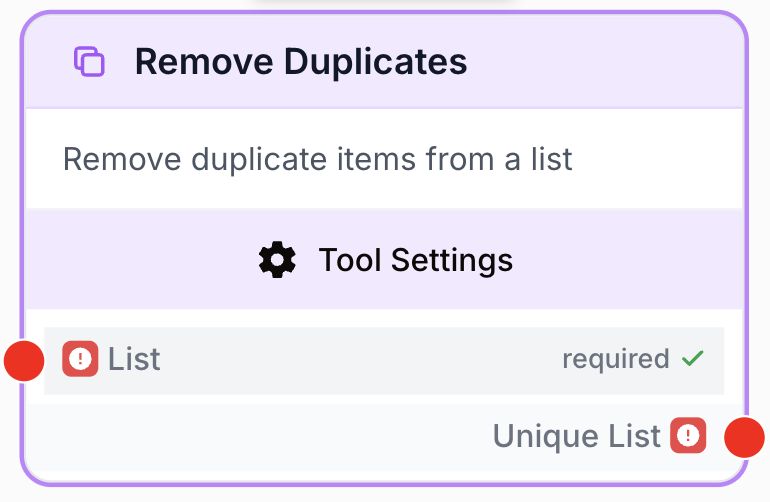
What does the Remove Duplicates node do?
The Remove Duplicates node is a list-cleaning tool that takes a list as input and returns only its unique items, dropping any repeated values. It preserves the order of first occurrence, so the resulting list keeps the same sequence as the input minus the duplicates.
Common use cases:
- Deduplicating a keyword list after merging results from multiple SEO sources (Semrush, GSC, Ahrefs).
- Cleaning a list of email addresses before iterating with a Loop node to avoid sending the same campaign twice.
- Removing repeated entries from concatenated data pulled from several Google Sheets or Notion databases.
Quick setup
Follow these steps to add and configure the Remove Duplicates node in your workflow:
Add the node to the canvas
Open the Node Library, go to Tools > List Operations, then drag and drop the Remove Duplicates node onto your workspace.
Connect the input
Connect the output of any node that produces a list (such as Merge Lists, Create List, JSON Path Extractor, or a Google Sheets reader) to the list input on the left of the node.
Connect the output
Connect the unique_list output (on the right of the node) to the next node in your workflow. The downstream node will receive the deduplicated array.
Configuration parameters
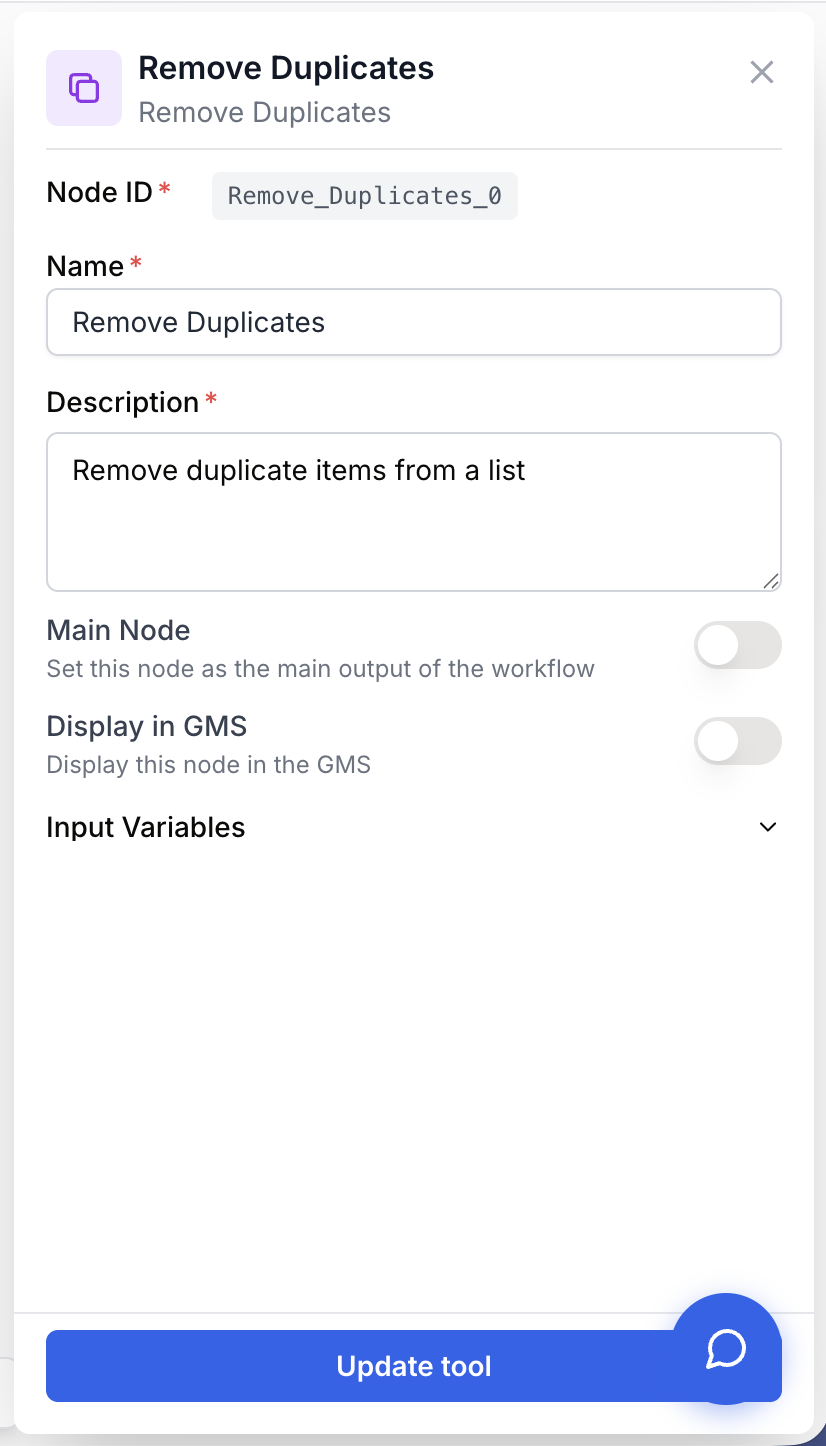
The Remove Duplicates node has no custom parameters. Only the standard identification fields and the list input must be set.
Required fields
Name string required default: Remove Duplicates Node name — Useful for quickly identifying this node’s role (e.g. “Dedupe SEO keywords”) when running and debugging the workflow.
Description string required default: Remove duplicate items from a list Node description — A short phrase describing what list this node deduplicates.
list json required List to deduplicate — A JSON array of values (strings, numbers, or objects). The node accepts both a JSON array passed directly and a stringified JSON array (it will parse it). If the string is not valid JSON, the node fails with Input is not a valid JSON list.
Optional fields
This node has no optional configuration fields. Deduplication behavior is fixed: items are compared by structural equality and the first occurrence is kept.
The node accepts string, text, json, and array input types. If your upstream node outputs a stringified array (e.g. '["a","b","a"]'), Remove Duplicates will parse it automatically before deduplicating.
What does the node output?
The node outputs a JSON array containing only the unique items from the input list, in the order they first appeared. The shape of each element is preserved (strings stay strings, objects stay objects).
unique_list json The deduplicated array. Order of first occurrence is preserved. Empty input returns an empty array.
Example output:
{
  "unique_list": ["apple", "banana", "cherry"]
}
Usage examples
Example 1: Deduplicate keywords after merging SEO sources
After concatenating keyword lists from Semrush and Google Search Console, the merged list typically contains the same keyword reported by both tools. Removing duplicates before the LLM analysis avoids weighting any keyword twice.
Input (from Merge Lists):
["seo strategy", "keyword research", "seo strategy", "backlink audit", "keyword research"]Output (unique_list):
["seo strategy", "keyword research", "backlink audit"]Example 2: Clean an email list before iterating with Loop
Reading contacts from a Notion database often returns duplicates because the same person can appear in several views or pages. Pass the list through Remove Duplicates before the Loop node so the Email Sender runs once per recipient.
Input (from Notion Database Reader):
["alice@dng.ai", "bob@dng.ai", "alice@dng.ai", "carol@dng.ai"]Output (unique_list):
["alice@dng.ai", "bob@dng.ai", "carol@dng.ai"]Common issues
Input is not recognized as a list
Cause: The upstream node passed a plain string that is not a valid JSON array, or a single object instead of an array.
Solution: Make sure the upstream node outputs a JSON array (e.g. ["a", "b", "c"]). If you have a string of comma-separated values, convert it to an array first using a Code Block or a JSON Path Extractor.
Objects are not being deduplicated as expected
Cause: For lists of objects, duplicates are determined by full structural equality. Two objects with the same values but different key orders, or with extra whitespace inside string fields, may be treated as different.
Solution: Normalize the objects upstream (sort keys, trim strings) using a Code Block, or deduplicate by a single property (for example an id field) inside a Code Block instead of relying on Remove Duplicates.
The node fails with 'Input is not a valid JSON list'
Cause: The list input received a string that could not be parsed as JSON (malformed quotes, trailing comma, or non-JSON text).
Solution: Check the upstream output. If it is a hand-typed list, wrap it with a Create List node. If it comes from an LLM, add a Find and Replace node first to strip Markdown delimiters such as backticks before feeding it into Remove Duplicates.
Best practices and pitfalls
Place Remove Duplicates immediately after any node that merges or concatenates lists (Merge Lists, multi-source readers). Deduplicating early reduces downstream LLM token usage and avoids running the same expensive operation twice on identical items.
Equality is strict and case-sensitive: "Alice@dng.ai" and "alice@dng.ai" are treated as two different items. If your data may vary in case or whitespace, normalize it (lowercase, trim) with a Code Block before the Remove Duplicates node.
graph LR
    A[Semrush Keywords] --> C[Merge Lists]
    B[Google Search Console] --> C
    C --> D[Remove Duplicates]
    D --> E[LLM Analysis]
Related nodes
Combine several lists into one, then pipe the result into Remove Duplicates to keep only unique items.
Apply conditional filtering on a list. Useful before or after Remove Duplicates to narrow down the dataset.
Build a list from scratch when you need a guaranteed-array input for Remove Duplicates.
Iterate over the deduplicated list returned by Remove Duplicates to run an action once per unique item.