Text to Image
Generate images from text prompts using multiple AI models with configurable size, format, and style options
What’s New — April 2026 — Multi-model support (Flux2, Kontext, Seedream, NanoBanana), new parameters (number of images, aspect ratio, output format, custom dimensions), reference image support for Gemini models, dynamic UI adapting to selected model, error handling options, and template variable support in prompts.
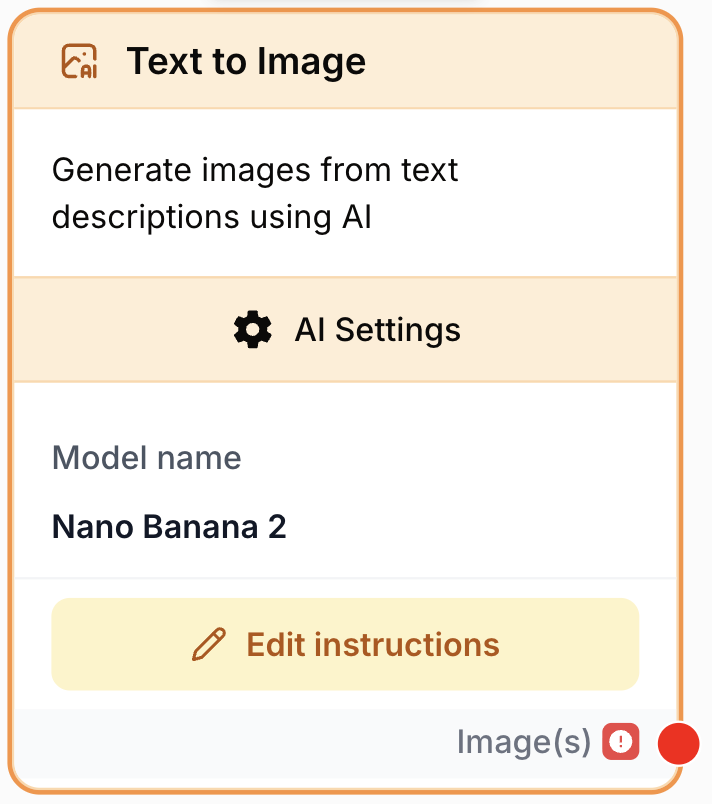
What does the Text to Image node do?
The Text to Image node generates images from text prompts using a selection of AI models. The node interface dynamically adapts to the selected model, showing only the relevant settings for each model family.
Common use cases:
- Product visuals — Generate product photos, mockups, and marketing assets at scale
- Social media content — Create batches of images in various aspect ratios for different platforms
- Creative illustration — Produce artistic illustrations, concept art, and visual designs
- Dynamic content — Use template variables in prompts to generate personalized images within workflows
Quick setup
Add the Text to Image node
Find it in AI Nodes → AI_IMAGE → Text to Image and drag it onto the canvas.
Select an AI model
Open the node settings and choose a model from the Model dropdown. Each model family (Flux2, Kontext, Seedream, NanoBanana) offers different strengths and settings.
Write your prompt
Enter a text description of the image you want to generate. Be detailed and specific. You can use {{variables}} to inject dynamic values from upstream nodes.
Configure optional settings
Adjust image size, aspect ratio, number of images, output format, and other model-specific options as needed.
Connect the output
Connect the output port to downstream nodes that accept image data (e.g., Image to Image, Upscale Image, or any node that processes files).
Configuration
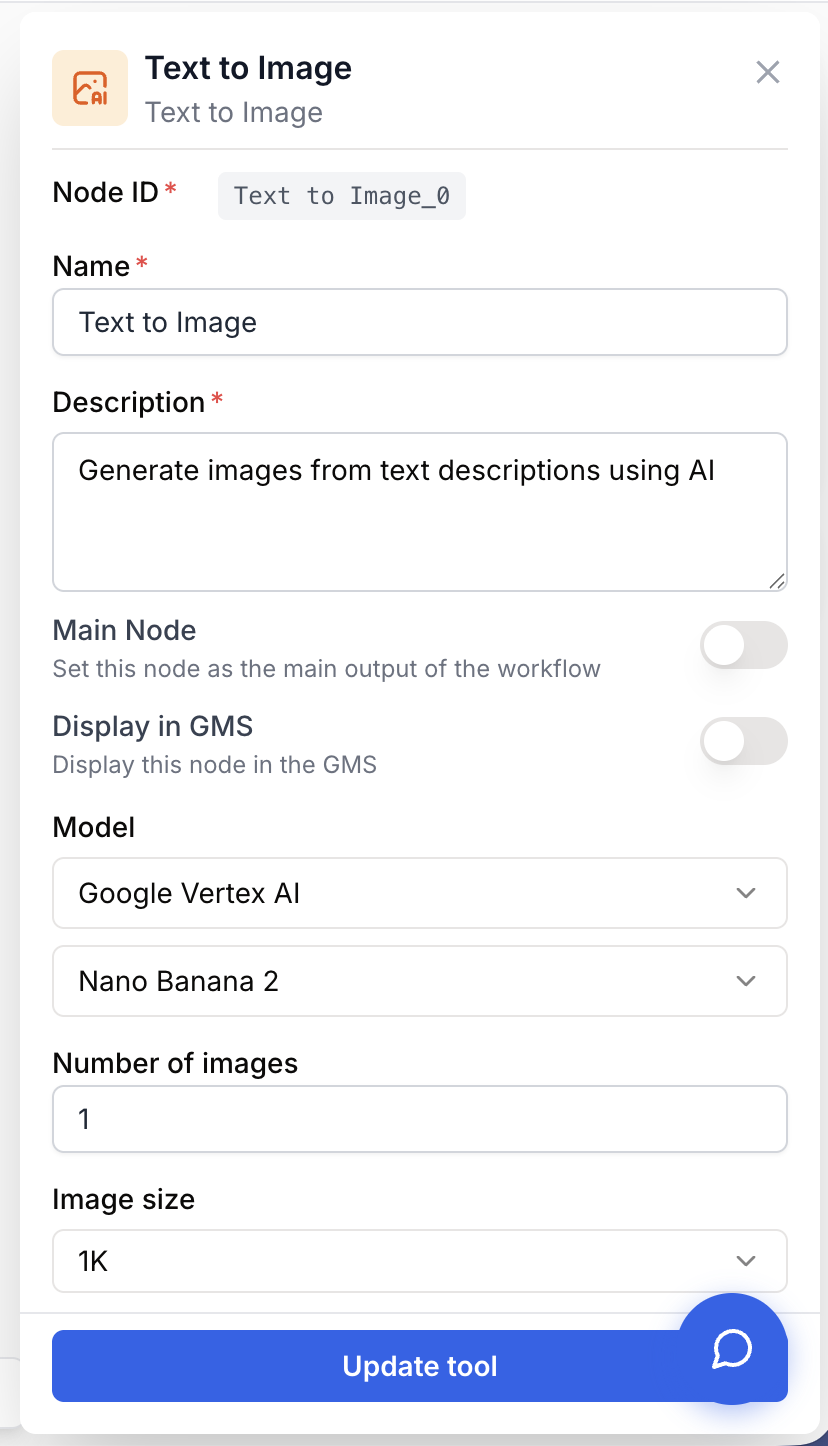
Required parameters
modelName LLM selection required The AI model to use for image generation. The available settings in the node UI will change dynamically based on the selected model family.
Model families:
- Flux2 — High-quality generation with flexible sizing and custom dimensions
- Kontext — Streamlined generation with minimal configuration
- Seedream — High-resolution output up to 4K with preset sizes
- NanoBanana — Versatile generation with extensive aspect ratio options
prompt text required Text description of the image to generate. Supports {{variable}} syntax for injecting dynamic values from other nodes in the workflow.
Tips for effective prompts:
- Be specific about subject, style, colors, lighting, and composition
- Include artistic direction (e.g., “cinematic lighting”, “watercolor style”, “flat design”)
- Mention the intended use to guide quality and framing
Example:
A professional product photo of a minimalist ceramic coffee mug
on a light oak table. Soft morning light from the left, shallow
depth of field, clean white background. Commercial photography style.
With variables:
A {{style}} illustration of a {{product_name}} in {{color}}.
Professional product photography, studio lighting.
Optional parameters
numImages number default: 1 Number of images to generate per execution, from 1 to 4.
imageSize string default: 1K Image size preset. The available options depend on the selected model:
| Model | Available sizes |
|---|---|
| Flux2 | auto, square, square_hd, portrait, landscape, custom |
| Seedream | auto_2K, 3K, 4K, square, portrait, landscape, custom |
| NanoBanana | 0.5K, 1K, 1.5K, 2K, 2.5K, 3K, 3.5K, 4K |
| Kontext | Minimal size settings |
aspectRatio string default: 1:1 Aspect ratio for the generated image. Available options vary by model.
NanoBanana offers the widest selection: 1:1, 1:4, 2:3, 3:2, 4:3, 4:5, 9:16, 16:9, 21:9, and more.
Other models may use aspect ratio implicitly through size presets (e.g., portrait, landscape).
outputFormat string default: png Output image format.
png— Lossless, larger file size, supports transparencyjpeg— Compressed, smaller file size
useReferenceImages boolean default: false Enable reference image inputs for supported models (Gemini only). When enabled, the node accepts reference images through the input_image_files and urls input ports.
customImageSizeWidth number Custom image width in pixels, from 512 to 14142. Only available when imageSize is set to custom (Flux2 and Seedream).
customImageSizeHeight number Custom image height in pixels, from 512 to 14142. Only available when imageSize is set to custom (Flux2 and Seedream).
errorHandling string default: None How to handle errors during image generation.
None— Stop the workflow on errorSkip— Skip the failed generation and continue the workflow
Model-specific settings
The Text to Image node dynamically adapts its interface based on the selected model. Here is a summary of what each model family supports:
Flux2
Full control over image dimensions. Supports preset sizes (auto, square, square_hd, portrait, landscape) as well as custom dimensions from 512 to 14142 pixels. Output format can be PNG or JPEG.
Kontext
Minimal configuration required. Focuses on prompt quality for image generation with streamlined settings.
Seedream
Optimized for high-resolution output. Offers size presets from 2K to 4K (auto_2K, 3K, 4K) plus standard presets (square, portrait, landscape) and custom dimensions.
NanoBanana
Extensive aspect ratio and size options. Sizes range from 0.5K to 4K. Supports a wide variety of aspect ratios including 1:1, 1:4, 2:3, 3:2, 4:3, 4:5, 9:16, 16:9, 21:9, and more — ideal for multi-platform content.
Output
output image The generated image (or images, if numImages > 1). Connect this to any downstream node that accepts image or file inputs.
Examples
Product photo with Flux2
Generate a high-quality product shot with precise dimensions:
- Model: Flux2
- Prompt:
Professional product photo of wireless earbuds on a marble surface. Soft studio lighting, shallow depth of field, clean white background. Commercial e-commerce style. - Image size:
custom - Width: 1920
- Height: 1080
- Output format:
png
Social media batch with NanoBanana
Create multiple images in different aspect ratios for social platforms:
- Model: NanoBanana
- Prompt:
Vibrant flat illustration of a coffee shop interior. Warm tones, cozy atmosphere, modern design. {{brand_tagline}} text overlay area. - Image size:
2K - Aspect ratio:
9:16(for Instagram Stories / TikTok) - Number of images: 4
- Output format:
jpeg
Creative illustration with Seedream
Produce a high-resolution illustration:
- Model: Seedream
- Prompt:
Watercolor painting of a mountain landscape at sunset. Golden hour lighting, misty valleys, pine forests in the foreground. Fine art quality, rich colors, painterly brushstrokes. - Image size:
4K - Output format:
png
Best practices
Write detailed, specific prompts
Include subject matter, artistic style, colors, lighting, composition, and mood. The more context you provide, the closer the output will match your vision.
Choose the right model for the job
- Use Flux2 when you need precise custom dimensions or high-quality general-purpose generation
- Use NanoBanana for multi-platform content with varied aspect ratios
- Use Seedream for high-resolution output (up to 4K)
- Use Kontext for fast, straightforward generation
Use template variables for dynamic prompts
Leverage {{variables}} to create reusable prompt templates that pull data from upstream nodes. This is especially useful for generating product images, personalized content, or batch processing.
Common issues
Model not available in the dropdown
Not all models may be available depending on your plan or configuration. Check your account settings or contact support if a model family is missing.
Image quality is lower than expected
Try a higher resolution size preset, write a more detailed prompt with explicit quality cues (e.g., “high detail”, “professional photography”, “8K resolution”), or switch to a model that supports higher output resolution like Seedream.
Custom size rejected or produces unexpected results
Custom dimensions must be between 512 and 14142 pixels (Flux2 and Seedream only). Extreme aspect ratios may produce distorted results. Stay within reasonable proportions.
Reference images not working
Reference images are only supported with Gemini models. Make sure useReferenceImages is enabled and that you have connected images to the input_image_files or urls input ports.