Fasterize Bulk SEO
The Fasterize Bulk SEO node applies SEO recommendations in bulk to a Fasterize-accelerated site by uploading a JSON (or CSV) ruleset to the Fasterize Bulk SEO API.
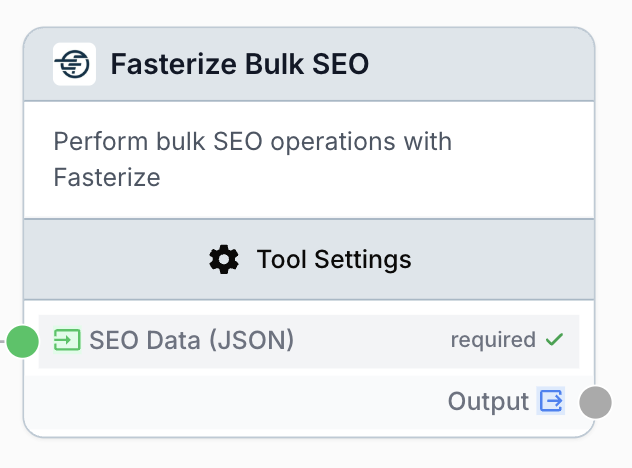
What does the Fasterize Bulk SEO node do?
The Fasterize Bulk SEO node pushes a batch of SEO rules to the Fasterize Bulk SEO API so changes are applied at the edge without touching the origin site. You provide a JSON array (or CSV) of URLs paired with recommendations — titles, meta descriptions, canonicals, hreflang, schema.org, OpenGraph, headings, HTML rewrites, and more — and the node uploads them in a single call.
Common use cases:
- Applying meta titles and descriptions generated by an LLM to hundreds of product pages at once.
- Rolling out canonical and hreflang fixes across an international site through Fasterize’s edge layer.
- Replacing or removing legacy HTML fragments (deprecated tags, tracking snippets) on many URLs in one shot.
- Pushing schema.org, OpenGraph, and Twitter Card markup at scale without redeploying the origin.
Quick setup
Connect your Fasterize integration
Open the node settings and select your Fasterize integration from the dropdown. If none is available, go to Settings > Integrations to add a Fasterize API token.
Provide the SEO data
Connect an upstream node that produces a JSON array of URL/recommendation objects to the SEO Data (JSON) input. The format is [ { "url": "...", "recommendations": [ { "type": "title", "value": "..." } ] } ].
Pick the upload mode
In Mode, choose Upsert to merge new rules with the existing ruleset, or Replace to overwrite all existing Bulk SEO rules with the payload.
Connect the output
Wire the output port to the next node. The node returns the Fasterize API response as a string, which you can inspect with a JSON Path Extractor or pass to a downstream notification node.
Configuration parameters
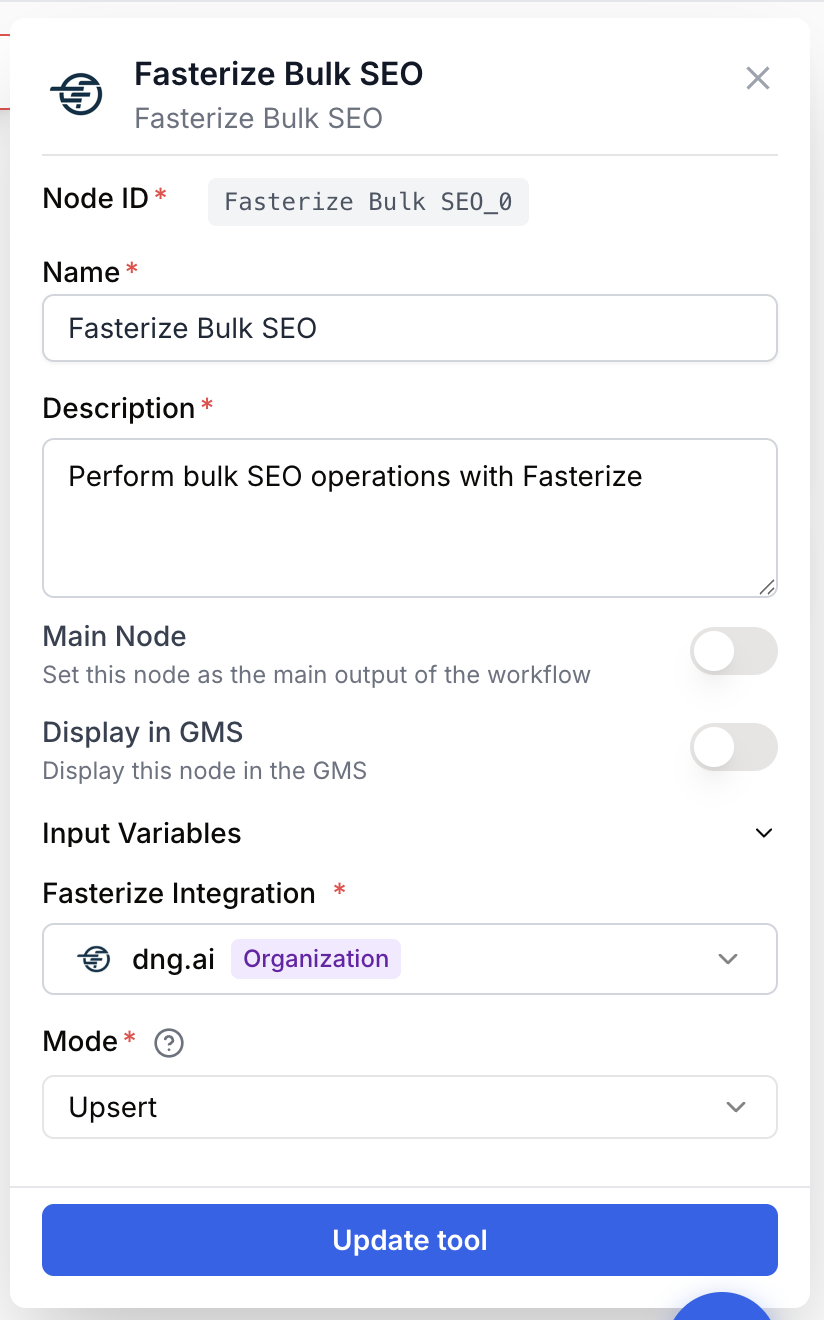
Required fields
integration_id integration required Fasterize integration — The Fasterize workspace to push the rules to. The integration token controls which Fasterize site the rules apply to.
json_data string required SEO Data (JSON) — A JSON array describing the URLs and the SEO recommendations to apply. Each item has a url and a recommendations array. Supported recommendation type values: title, meta-description, canonical, meta-robots, h1-h6, hn-target, hn-content, hreflang-default, hreflang-country, hreflang-url, html-target, html-content, html-remove, tag-switcher-target, tag-switcher-replace, link-obfuscation, schema-org, opengraph, twitter-card, csr. CSV strings are also accepted.
Optional fields
mode string default: upsert Mode — Either upsert (merge into the existing ruleset, keeping rules not present in the payload) or replace (overwrite the entire ruleset with the payload).
encoding string default: utf-8 Encoding — Character encoding used when the payload is CSV. Defaults to utf-8.
delimiter string default: , Delimiter — Column separator used when the payload is CSV. Defaults to a comma.
You do not have to pre-stringify the payload — if the input is already a JSON object or array (for example coming from a JSON Path Extractor or an LLM that returned structured output), the node serializes it for you before sending.
What does the node output?
The node outputs a single string containing the response data returned by the Fasterize Bulk SEO service. On success the response describes the rules that were accepted; on failure the node returns a JSON-shaped error.
output string The Fasterize Bulk SEO API response, serialized as a string. Inspect it with a JSON Path Extractor or an LLM to extract the accepted-rule count or any per-URL error.
Error shape when no payload is provided:
{ "error": "No JSON data provided for bulk SEO upload" }Error shape when the service call fails:
{ "error": "Failed to execute Fasterize Bulk SEO upload" }Usage examples
Example 1: Push LLM-generated meta titles and descriptions
You used an LLM node to draft SEO meta tags for a list of product pages and want to apply them through Fasterize without touching the CMS.
Configuration:
- Fasterize integration: Production
- Mode:
upsert - SEO Data (JSON): wired from the LLM output
Input payload:
[
  {
    "url": "https://example.com/product/widget-a",
    "recommendations": [
      { "type": "title", "value": "Widget A — Premium Industrial Widget" },
      { "type": "meta-description", "value": "Discover Widget A, our flagship industrial widget built for durability." }
    ]
  },
  {
    "url": "https://example.com/product/widget-b",
    "recommendations": [
      { "type": "title", "value": "Widget B — Compact Workshop Widget" },
      { "type": "meta-description", "value": "Widget B fits any workbench while keeping the precision of our industrial range." }
    ]
  }
]
In upsert mode, only the supplied URLs are touched; rules already configured for other URLs stay intact.
Example 2: Replace the full ruleset for a hreflang rollout
You are migrating the international markup of a multi-country site and want the new hreflang configuration to be the only Bulk SEO ruleset in effect.
Configuration:
- Mode:
replace - SEO Data (JSON):
[
  {
    "url": "https://example.com/fr/",
    "recommendations": [
      { "type": "hreflang-default", "value": "fr" },
      { "type": "hreflang-country", "value": "fr-FR" },
      { "type": "hreflang-url", "value": "https://example.com/fr/" }
    ]
  },
  {
    "url": "https://example.com/en/",
    "recommendations": [
      { "type": "hreflang-default", "value": "en" },
      { "type": "hreflang-country", "value": "en-US" },
      { "type": "hreflang-url", "value": "https://example.com/en/" }
    ]
  }
]
In replace mode, any URL not present in this payload loses its previous Bulk SEO rules — make sure the payload is exhaustive.
Common issues
The node returns 'No JSON data provided for bulk SEO upload'
Cause: The json_data input was empty, an empty array [], or did not reach the node.
Solution: Verify the upstream connection feeding SEO Data (JSON). If the producer is an LLM, add a Find and Replace node beforehand to strip backticks or Markdown fences that would leave the payload empty after parsing.
The node returns 'Failed to execute Fasterize Bulk SEO upload'
Cause: The Fasterize API rejected the request — common causes are an invalid or revoked integration token, an unknown recommendation.type, or a malformed URL.
Solution: Re-check the integration in Settings > Integrations. Then validate every type against the supported list documented above and confirm each url is absolute and resolves to the Fasterize-accelerated site.
Replace mode wiped rules I expected to keep
Cause: replace overwrites the entire ruleset, not only the URLs present in the payload.
Solution: Use upsert to add or update specific URLs while preserving everything else. Reserve replace for full rollouts where the payload is exhaustive.
Recommendations are accepted but do not appear on the site
Cause: Fasterize caches pages at the edge, so previously cached HTML may still be served until the cache expires.
Solution: Trigger a Fasterize cache invalidation for the affected URLs after the bulk upload, or wait for the configured TTL before validating in the browser.
Best practices
Validate the payload upstream. Run the JSON through a JSON Path Extractor or a small validation step before this node — Fasterize rejects the whole batch if a single recommendation type is unknown.
Prefer upsert for incremental changes. replace is destructive: any rule not in the payload disappears from Fasterize. Use it only for clean-slate rollouts where you control the full ruleset.
How does it fit into a workflow?
The Fasterize Bulk SEO node is typically the last step of a content-generation pipeline that produces structured SEO recommendations.
graph LR
    Source[URL list / CSV] --> LLM[LLM generates titles + descriptions]
    LLM --> FR[Find and Replace cleans Markdown]
    FR --> Bulk[Fasterize Bulk SEO uploads payload]
    Bulk --> Notify[Email Sender notifies the team]
Related nodes
Generate SEO titles, meta descriptions, and headings, then forward the JSON to Fasterize Bulk SEO.
Reshape an upstream payload into the URL/recommendations array expected by the node.
Strip Markdown fences and stray characters from LLM output before sending to Fasterize.
Pair Bulk SEO with sitemap-driven URL lists for site-wide rollouts.