Conditional
The Conditional node evaluates IF/ELIF/ELSE rules and routes the workflow into the matching branch.
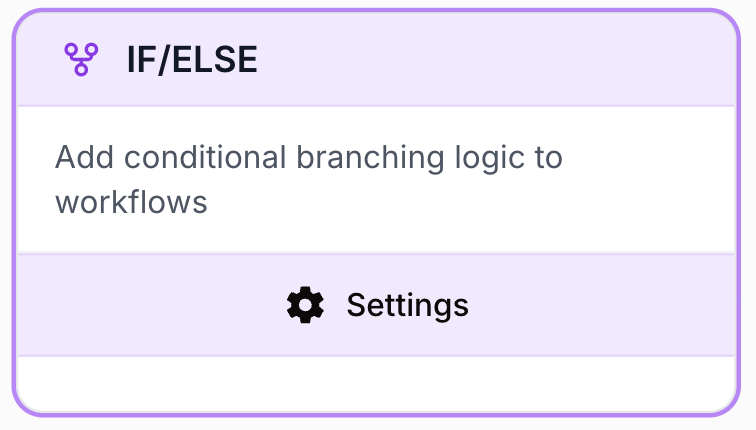
What does the Conditional node do?
The Conditional node (internal name IF/ELSE) is a flow-control tool that evaluates one or more rule cases (IF, ELIF, ELSE) and activates only the output branch matching the first case that resolves to true. It is the standard way to branch a workflow on data values without writing custom code.
Common use cases:
- Route a record based on a field value (status, type, score, region).
- Validate that a previous node returned non-empty content before continuing.
- Build a tiered pipeline (hot / warm / cold lead, success / retry / fail).
- Filter out items that don’t match a business rule before sending them to an expensive node (LLM, API call).
Quick setup
Add the node to the canvas
Open the Node Library, go to Tools > Flow Control, then drag the Conditional node onto your workspace.
Connect the input
Connect any upstream node whose output you want to test (for example a Web Scraper, an LLM, an HTTP node).
Define the cases
Open the node settings. The first case is always an IF. Click + Add condition to add ELIF cases. An ELSE (Default) case is added automatically and cannot be removed.
Set conditions
For each case, fill in the Variable (usually a {{node.field}} reference), pick an Operator, and enter a Value. Add sub-conditions and pick AND or OR to combine them.
Connect the outputs
Each case appears as a separate output handle on the node (Case 1, Case 2, …, Default). Connect each one to the downstream node that should run when that case wins.
Configuration parameters
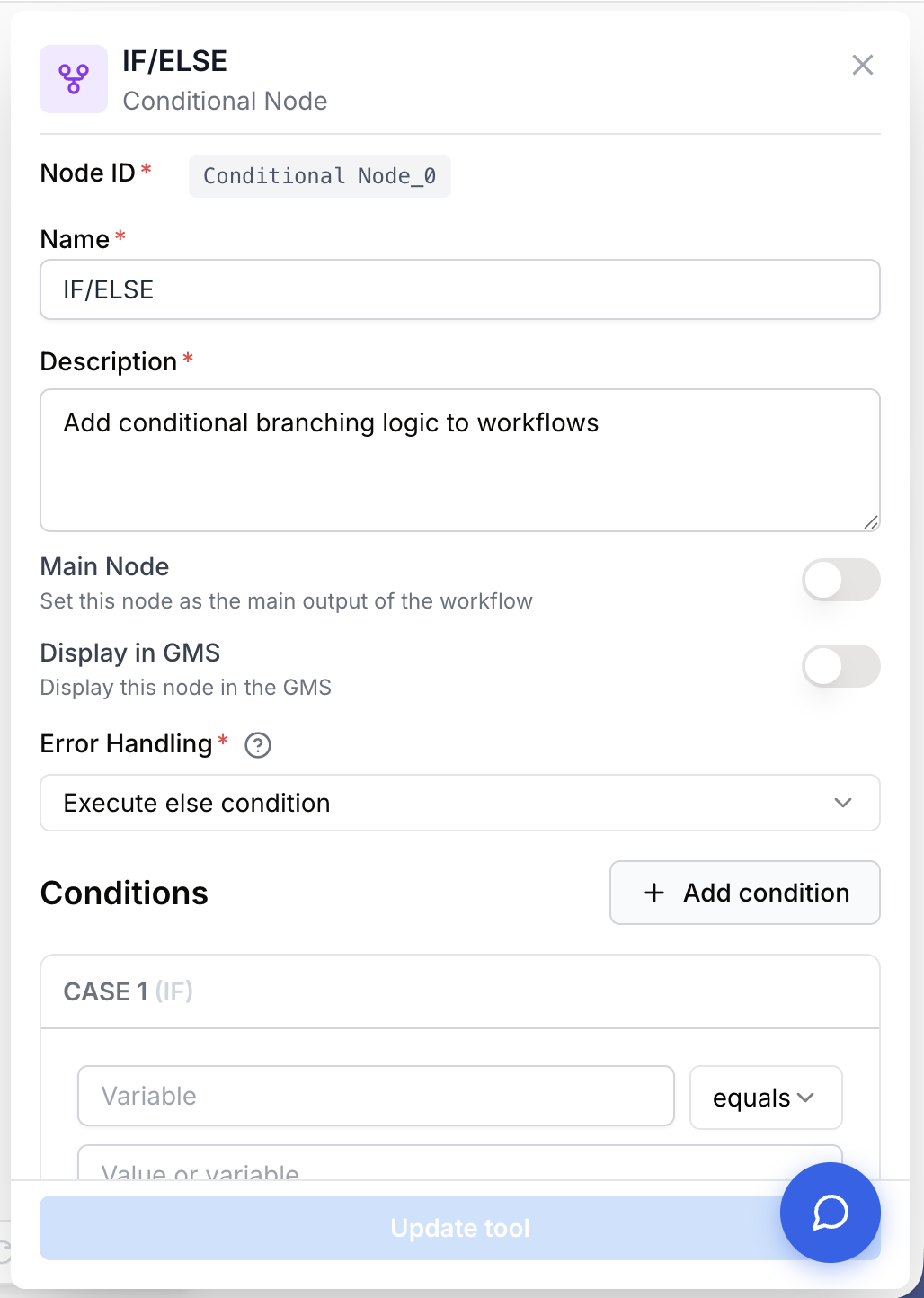
The Conditional node has no free-form text inputs. Configuration is entirely about the cases and their conditions.
Required fields
Name string required default: IF/ELSE Node name — Used to identify the node when debugging. Rename it to reflect what is being decided (e.g. Lead score routing, API status check).
Description string required default: Create conditional logic with if/else statements to control workflow flow Node description — Short summary of the routing logic.
conditions array required Cases array — Ordered list of IF / ELIF / ELSE cases. Each case contains a list of sub-conditions and a logicalOperator (AND or OR) used to combine them. Cases are evaluated top to bottom, and the first case that resolves to true wins; remaining cases (including ELSE) are skipped.
Each sub-condition has three fields:
- Variable — The left-hand value. Usually a template reference such as
{{WebScraper_0.content}}or a literal. - Operator — How to compare. See the operator table below.
- Value — The right-hand value to compare against. Ignored when the operator is
is_emptyoris_not_empty.
Operators enum required Available comparison operators:
| Operator | Description | Example |
|---|---|---|
equals | Equal to | status equals "active" |
not_equals | Not equal to | type not_equals "test" |
contains | String contains substring | email contains "@gmail" |
not_contains | String does not contain substring | url not_contains "test" |
starts_with | String starts with | name starts_with "Dr." |
ends_with | String ends with | file ends_with ".pdf" |
greater_than | Numeric > | score greater_than 80 |
less_than | Numeric < | price less_than 100 |
greater_equal | Numeric >= | count greater_equal 10 |
less_equal | Numeric <= | items less_equal 5 |
is_empty | Value is empty/null (no right-hand value needed) | data is_empty |
is_not_empty | Value exists (no right-hand value needed) | result is_not_empty |
Optional fields
errorHandling enum default: none Error handling strategy — What the runner does when condition evaluation fails (for example when a referenced variable is missing). Defaults to skipping the node so the workflow keeps running. Other values stop or fail the run depending on your needs.
logicalOperator enum default: AND Combine sub-conditions — When a case has more than one sub-condition, they are combined with AND (all must be true) or OR (any must be true). Set per case.
An ELSE case is added automatically when you save the node and acts as the catch-all branch. Keep it connected so a workflow run never has “nowhere to go”.
What does the node output?
The node does not transform data — it only decides which output handle to activate. Each case in your configuration becomes a dedicated output handle on the canvas.
Case 1 ... Case N branch One output handle per IF / ELIF case. Activated when that case is the first to resolve to true. Downstream nodes receive the upstream input of the Conditional node unchanged.
Default branch The ELSE output handle. Activated when no IF / ELIF case resolves to true.
condition_success_id string Internal id of the case that won. Useful for debugging from the run logs.
condition_failed_ids string[] Ids of the cases that were evaluated and resolved to false. Lets you see which branches were skipped.
Usage examples
Example 1: Validate scraped content before LLM analysis
A Web Scraper sometimes returns empty pages. You want to skip the LLM call when there’s nothing to analyse.
Configuration:
- Case 1 (
IF): Variable{{WebScraper_0.content}}· Operatoris_not_empty - Default (
ELSE): catch-all
Wiring:
Case 1→ LLM node that summarises the page.Default→ Logger node that writes “No content scraped”.
Example 2: Tiered lead routing
Route inbound leads into hot / warm / nurture flows based on score.
Configuration:
- Case 1 (
IF):{{lead.score}} greater_equal 80 - Case 2 (
ELIF):{{lead.score}} greater_equal 50 - Default (
ELSE): everything below 50
Wiring:
Case 1→ Hot Lead Flow.Case 2→ Warm Lead Flow.Default→ Nurture Flow.
graph LR
    A[Lead] --> B{score >= 80?}
    B -->|true| C[Hot Lead Flow]
    B -->|false| D{score >= 50?}
    D -->|true| E[Warm Lead Flow]
    D -->|false| F[Nurture Flow]
Example 3: Multi-criteria gate with AND
Only process premium customers from the EU.
Configuration (single IF case, two sub-conditions, logicalOperator = AND):
- Sub-condition 1:
{{customer.plan}} equals "premium" - Sub-condition 2:
{{customer.region}} equals "EU"
Case 1 runs the dedicated EU-premium pipeline. Default drops the record.
Common issues
A case is always taking the True branch (or always False)
Cause: Type mismatch — the variable resolves to a string while the right-hand value is a number, so equals or greater_than returns an unexpected result.
Solution: Inspect the actual value in the run logs. Make sure both sides are of the same type, and remove surrounding quotes from numeric values.
Nothing is connected downstream of the ELSE branch and the workflow stops silently
Cause: The ELSE (Default) handle is not wired, and no IF / ELIF matched.
Solution: Always connect the Default output, even to a logger or fail node, so unexpected inputs are visible.
A later ELIF never fires even though its condition is true
Cause: Cases are evaluated in order; an earlier case already matched.
Solution: Reorder the cases so the most specific conditions come first, or tighten the earlier cases so they don’t accidentally cover the same inputs.
Variable reference is not resolved
Cause: Wrong path in the {{...}} template, or the upstream node didn’t run.
Solution: Use the Variables Picker to insert references, and check that the referenced node is connected upstream.
Best practices and pitfalls
Put the most specific case first. Because evaluation stops at the first match, an over-broad IF will swallow inputs that should have hit a more precise ELIF.
Use is_not_empty as a guard at the very start of any branch that will pay for an LLM or paid API call. It’s the cheapest way to avoid wasting tokens on null inputs.
String vs number — "100" equals 100 may return false. When comparing numbers, make sure the upstream node emits a number (or use a dedicated parsing node before the Conditional).
Always wire the Default branch. A run with no matching case will dead-end on the Conditional node, which can be hard to spot in long workflows.
graph LR
    Input[Upstream node] --> Cond{Conditional}
    Cond -->|Case 1| A[Branch A]
    Cond -->|Case 2| B[Branch B]
    Cond -->|Default| C[Fallback / Log]
Related nodes
Iterate over a list and place a Conditional inside the loop to filter or branch each item.
Wire it on the Default branch to abort the run when no case matches.
Extract the exact field you want to test before feeding it into the Conditional.
Gate expensive LLM calls behind a Conditional that checks input quality first.