Slice List
The Slice List node extracts a range of items from a list using start and end indices, returning a new list scoped to that range.
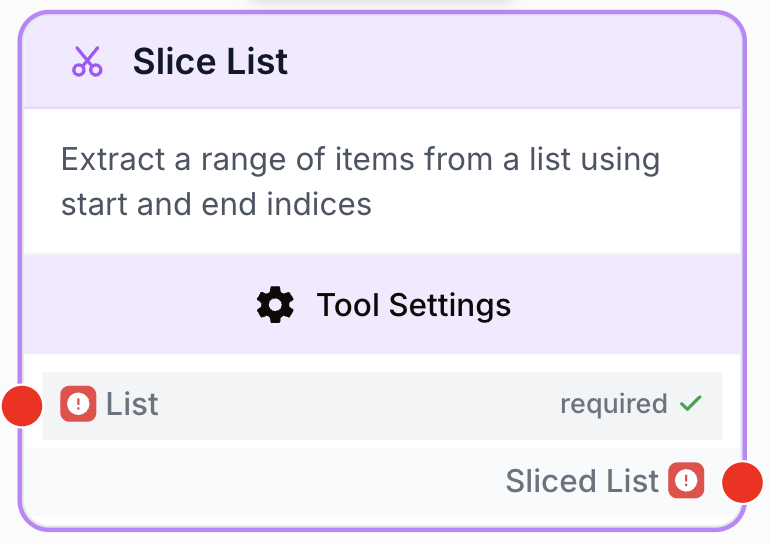
What does the Slice List node do?
The Slice List node is a list-processing tool that extracts a contiguous range of items from a JSON array using a start and end index. It returns a new list containing only the items within the specified range, leaving the original list untouched. It is especially useful for paginating, trimming, or skipping rows before passing data to a Loop, an LLM, or any downstream processor.
Common use cases:
- Keeping only the top N results returned by an API or a search node before sending them to an LLM.
- Paginating large lists into smaller chunks (items 0-9, then 10-19, etc.) to stay under model or runtime limits.
- Skipping the header row of an imported spreadsheet so a Loop only iterates over data rows.
Quick setup
Follow these steps to add and configure the Slice List node in your workflow:
Add the node to the canvas
Open the Node Library, go to the Tools category, then drag and drop the Slice List node onto your workspace.
Connect the input list
Connect the output of any node that produces a list (such as Create List, Google Sheets, or an API Connector) to the list input on the left of the node.
Set the range
Open the node settings and configure start_index (where the slice begins, inclusive) and end_index (where it ends, exclusive) to define the portion of the list you want to keep.
Connect the output
Connect the sliced_list output (on the right of the node) to the next node in your workflow. Define the receiving variable name in that next node to consume the sliced list.
Configuration parameters
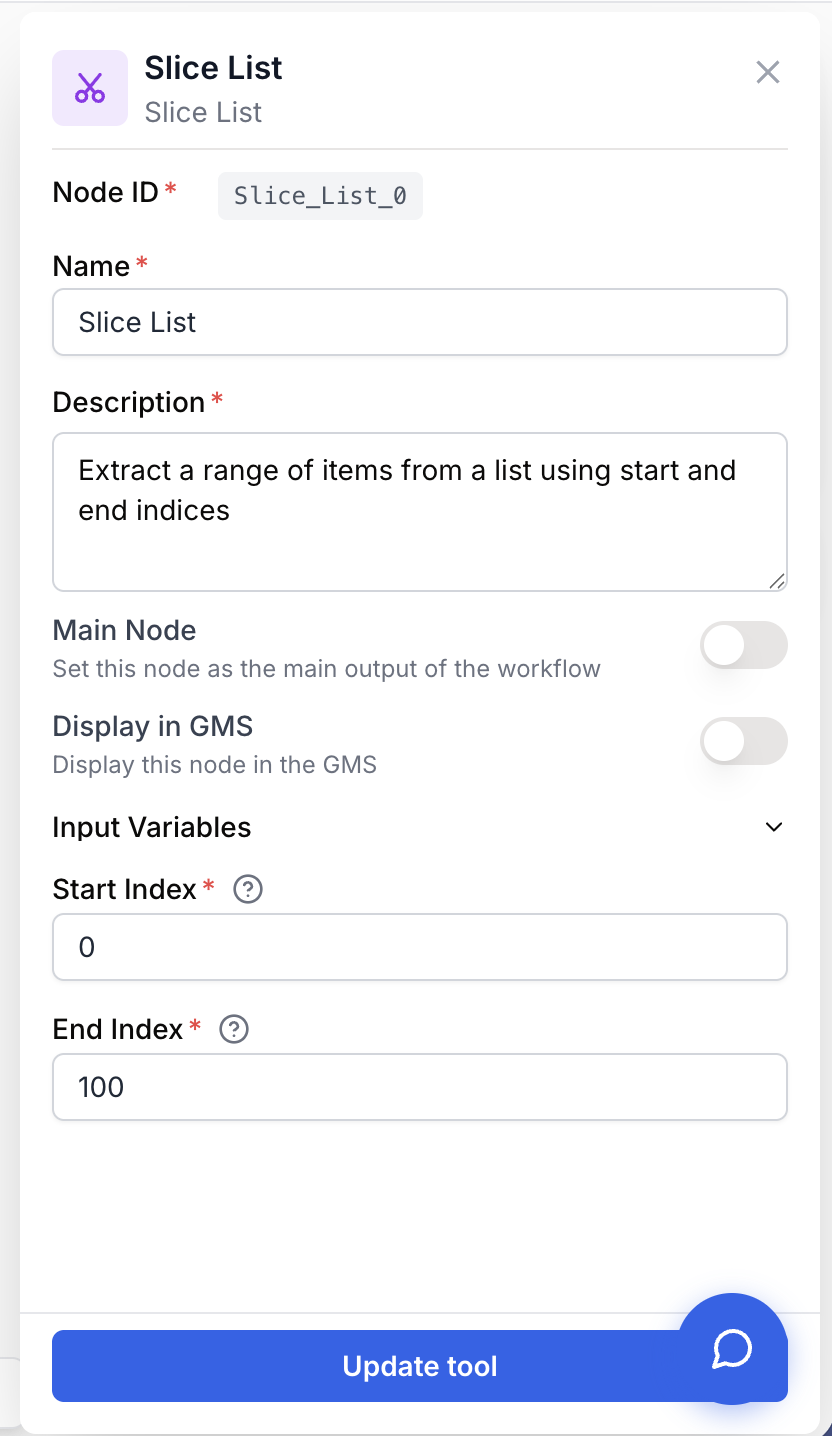
Configuring the node requires telling it which list to slice and which range to keep.
Required fields
Name string required default: Slice List Node name — Useful for identifying this node’s role at a glance (e.g. “Keep top 5 results”) when running and debugging the workflow.
Description string required default: Extract a range of items from a list using start and end indices Node description — A short phrase describing what range this node extracts and why.
list json required Input list — The list to slice. Must be a valid JSON array (e.g. ["a", "b", "c"]) coming from a previous node. Plain strings or objects are not accepted.
Optional fields
start_index number default: 0 Start index — The zero-based index where the slice begins (inclusive). Minimum: 0. Leave empty to default to 0 (start of the list).
end_index number default: 100 End index — The zero-based index where the slice ends (exclusive). Minimum: 0. Leave empty to default to 100. If end_index is greater than the list length, the node simply returns up to the last item.
Indices follow standard slicing rules: the item at start_index is included, the item at end_index is not. To keep the first 5 items, use start_index = 0 and end_index = 5.
What does the node output?
The node outputs a JSON array (sliced_list) containing the items between start_index (inclusive) and end_index (exclusive) of the input list. The original list is not modified, and the order of items is preserved.
How to use the output
In Draft & Goal, you don’t need to look up a complex system-generated variable name. To use the result:
- Draw a connection from the Slice List node’s
sliced_listoutput. - Connect it to the next node’s input.
- In that next node, create and name your own variable (for example,
top_results). The sliced list will be injected into it automatically.
sliced_list json A JSON array containing the items within the specified range. Empty if start_index is greater than or equal to the list length, or if start_index is greater than or equal to end_index.
{
  "sliced_list": ["banana", "cherry", "date"]
}
Usage examples
Example 1: Keep only the top 5 results from an API
You query an API that returns 50 results, but you only want the LLM to summarize the 5 most relevant ones.
Configuration:
list: connected to the API Connector outputstart_index:0end_index:5
Generated output:
{
  "sliced_list": [
    { "title": "Result 1", "score": 0.98 },
    { "title": "Result 2", "score": 0.95 },
    { "title": "Result 3", "score": 0.93 },
    { "title": "Result 4", "score": 0.91 },
    { "title": "Result 5", "score": 0.88 }
  ]
}
The LLM receives a focused list and produces a tighter summary without processing the other 45 entries.
Example 2: Skip the header row of a spreadsheet
You import data from Google Sheets where row 0 contains column headers and rows 1-99 contain the actual data you want to loop over.
Configuration:
list: connected to the Google Sheets outputstart_index:1end_index:100
The Slice List node drops the header row and forwards only the data rows to a Loop node, which then processes each row individually.
Common issues
The output list is empty even though my input has items
Cause: Either start_index is greater than or equal to the input list length, or start_index is greater than or equal to end_index. In both cases the slice is empty by definition.
Solution: Check the actual size of the input list and make sure start_index < end_index and start_index < list length. If you don’t know the list size in advance, set end_index to a large number (e.g. 10000) to keep everything from start_index onward.
The node fails with “Input is not a valid JSON list”
Cause: The list input received a value that isn’t a JSON array — typically a plain string, a single object, or malformed JSON.
Solution: Make sure the upstream node outputs a proper JSON array (e.g. ["a", "b", "c"]). If you’re chaining text-producing nodes, insert a JSON Path Extractor or a Create List node before Slice List to build a real array.
I get fewer items than expected at the end of the list
Cause: end_index is exclusive, so requesting end_index = 5 returns items at indices 0, 1, 2, 3, and 4 — five items, not six.
Solution: Add 1 to end_index if you’re thinking in terms of “up to and including item N”. For “the first N items”, use start_index = 0 and end_index = N.
Best practices and pitfalls
Use Slice List as a cheap pagination primitive: combine it with a counter or a Loop to walk a large list in pages of fixed size (e.g. items 0-9, 10-19, 20-29) without overloading downstream nodes or LLM context windows.
Watch out for off-by-one errors: start_index is inclusive but end_index is exclusive. Always test the slice on a small known list before plugging it into a production workflow on a large dataset.
How does it fit into a workflow?
Slice List typically acts as a “trim” or “paginate” step between a list-producing source (API, Sheets, search) and a list-consuming processor (Loop, LLM, extractor). Here’s a typical integration pattern for summarizing only the top results from an API:
graph LR
    API[API Connector] --> Slice[Slice List
<br/>keep top 5]
    Slice --> LLM[LLM summarizes results]
    LLM --> Output[Final output]
Related nodes
Build a list from scratch, then narrow it down with Slice List.
Split a list into smaller batches when you need every chunk, not just one range.
Keep items by condition rather than by position — combine with Slice List for ranked top-N results.
Iterate over the sliced range one item at a time.