Majestic Backlinks History
The Majestic Backlinks History node retrieves the temporal evolution of backlinks for one or several URLs using the Fresh or Historic Index.
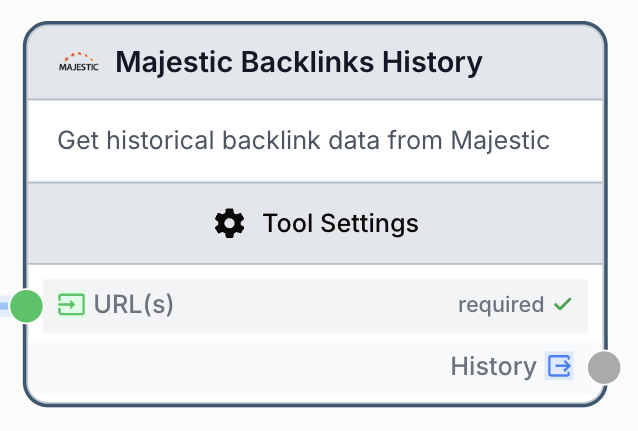
What does the Majestic Backlinks History node do?
The Majestic Backlinks History node queries the Majestic API to return the time-series evolution of external backlinks and referring domains for one or more URLs. It exposes both Majestic indexes: Fresh Index (recently crawled, daily granularity) and Historic Index (long-term archive, monthly granularity).
Common use cases:
- Tracking link-building campaign progress month over month.
- Detecting backlink loss spikes after a migration or penalty.
- Comparing historical link velocity across competitor URLs.
Quick setup
Add the node to the canvas
Open the Node Library, go to Integrations > SEO Tools > Majestic, then drag the Majestic Backlinks History node onto your workspace.
Connect a Majestic integration
In the node settings, pick a configured Majestic account from the Majestic Integration dropdown. If none exist, add one in Settings > Integrations.
Provide one or more URLs
Either type URLs in the URL(s) field (one per line) or connect an upstream node (Text Input, Create List, Loop) to the input port.
Choose the data source
Pick Historic Index for monthly long-term history or Fresh Index for daily recent history.
Connect the output
Wire the History output to the next node and name a receiving variable (e.g. bl_history).
Configuration parameters
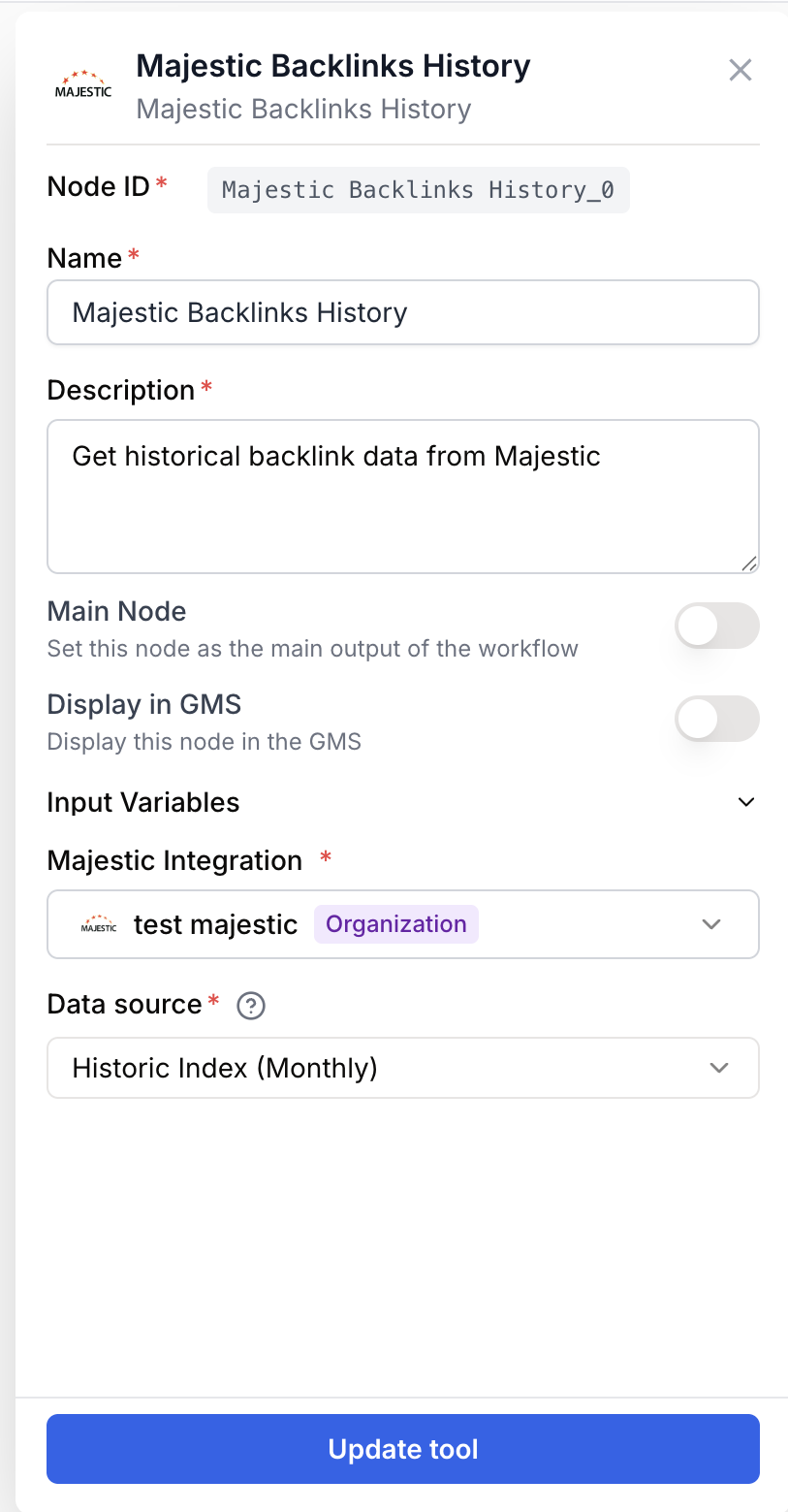
Configure the node with one Majestic credential, the data source, and the URLs to analyze.
Required fields
Name string required default: Majestic Backlinks History Node name — Used to identify the node in run logs and the canvas (e.g. BL history competitors Q1).
Description string required default: Retrieves the temporal evolution of backlinks for a URL. Fresh Index provides daily history, Historic Index provides monthly history. Node description — Short description shown in node library and tooltips.
Majestic Integration integration required Majestic account — Selects the Majestic API key used for the request. Configured in Settings > Integrations.
URL(s) string[] required URLs to analyze — One URL per line, or a connected list from an upstream node. Duplicates are removed automatically while preserving order.
Optional fields
Data source enum default: Historic Index Majestic index — Either Historic Index (monthly history, deeper archive) or Fresh Index (daily history, recent crawl). Choose Historic for trend analysis, Fresh for short-term monitoring.
The node accepts URLs as a multi-line string, a JSON-encoded array, or a connected list. Nested lists are flattened automatically.
What does the node output?
The node outputs a JSON string containing the historical backlink series for each requested URL.
How to use the output
- Connect the
Historyoutput port to the next node. - In the receiving node, create a variable (e.g.
bl_history) — the JSON content lands there. - Use a JSON Path Extractor or an LLM to parse specific data points (counts, dates).
History string JSON string with the backlink history per URL: dates, external backlink counts, and referring domain counts from the chosen Majestic index.
Usage examples
Example 1: Monthly trend for a single domain
Track external backlinks across the last 12 months for your homepage.
Configuration:
URL(s)=https://example.com/Data source=Historic Index
Generated output (excerpt):
{
  "history": [
    { "date": "2024-01-01", "external_backlinks": 24000, "referring_domains": 1450 },
    { "date": "2024-02-01", "external_backlinks": 25500, "referring_domains": 1520 }
  ]
}
Example 2: Daily fresh-crawl monitoring across competitors
Compare daily link velocity across three competitor URLs after a launch.
Configuration:
URL(s)=https://competitor-a.com/launch https://competitor-b.com/launch https://competitor-c.com/launchData source=Fresh Index
Pipe the output into a JSON Path Extractor, then into a Loop to push each series into a sheet or chart.
Common issues
Error: Majestic API key not configured
Cause: No Majestic integration is selected, or the saved credential is invalid.
Solution: Go to Settings > Integrations, add or refresh a Majestic API key, then reselect it in the node.
Error: At least one URL is required
Cause: The URL(s) field is empty and no input is connected, or all upstream values are blank.
Solution: Type at least one URL in the field or connect a non-empty list from an upstream node.
The output is empty for some URLs
Cause: Majestic has no history for that URL in the selected index, or the URL is malformed.
Solution: Try the other index (Fresh vs Historic). Verify URLs include the scheme (https://) and exact path.
Best practices and pitfalls
Use the Historic Index for reporting and long-term trend graphs. Reserve the Fresh Index for near-real-time monitoring where the most recent crawl matters more than depth.
Each URL consumes Majestic API credits. Pre-deduplicate large URL lists with a Remove Duplicates node before this one to avoid burning quota.
How does it fit into a workflow?
Majestic Backlinks History is typically the data-fetch step before parsing, charting, or storage.
graph LR
    URLs[Create List of URLs] --> MBH[Majestic Backlinks History]
    MBH --> Extract[JSON Path Extractor]
    Extract --> Sheet[Google Sheets Append]
Related nodes
Fetch detailed per-link backlink metrics for a URL, complementing the time-series view.
Check Majestic index freshness and crawl status before running history queries.
Parse the JSON output to extract specific dates or backlink counts.
Iterate over multiple URLs or per-date entries to populate a sheet or trigger downstream actions.