Semrush Domain Keywords
The Semrush Domain Keywords node retrieves the organic or paid keywords ranked by one or several domains using the Semrush API.
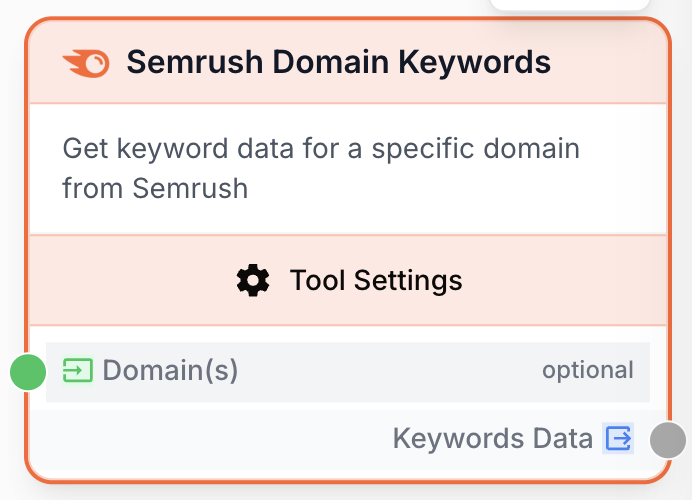
What does the Semrush Domain Keywords node do?
The Semrush Domain Keywords node queries the Semrush API to return the list of keywords (organic or paid) for which one or several domains rank in a chosen country database. It is the backbone of competitor research, content gap analysis, and SEO audit workflows running inside Draft & Goal.
Common use cases:
- Pulling the top organic keywords of a competitor before drafting a content brief.
- Comparing a list of domains in a single run to spot keyword overlaps.
- Feeding paid keyword lists into a Google Ads strategy node.
Credit cost: Semrush charges 2 credits per keyword retrieved. A run with 10 domains and a limit of 100 keywords each can consume up to 2,000 Semrush credits.
Quick setup
Connect your Semrush account
Open Settings > Integrations and add a Semrush integration with a valid API key. The node will not run without a configured integration.
Add the node to the canvas
Open the Node Library, go to Integrations > SEO Tools > Semrush, then drag the Semrush Domain Keywords node onto your workspace.
Provide the domain(s)
Either type one domain per line in the Domain(s) field, or connect a text input containing a single domain or a JSON array of domains (e.g. [example.com, example.fr]).
Choose mode and database
Pick Organic Keywords or Paid Keywords, then select the country database (France, United States, United Kingdom, Germany, Spain, Italy, Netherlands, Canada, Australia, Brazil).
Connect the output
Connect the Keywords Data output to the next node (LLM, JSON Path Extractor, Filter List, etc.) and bind it to a variable name in that node.
Configuration parameters
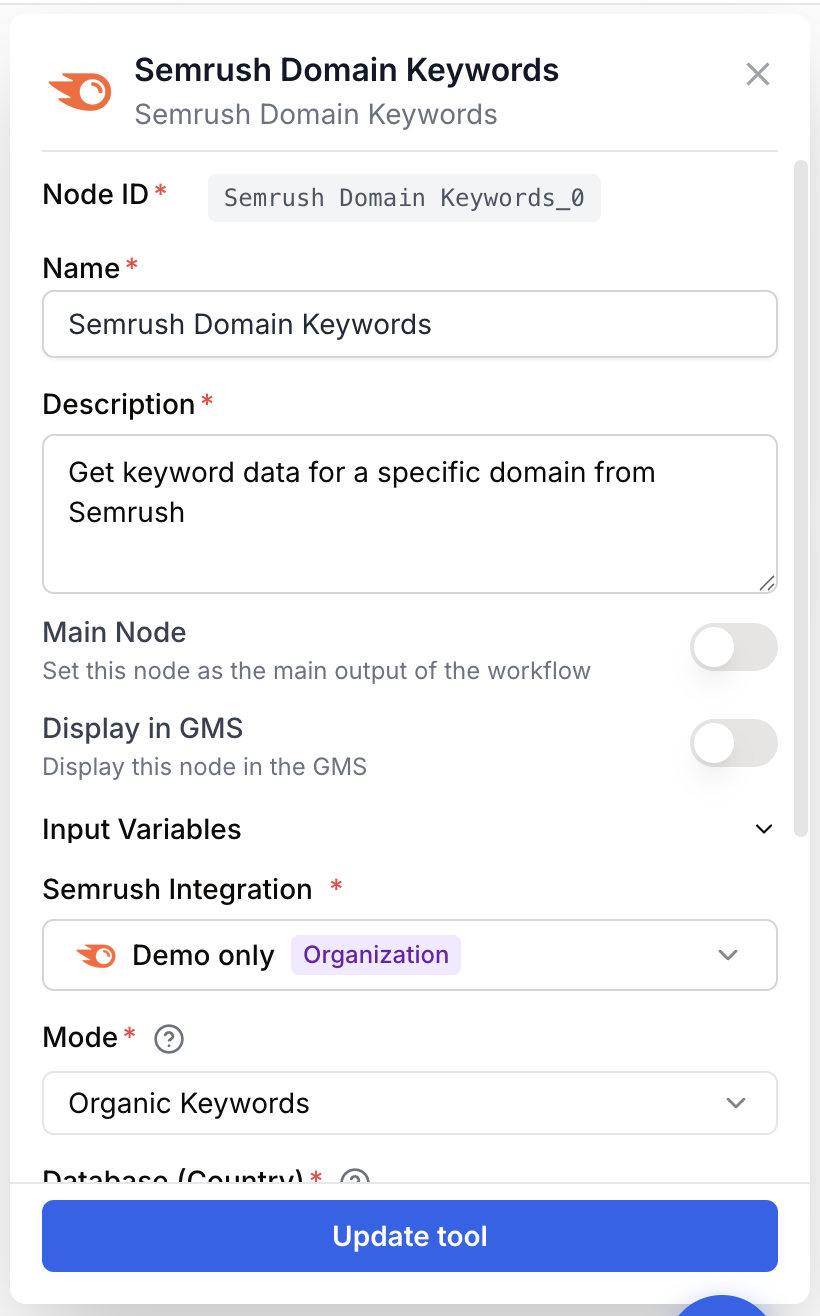
Required fields
Name string required default: Semrush Domain Keywords Node name — Used to identify the node when running and debugging the workflow (e.g. Competitor organic keywords FR).
Description string required default: Takes in one or multiple domains and retrieves organic or paid keywords using Semrush. Node description — Short summary of what this node fetches.
Semrush Integration integration required Semrush account — Select the Semrush integration that holds the API key used to authenticate the request.
Mode string required default: organic Keyword type — Organic Keywords returns SEO rankings, Paid Keywords returns Google Ads keywords.
Database (Country) string required default: fr Country database — Selects the Semrush regional index. Available values: fr, us, uk, de, es, it, nl, ca, au, br.
Number of Results number required default: 100 Display limit — Maximum number of keywords returned per domain. Range: 1 to 10,000. Remember the 2-credits-per-keyword cost.
Export Columns string required default: Ph,Po,Nq,Cp,Co,Nr Columns returned — Comma-separated Semrush column codes. Available: Ph (Keyword), Po (Position), Nq (Search Volume), Cp (CPC), Co (Competition), Nr (Number of Results).
Optional fields
Domain(s) string Domains to analyze — One domain per line, or a JSON array of domains piped in from a previous node. When connected as an input, the field accepts either a plain string or a JSON array such as [example.com, example.fr].
Provide multiple domains in a single run to receive a unified result list where every keyword carries a source_domain field, ready for filtering or grouping downstream.
What does the node output?
The node outputs a JSON string containing the merged list of keyword rows for every domain processed. Each row carries the requested export columns plus a source_domain field added automatically.
keywords_data string JSON-encoded array of keyword objects. Each object contains the columns requested in Export Columns and a source_domain field with the originating domain.
How to use the output
- Draw a connection from the
Keywords Dataoutput. - Connect it to the next node (for example a JSON Path Extractor, an LLM, or a Filter List).
- Create and name a variable on the receiving node (for example
semrush_keywords). The JSON payload will be injected into it.
Usage examples
Example 1: Single competitor organic audit
Pull the top 100 organic keywords of competitor.com in the US database.
Configuration:
Domain(s)=competitor.comMode=Organic KeywordsDatabase=United States (google.com)Number of Results=100Export Columns=Ph,Po,Nq,Cp,Co,Nr
Output (truncated):
[
  {
    "Ph": "best seo tools",
    "Po": "3",
    "Nq": "12000",
    "Cp": "4.50",
    "Co": "0.78",
    "Nr": "8500000",
    "source_domain": "competitor.com"
  }
]
Example 2: Multi-domain comparison
Compare three French e-commerce domains in one run and feed the result to an LLM for clustering.
Configuration:
Domain(s)=shop1.fr shop2.fr shop3.frMode=Organic KeywordsDatabase=France (google.fr)Number of Results=200Export Columns=Ph,Po,Nq
The output array merges the three result sets. Use source_domain downstream to group keywords by site.
Common issues
Semrush: API key not configured
Cause: No Semrush integration is selected on the node, or the integration is missing an API key.
Solution: Open Settings > Integrations, create or update the Semrush integration with a valid API key, then re-select it in the node.
The run consumed far more credits than expected
Cause: Each retrieved keyword costs 2 Semrush credits. Running with multiple domains multiplies the bill.
Solution: Lower Number of Results, restrict the domain list, or filter results downstream rather than fetching unused rows.
The node returned an empty list
Cause: The chosen database has no data for that domain, or the domain is misspelled (https:// prefix, trailing slash, subdomain mismatch).
Solution: Use the bare apex domain (example.com, not https://www.example.com/) and confirm the country database matches where the domain actually ranks.
Best practices and pitfalls
Cache the output: place a Conditional or Filter List node downstream so subsequent runs reuse the keyword list instead of re-querying Semrush.
Always validate domain inputs before the node. Empty strings raise a Domain is required error and break the workflow run.
How does it fit into a workflow?
Semrush Domain Keywords usually sits at the top of an SEO research pipeline, feeding cleaned keyword data to extractors, filters, or LLMs.
graph LR
    List[Create List of Domains] --> Semrush[Semrush Domain Keywords]
    Semrush --> Filter[Filter List
<br/>volume > 500]
    Filter --> LLM[LLM clusters topics]
    LLM --> Sheet[Google Sheets export]
Related nodes
Get aggregated metrics (volume, CPC, competition) for a specific keyword.
Retrieve the keywords ranked by a single URL instead of a whole domain.
Extract specific columns or rows from the JSON keyword payload.
Keep only keywords matching volume, position, or CPC thresholds.