Internal Link Recommendation
The Internal Link Recommendation node ranks pages from a CSV dataset against a query using semantic similarity and PageRank to surface the best internal linking opportunities.
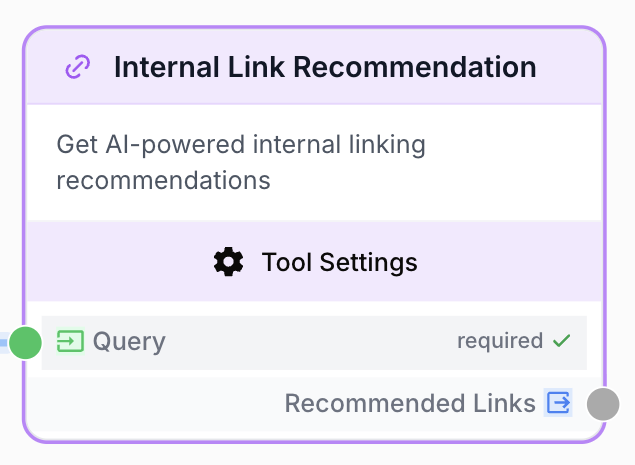
What does the Internal Link Recommendation node do?
The Internal Link Recommendation node takes a text query and ranks the pages of a CSV dataset by combining two signals: semantic similarity between the query and each page title (TF-IDF + cosine similarity, with language-aware stopwords) and the page’s internal PageRank score (the inrank column). It returns the top N pages as a JSON array, with a small randomized rotation among matching pages so successive runs do not always surface the exact same suggestions.
Common use cases:
- Generate a shortlist of relevant internal links to insert while drafting an article.
- Build topical clusters by surfacing pages thematically connected to a pillar topic.
- Spread link equity by tuning the PageRank weight to favor authoritative pages.
Quick setup
Add the node to the canvas
Open the Node Library, go to Integrations > SEO Tools, then drag the Internal Link Recommendation node onto your workspace.
Prepare the URL dataset
Export a CSV from your crawler (Screaming Frog, Oncrawl, OnCrawl InRank, etc.) containing exactly three lowercase columns: url, title, and inrank. The inrank column must be numeric.
Configure the node
Upload the CSV in URL Dataset, set Number of links to return, and tune Semantic Weight and PageRank Weight for your linking strategy.
Connect the inputs and output
Wire a text source (LLM, Text Input, Paragraph) to the Query input, and connect the output to the next node (LLM to draft anchor HTML, Find and Replace to inject into a template, etc.).
Configuration parameters
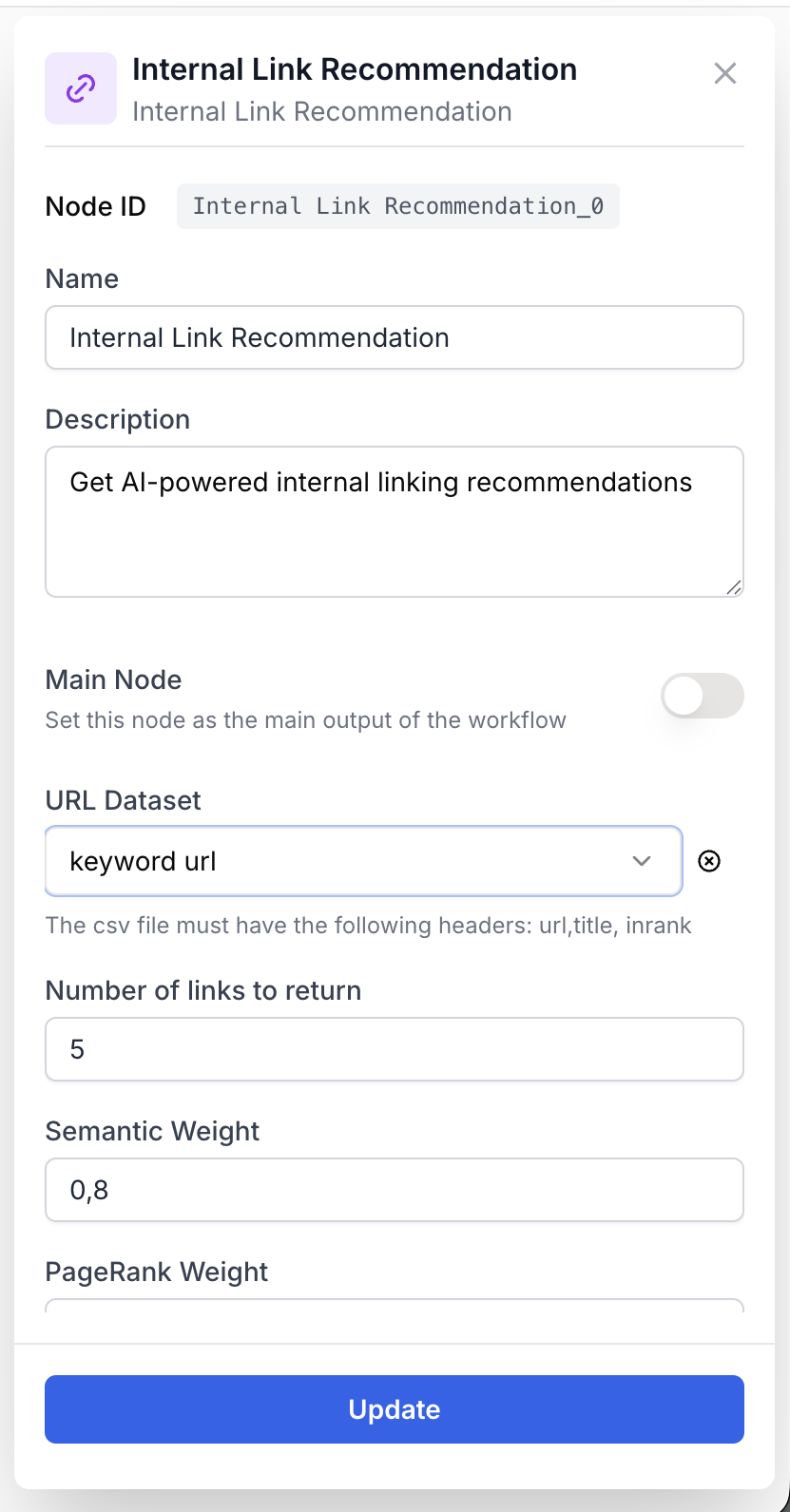
The node combines an input port for the query with parameters configured in the side panel.
Required fields
Name string required default: Internal Link Recommendation Node name — Used to identify the node when running and debugging the workflow (e.g. Blog interlinking).
Description string required default: Recommends internal links based on content relevance and page importance Node description — Short summary of what this node instance does.
Query string required Input port — The text used to score pages. Typically a keyword set, an article title, or a paragraph from the content being written. An empty query raises Internal Link Recommendation Tool: Missing query parameter.
URL Dataset csv required A CSV (or XLSX) file uploaded as a Datasource. Required columns (case-insensitive, lowercased on read):
url— Absolute page URL.title— Page title used for semantic matching.inrank— Internal PageRank score (numeric).
CSV delimiter is auto-detected (,, ;, tab, or |). Encoding is auto-detected via chardet. Bad lines are skipped.
Optional fields
Number of links to return number default: 5 How many recommendations to return. Range 1 to 20. The node may return fewer if not enough pages have a positive similarity score.
Semantic Weight number default: 0.8 Coefficient applied to the cosine similarity score in the final ranking (0 to 1, step 0.1). Higher values prioritize pages whose titles best match the query.
PageRank Weight number default: 0.4 Coefficient applied to the min-max normalized inrank score in the final ranking (0 to 1, step 0.1). Higher values prioritize authoritative pages regardless of title match.
The two weights are independent and do not need to sum to 1. The final score is semanticWeight * similarity + pageRankWeight * normalizedInrank. A configuration like 0.8 / 0.4 means semantic relevance carries roughly twice the influence of authority.
Stopwords are loaded automatically based on the language detected from the page titles (English, French, German, Italian, Portuguese, Spanish). Detection failure falls back to English.
What does the node output?
The node outputs a JSON string representing an array of recommended links, sorted by final_score descending then rotated by a random offset. Pages with a similarity of 0 are filtered out. Each entry contains the source URL, page title, raw inrank, the cosine similarity, and the combined final_score.
How to use the output
- Draw a connection from the Recommended Links output.
- Connect it to the next node (typically an LLM, JSON Path Extractor, or HTML to Markdown).
- In that next node, name your own variable (e.g.
links_json). The JSON string is injected directly. Pass it through a JSON Path Extractor or have an LLM format it as anchor HTML.
Recommended Links string JSON-encoded array of objects with fields url, title, inrank, similarity, final_score. Empty array if no page has a similarity greater than 0.
[
  {
    "url": "https://example.com/guides/technical-seo-checklist",
    "title": "Technical SEO Checklist for 2025",
    "inrank": 7.8,
    "similarity": 0.91,
    "final_score": 0.98
  },
  {
    "url": "https://example.com/blog/crawl-budget-optimization",
    "title": "How to Optimize Your Crawl Budget",
    "inrank": 6.3,
    "similarity": 0.84,
    "final_score": 0.87
  }
]
Usage examples
Example 1: Editorial interlinking from an article draft
You are drafting an article about a technical SEO audit and want five relevant internal links to weave into the body.
Query input:
technical SEO audit crawl errors indexingCSV dataset (excerpt):
url,title,inrank
https://example.com/guides/technical-seo-checklist,Technical SEO Checklist for 2025,7.8
https://example.com/blog/crawl-budget-optimization,How to Optimize Your Crawl Budget,6.3
https://example.com/tools/site-audit,Free Site Audit Tool,9.1
https://example.com/blog/recipes,Best Pasta Recipes,4.2
Configuration:
Number of links to return: 5Semantic Weight: 0.8PageRank Weight: 0.4
Output:
[
  {
    "url": "https://example.com/guides/technical-seo-checklist",
    "title": "Technical SEO Checklist for 2025",
    "inrank": 7.8,
    "similarity": 0.91,
    "final_score": 1.04
  },
  {
    "url": "https://example.com/tools/site-audit",
    "title": "Free Site Audit Tool",
    "inrank": 9.1,
    "similarity": 0.42,
    "final_score": 0.74
  }
]
The recipes page is filtered out because its similarity is 0.
Example 2: Building a content hub with authority bias
You are wiring up a content hub around content marketing and want to favor authoritative pages.
Configuration:
Number of links to return: 10Semantic Weight: 0.5PageRank Weight: 0.7
Workflow:
graph LR
    Input[Text Input
<br/>topic keywords] --> ILR[Internal Link Recommendation]
    ILR --> LLM[LLM
<br/>format as anchor HTML]
    LLM --> FR[Find and Replace
<br/>inject into template]
The LLM consumes the JSON array and produces ready-to-paste HTML anchors. Find and Replace then swaps a placeholder in the article template for the generated block.
Common issues
The output is an empty array
Cause: No page in the dataset has a non-zero TF-IDF similarity with the query (vocabulary mismatch, very short titles, or aggressive stopword removal).
Solution: Broaden the query, ensure page titles are descriptive, or check that the detected language matches the dataset language. Empty similarities also occur when the query consists only of stopwords.
The node fails with `Title column not found`, `Url column not found`, or `Inrank column not found`
Cause: The CSV header is missing one of the required columns. Headers are lowercased on read, but the column must be present.
Solution: Re-export the CSV with exactly url, title, inrank (case does not matter, but the names must match).
The node fails with `Page rank must be a number`
Cause: The inrank column contains non-numeric values (text, empty cells, or formatted numbers with thousand separators).
Solution: Clean the column before export. Values must be numeric (integers or decimals). Drop or backfill rows with missing PageRank.
Suggestions change between runs even with the same inputs
Cause: Expected behavior. The node applies a random rotation offset to the filtered, score-sorted list before slicing the top N, so the same dataset surfaces a varied selection across runs.
Solution: None needed. Increase Number of links to return if you want a stable shortlist that survives rotation, or post-process the output deterministically downstream.
Best practices and pitfalls
Tune weights to the use case. Editorial interlinking favors semantic match (0.8 / 0.3). Pillar pages and navigation hubs favor authority (0.5 / 0.7). Run both and compare on a known query.
Refresh the dataset. Recommendations are only as good as the export. Re-crawl regularly so new pages are eligible and stale inrank values do not bias the results.
Title quality drives semantic match. Generic titles (Page 1, Untitled) cannot be matched. Ensure each row has a descriptive title before relying on the output.
How does it fit into a workflow?
Internal Link Recommendation typically sits between a content source and a formatting step, turning a topic into a JSON list of suggested anchors that downstream nodes inject into the final content.
graph LR
    Topic[Text Input
<br/>topic or draft] --> ILR[Internal Link Recommendation]
    ILR --> LLM[LLM
<br/>build anchor HTML]
    LLM --> Output[Docs Writer
<br/>or Find and Replace]
Related nodes
Convert the JSON array into anchor HTML, plain text, or a Markdown link list ready to paste.
Extract specific fields (e.g. URLs only) from the recommendation array.
Inject the generated link block into a content template via a placeholder.
Provide the query text manually for ad-hoc runs and tests.