Human in the Loop
Pauses a workflow and routes content to assigned reviewers for approval before it continues
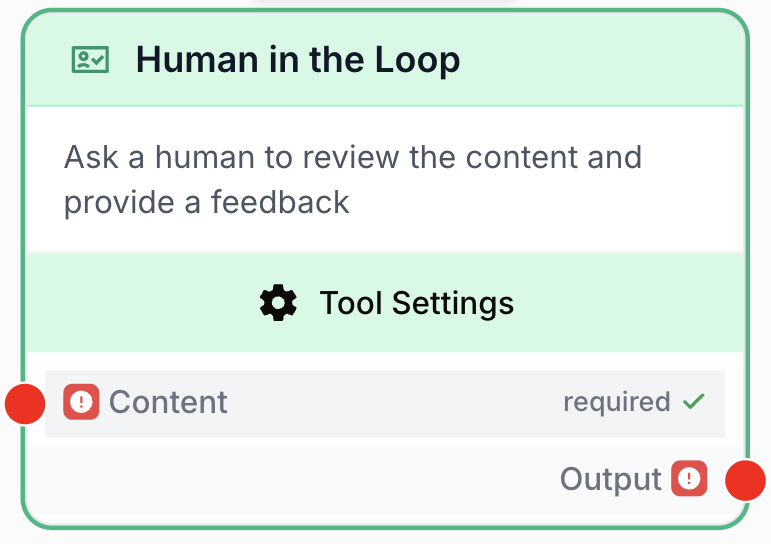
What does the Human in the Loop node do?
The Human in the Loop node pauses workflow execution and routes content to one or more assigned reviewers for a decision before resuming. Each reviewer receives a review request (email + review page) where they read the content and either approve or reject it. The workflow only continues when the configured approval policy is satisfied — and any rejection stops the step.
Use it as a manual checkpoint at any critical step — to review AI-generated content, validate data, or approve actions before they run downstream.
Common use cases:
- Reviewing AI-generated articles or summaries before publishing them to a CMS.
- Validating extracted data before writing it to an external system (CRM, database, spreadsheet).
- Quality-checking email content or customer-facing messages before they are sent.
- Approving sensitive or irreversible operations before they execute.
A Human in the Loop node always requires at least one reviewer. The approval policy (who must approve, and how many) is controlled by the Approval mode. A rejection is always an early exit: a single reject stops the step regardless of the mode.
Quick setup
Follow these steps to add and configure the Human in the Loop node in your workflow:
Add the node to the canvas
Open the Node Library, go to Tools > Flow Control, then drag and drop the Human in the Loop node onto your workspace.
Connect the input
Connect the Content input port (on the left of the node) to the output of the upstream node carrying the data to review (for example an LLM, a Web Scraper, or a JSON Path Extractor).
Assign reviewers
Open the node settings and select one or more Reviewers from your organization. This field is required — the workflow cannot pause without someone to notify.
Choose an approval mode
Pick the Approval mode that matches your decision policy: Any of, All of, or Quorum (N of M). See Approval modes below.
Write a message for the reviewer (optional)
Fill the Message to reviewer field to tell reviewers exactly what to check. It supports markdown and {{variables}} from upstream nodes.
Connect the output
Connect the Output port (on the right) to the next node. Execution resumes and the approved content flows through once the approval policy is met.
Configuration parameters
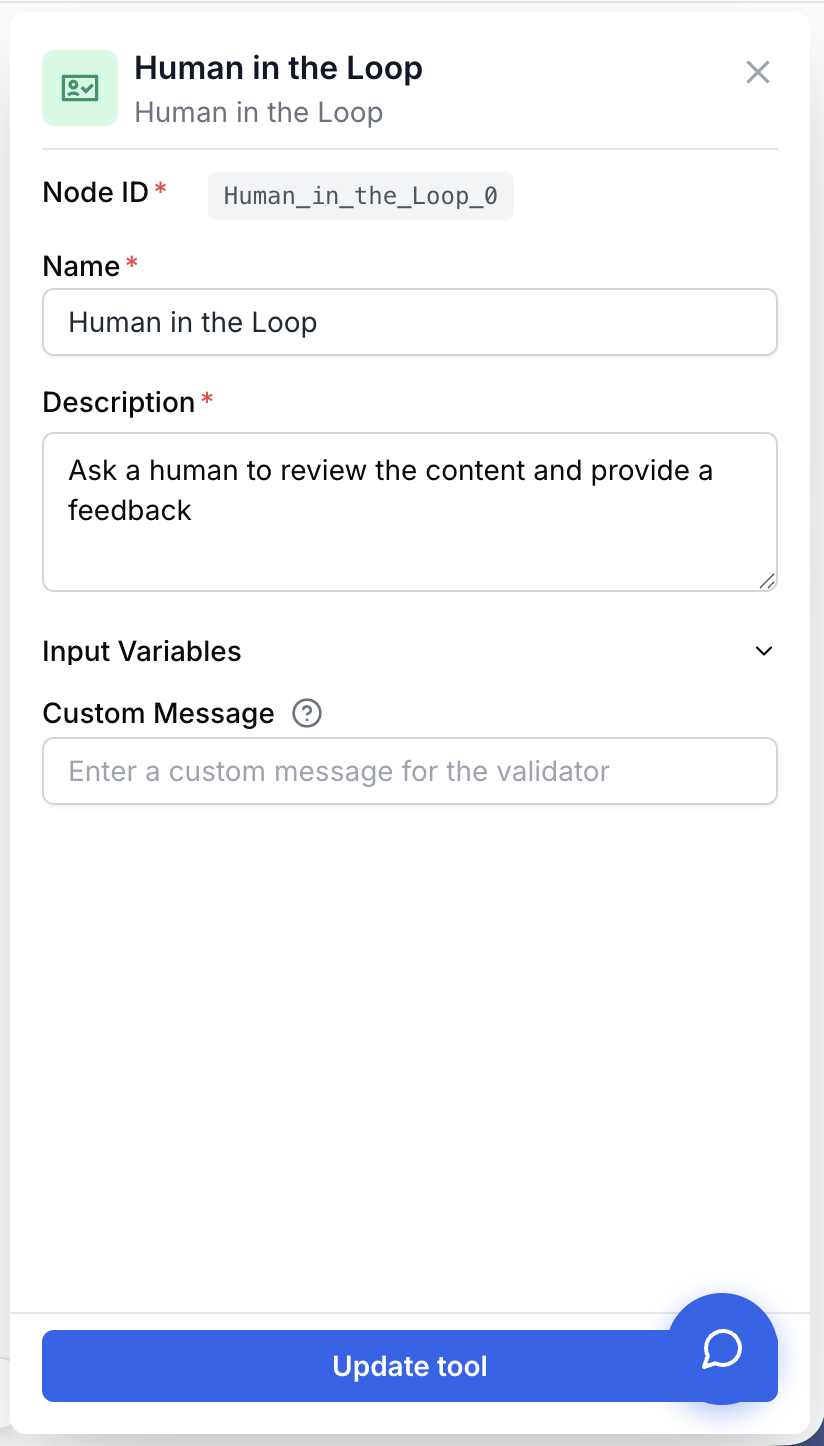
Required fields
Step name string required default: Human in the Loop Node name — Identifies this node in the workflow. Rename it to describe the review step (e.g. “Approve blog post”, “Validate extracted invoice”).
Description string required default: Ask a human to review the content and provide a feedback Node description — A short sentence describing what this review step is for.
Content string required Content to review — The data presented to the reviewer. Connected from an upstream node’s output. Accepts any value the reviewer can read (text, JSON, formatted output).
Reviewers user[] required Who decides — One or more users from your organization who receive the review request. Anyone in the list can act; anyone outside it cannot. To prevent self-approval, leave yourself out of the list. The minimum count depends on the approval mode (Any of ≥ 1, All of ≥ 2, Quorum ≥ 3).
Approval mode enum required default: Any of Approval policy — How many reviewers must approve for the step to pass. One of Any of, All of, or Quorum (N of M). See Approval modes.
Optional fields
Message to reviewer string default: Empty Instruction shown to the reviewer — A message displayed alongside the content, giving the context and acceptance criteria. Supports markdown and {{variable}} placeholders resolved from upstream nodes — each variable you reference becomes an additional input port on the node. Example: Please confirm "{{candidate_name}}" matches our brand guidelines. Reject if the CTA is missing.
Required approvals (N) number default: 2 Quorum threshold — Only used when Approval mode is Quorum (N of M). The number of approvals required for the step to pass, with 1 < N < M (M = number of reviewers). Ignored in the other modes.
Scores Score[] default: None Automatic ratings shown to reviewers — Declare one or more scores (see Scoring). Each score adds an input port to the node and renders a colored good / neutral / bad card on the review page, giving reviewers a quick signal before they decide.
Preview string default: Empty Batch review one-liner — A short, templatable summary ({{variable}}, markdown supported) shown under the scores on each card of the batch review page. Used when this node runs many times in a Loop. Each variable becomes an input port.
Filters for batch review Filter[] default: None Batch review dropdowns — Each filter has a label and a templatable value ({{variable}}). On the batch review page it renders a dropdown whose options are the distinct resolved values across the batch. Each variable becomes an input port.
Reminder cadence (hours) number default: 24 Reminder interval — How often to re-notify reviewers who haven’t decided. Between 1 and 168 hours.
Maximum reminders number default: 3 Reminder cap — Maximum number of reminder emails per reviewer. Between 1 and 10.
Reminders are marked “Coming soon”. The cadence and cap are persisted with the run so the contract is ready, but the reminder worker is not yet active — do not rely on automatic reminders being sent today.
The more specific your message to the reviewer, the faster and more reliable the review. Mention the exact fields, tone, or facts to check rather than asking for a generic “review”.
Approval modes
The Approval mode decides how many of the assigned reviewers must approve. A rejection is always an early exit — one reject stops the step immediately, in every mode.
| Mode | Reviewers | Passes when | Fails when |
|---|---|---|---|
| Any of | ≥ 1 | The first reviewer approves | The first reviewer rejects |
| All of | ≥ 2 | Every reviewer approves | Any reviewer rejects |
| Quorum (N of M) | ≥ 3 | N reviewers approve | N approvals become mathematically unreachable, or any reviewer rejects |
- Any of — the first decision wins. Best for “anyone qualified can sign off”.
- All of — unanimous approval required. Best for legal review or peer sign-off.
- Quorum (N of M) — a configurable number must approve. Resolves as soon as N approvals are reached, or fails as soon as N can no longer be reached. Set N with the Required approvals (N) field (
1 < N < M).
When one reviewer’s decision resolves the step, the other pending review requests are automatically closed as “not needed”.
Scoring
Scores let you attach automatic, rule-based ratings to the content so reviewers get an at-a-glance signal before deciding. Each score you declare:
- adds a dedicated input port on the node (wire it to the upstream value to rate), and
- renders a colored card (good / neutral / bad) on the review page.
Each score has a type and up to three rule bands, evaluated in order good → neutral → bad (first match wins):
| Type | Operators | Bands |
|---|---|---|
number / percentage | gt, gte, lt, lte, eq, between | good · neutral · bad |
string | equals, contains, starts_with, matches (regex), with optional case sensitivity | good · neutral · bad |
boolean | is | good · bad |
enum | in, not_in (over an allowed-values list) | good · bad |
- The good band is required; neutral and bad are optional.
- If a value is provided but no declared band matches, the card falls back to bad — a builder who set a “good” threshold expects anything outside it to read as a failure.
- A missing value, or a score with no declared rules, shows as Unrated.
Scores are informational — they guide the reviewer but never approve or reject on their own.
Batch review
When a Human in the Loop node runs inside a Loop, each iteration creates a separate review request. These are grouped into a batch review page where a reviewer can work through many items efficiently:
- Preview — a one-line, templatable summary shown under the scores on each card, so a reviewer can identify an item without opening it.
- Filters for batch review — templatable dropdowns (e.g. by category, author, status) whose options come from the distinct resolved values across the batch.
Both use {{variable}} placeholders, and every referenced variable becomes an extra input port on the node.
What does the node output?
The node outputs the content as approved by the reviewers. The workflow stays paused until the approval policy is met, then execution continues with that content as the next node’s input. If the step is rejected, the output does not flow and the branch stops there — pair with a Stop Node or a Conditional to handle rejection explicitly.
How to use the output
In Draft & Goal, you don’t need to look up a complex system-generated variable name. To use the result:
- Draw a connection from the Human in the Loop node’s
Outputport. - Connect it to the next node’s input.
- In that next node, create and name your own variable (for example,
approved_content). The reviewed value will be injected into it automatically.
Output string The content as approved by the reviewers. Returned only once the approval policy is satisfied; until then the workflow stays paused on this node. Not emitted on rejection.
Input ports
The node always has a static Content port. It grows additional ports dynamically:
- one port per declared score, and
- one port per
{{variable}}used in the Message to reviewer, Preview, or Filters.
Usage examples
Example 1: Approve an AI-generated article before publishing to Notion
Make sure an LLM-generated article is accurate and on-brand before it lands on your CMS.
Workflow:
- Web Scraper — Fetch a source page used as raw material.
- LLM — Generate a structured article from that source.
- Human in the Loop —
Contentconnected to the LLM output.Reviewers= your content lead.Approval mode= Any of.Message to reviewer= “Review this article for factual accuracy, tone, and completeness before publishing to Notion”. - Notion Database Writer — Receives the approved article and publishes it.
Example 2: Unanimous legal sign-off before sending a contract
Require every reviewer to approve before an automated email leaves the system.
Workflow:
- LLM — Draft a contract clause from a template.
- Human in the Loop —
Contentconnected to the draft.Reviewers= legal + account manager.Approval mode= All of. A score of typebooleanwired to a compliance flag surfaces a red/green card to speed the review. - Email Sender — Sends the approved contract only after both reviewers approve.
Best practices
- Place a Human in the Loop node just before any irreversible action — sending emails, writing to databases, publishing to a CMS, updating a CRM. A short human check is much cheaper than rolling back a bad write to production.
- Write a specific message: name the exact fields, tone, and facts to verify instead of asking for a generic “review”.
- Add scores for anything a rule can pre-check (length, presence of a CTA, a compliance boolean) so reviewers spend attention on judgment calls, not mechanical checks.
- Match the approval mode to the risk: Any of for routine sign-off, All of for unanimous decisions, Quorum for balanced committee review.
- Leave yourself out of the reviewer list on steps you shouldn’t be able to self-approve.
A workflow paused on this node stays paused until the policy is met. If you fan out many parallel reviews (e.g. inside a Loop), use the batch review page and give reviewers Preview + Filters so they can work through the queue quickly instead of stalling the pipeline.
Common issues
The workflow is stuck on the Human in the Loop node
Cause: The node is doing its job — it pauses the workflow until the approval policy is met. There is no automatic timeout (reminders are “coming soon” and not yet active).
Solution: Open the workflow execution panel and look for a pending review request on this node. A reviewer must open it and approve for the workflow to resume. In All of mode, every reviewer must act; in Quorum mode, N reviewers must approve.
No reviewers can be selected / the field is empty
Cause: Reviewers are drawn from the users in your organization. If the picker is empty, no eligible users exist in the org yet.
Solution: Invite or assign at least one user with a reviewer-capable role in User Management, then reopen the node settings.
The reviewer doesn't know what to check
Cause: The message to the reviewer is empty or too vague, so they only see raw content with no acceptance criteria.
Solution: Fill the message with a precise instruction listing what to verify (specific fields, tone, facts, formatting). Reference upstream values with {{variable}} to make it concrete.
No content reaches the reviewer
Cause: The Content input is not connected, or the upstream node produced an empty output.
Solution: Verify the Content port is connected to the correct upstream node. Run the upstream node alone to confirm it produces non-empty output before reconnecting.
Quorum mode won't accept my N value
Cause: Quorum requires 1 < N < M. N = 1 is identical to Any of, and N = M is identical to All of, so both are rejected. Quorum also needs at least 3 reviewers.
Solution: Add reviewers until you have at least 3, then set N strictly between 1 and the reviewer count.
How does it fit into a workflow?
Human in the Loop typically acts as an approval gate between content generation and any irreversible downstream action. Here’s a typical integration pattern for AI-generated content that ends up in an external system:
graph LR
    Source[Web Scraper / Data source] --> LLM[LLM generates content]
    LLM --> HITL[Human in the Loop
<br/>reviewers approve]
    HITL --> Publish[Notion / Email / CRM writer]
Related nodes
Generate the content that the human reviewers will validate before it is used downstream.
Branch the workflow based on the content that comes out of the review.
Send the approved content as an email only after the reviewers have validated it.
Pair with Human in the Loop to explicitly stop a workflow when a reviewer rejects the content.