Brand Kit
Create and maintain Brand Kits so workflows can reuse brand data, personas, and voice guidelines
What is a Brand Kit?
A Brand Kit is the organization-level profile of a brand: business info, identity, audience (including personas), content strategy, and style & voice. Workflows read from this profile — they do not store brand copy on each node.
You use Brand Kits in two ways:
- Brand Kit Variables node — expose specific fields as connectable ports (recommended for structured data like personas or color palette)
- Text variables — insert
{{brand.name}},{{brand.toneOfVoice}}, … in any text field after activating Brand Kit on the workflow
Nodes and workflows that depend on Brand Kit data require at least one Brand Kit configured in your organization. Without it, Brand Kit Variables has no source and the run cannot start.
Open Brand Kits
In the left sidebar, under Builder, open Brand Kits:
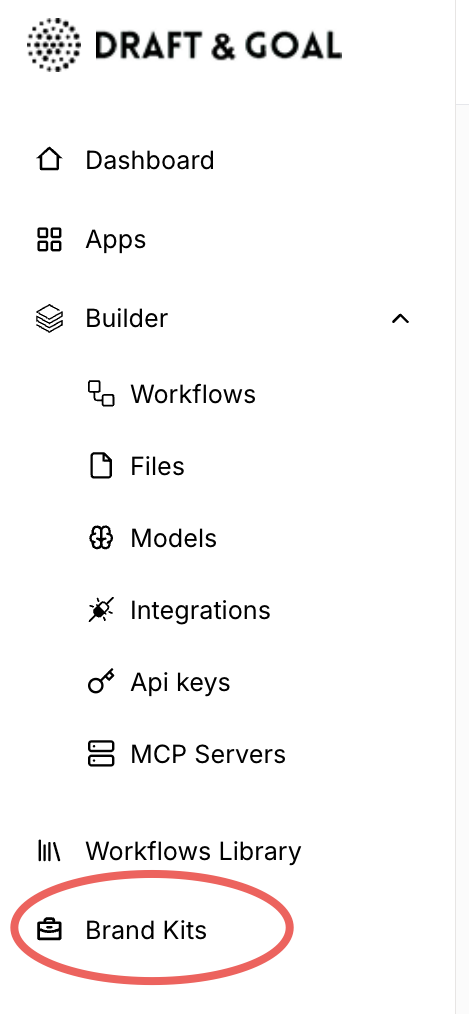
Create a Brand Kit
From the Brand Kits area, create a new kit with one of these options:
- Analyze a website URL — paste the brand site; Draft & Goal extracts a first draft of the profile
- Blank template — start empty and fill each section manually
- Duplicate — copy an existing kit and adapt it for another brand or market
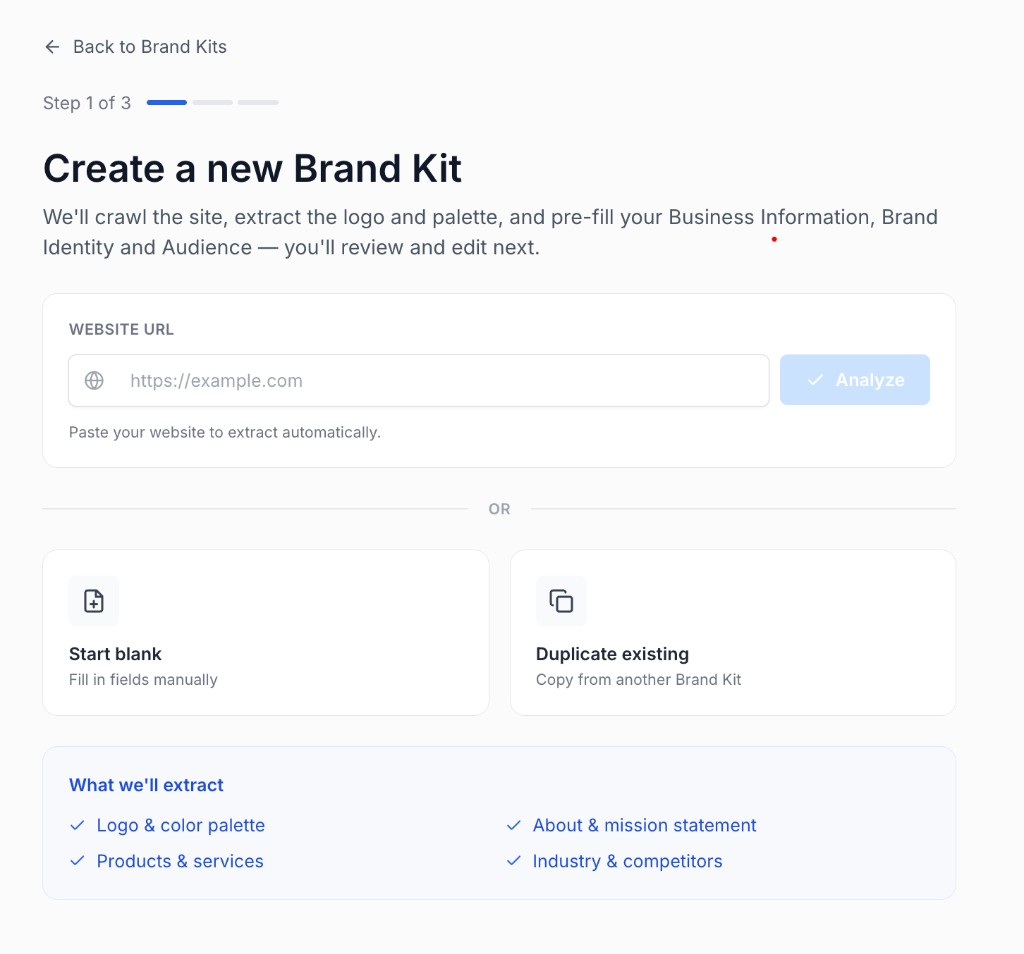
Complete the profile after creation — automatic extraction is a starting point, not a finished kit.
Brand Kit sections
Each kit is organized into five sections. They match the grouped dropdown when you add a variable on the Brand Kit Variables node:
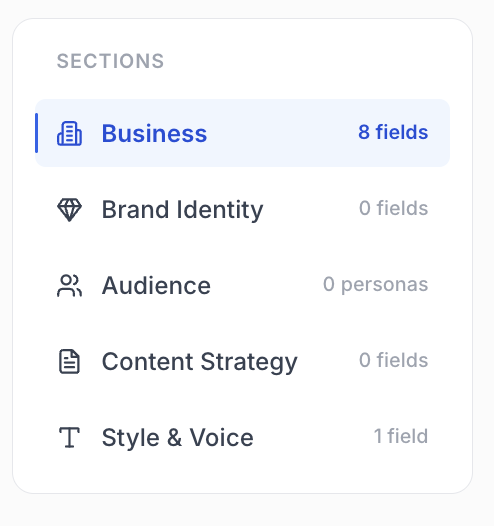
| Section | Typical fields |
|---|---|
| Business | Brand name, about, URL, country, languages, industries, competitors, legal, glossary, logo |
| Brand identity | Mission, values, personality, core beliefs, USP, visual guidelines, color palette |
| Audience | Ideal customer profile, age category, gender, personas (name, description, demographics, motivations, pain points, …) |
| Content strategy | Content pillars, guardrails |
| Style & voice | Tone of voice, writing rules |
Fill the sections your workflows actually use. For persona-driven or multi-brand Apps, prioritize Audience (personas) and Style & voice.
Use a Brand Kit in a workflow
1. Set the default Brand Kit
- Open Workflow Settings (gear icon)
- Go to the Brand Kit section
- Activate Brand Kit for the workflow if needed
- Select the Default Brand Kit
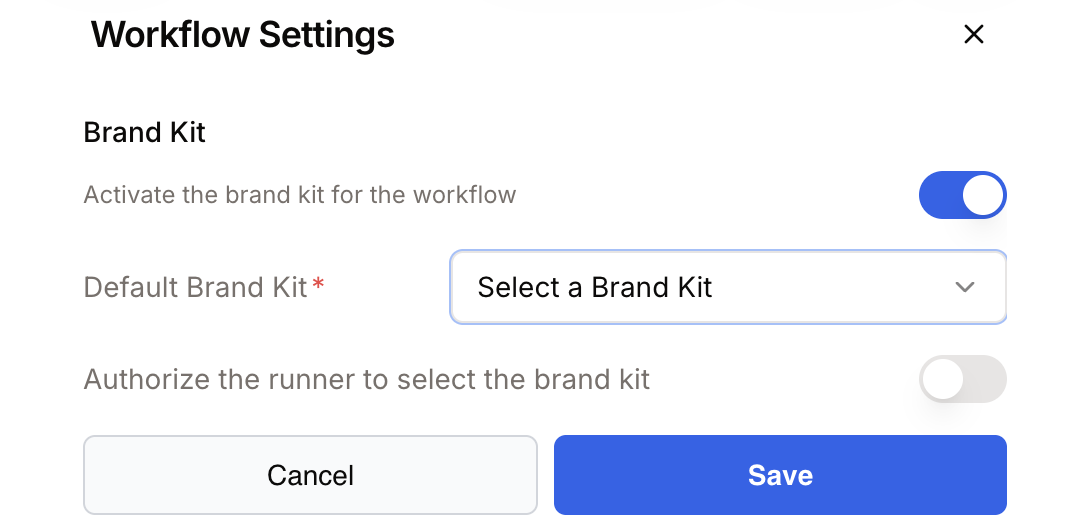
Without a default Brand Kit, the canvas shows a banner and the App Run button stays disabled.
2. Expose fields with Brand Kit Variables
Add the Brand Kit Variables node, pick the fields to expose, and wire the ports to LLM, Loop, Text to Image, and other nodes.
See Brand Kit Variables for canvas setup, multiple/single lists, and launch-time selection.
3. Or use {{brand.…}} variables in text fields
After activation, type {{ in a text field to open the picker, or type a {{brand.…}} path directly:
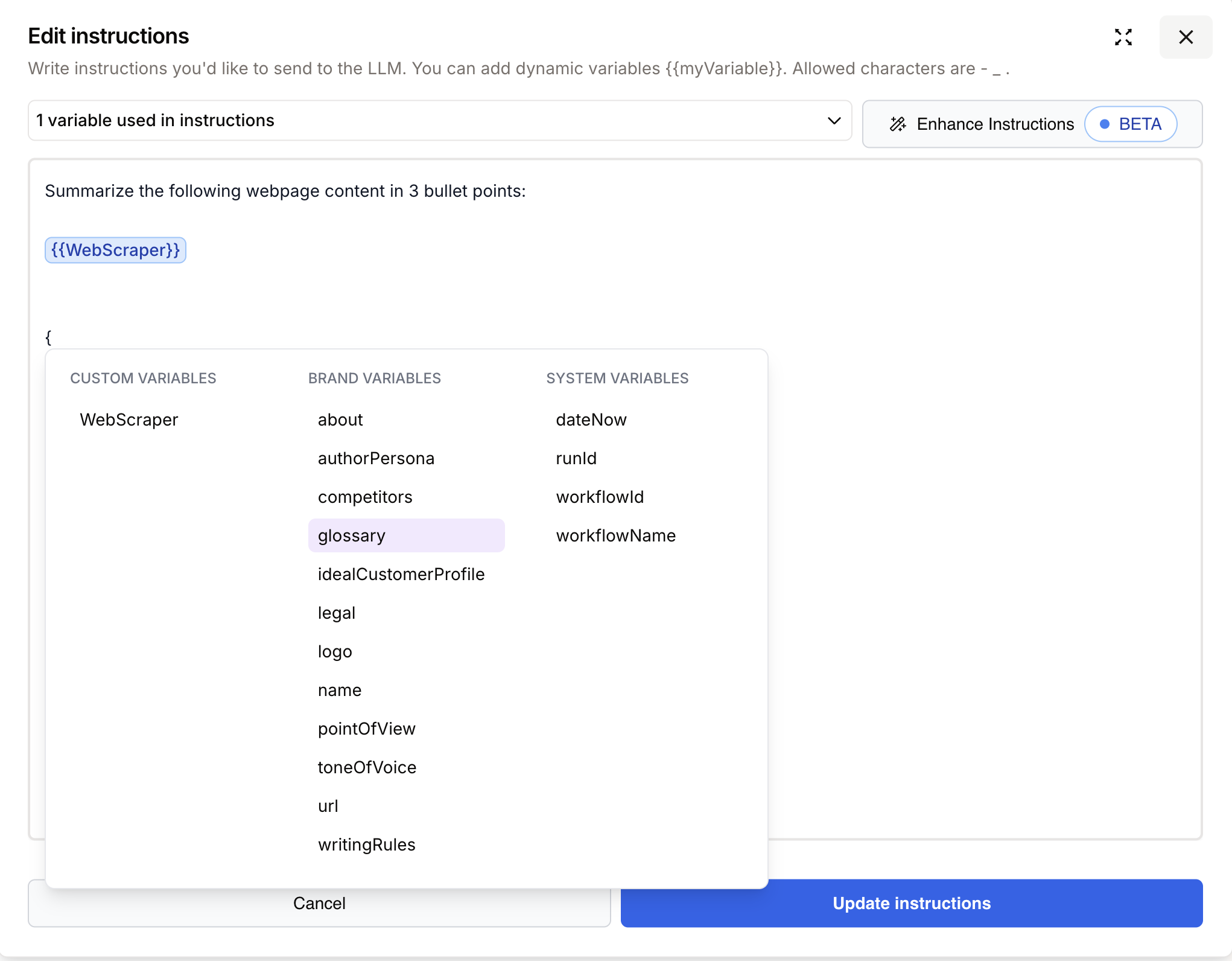
Example in an LLM prompt:
Write a LinkedIn post for {{brand.name}}.
Tone: {{brand.toneOfVoice}}
Audience: {{brand.buyerPersonas}}
Content pillars: {{brand.contentPillars}}
Available variables — Business
| Variable | Description |
|---|---|
{{brand.name}} | Brand / company name |
{{brand.url}} | Main website URL |
{{brand.about}} | About the brand |
{{brand.description}} | Short brand description |
{{brand.logo}} | Brand logo URL |
{{brand.favicon}} | Favicon URL |
{{brand.idealCustomerProfile}} | Ideal customer profile |
{{brand.pointOfView}} | Brand point of view (first person, etc.) |
{{brand.legal}} | Legal disclaimers and terms |
{{brand.glossary}} | Brand-specific terminology |
{{brand.competitors}} | Competitor brands |
{{brand.country}} | Country |
{{brand.defaultLanguage}} | Default language |
{{brand.secondaryLanguages}} | Secondary languages (list) |
{{brand.industry}} | Industries (list) |
{{brand.salesDistribution}} | Sales distribution channels (list) |
Available variables — Brand identity
| Variable | Description |
|---|---|
{{brand.mission}} | Brand mission |
{{brand.values}} | Brand values (list) |
{{brand.brandPersonality}} | Brand personality traits (list) |
{{brand.coreBeliefs}} | Core beliefs |
{{brand.usp}} | Unique selling proposition |
{{brand.colorPalette}} | Color palette (object: primary, secondary, scheme, …) |
Available variables — Audience
| Variable | Description |
|---|---|
{{brand.ageCategory}} | Age categories (list) |
{{brand.gender}} | Target gender |
{{brand.buyerPersonas}} | Buyer personas (list of objects: name, description, demographics, …) |
Available variables — Content strategy
| Variable | Description |
|---|---|
{{brand.contentPillars}} | Content pillars (list) |
{{brand.guardrails}} | Content guardrails (list) |
Available variables — Style & voice
| Variable | Description |
|---|---|
{{brand.toneOfVoice}} | Tone of voice guidelines |
{{brand.writingRules}} | Writing rules |
For system variables ({{system.dateNow}}, {{system.runId}}, …), activation details, and template debugging, see Using variables — BrandKit.
Best practices
- One kit per brand (or market). Duplicate a kit when guidelines diverge; avoid overloading a single kit with conflicting personas.
- Keep personas up to date. Deleted personas disappear from launch pickers; workflows using Use all pick up new ones automatically.
- Complete Style & voice early. Tone and writing rules improve every LLM prompt that references the kit.
- Prefer Brand Kit Variables for structured fields. Lists and objects (personas, palette, industries) are easier to wire as ports than as free-text
{{brand.…}}inserts.