Run history
Supervise batches, runs, and schedules from Run history in App runner: filters, search, status tracking, and execution history.
Overview
Run history in App runner centralizes supervision of your workflow executions. Review individual runs, batch jobs, and scheduled executions from a single place.
Runs
The Runs sub-tab lists each run with its status, duration, owner, and version used.
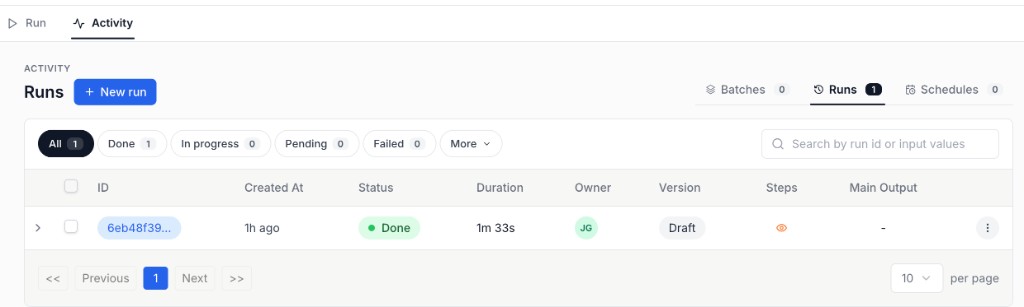
- Filter by status: All, Done, In progress, Pending, Failed
- Search by run ID or input values
- View run Steps via the eye icon
Batches
The Batches tab groups batch executions. Use it to track progress across multiple items processed in a single batch run.
Schedules
The Schedules tab lists scheduled executions. Monitor upcoming runs, review history, and check status for recurring workflows.